



Cecil Lee
Staff
-
Joined
-
Last visited
Everything posted by Cecil Lee
-
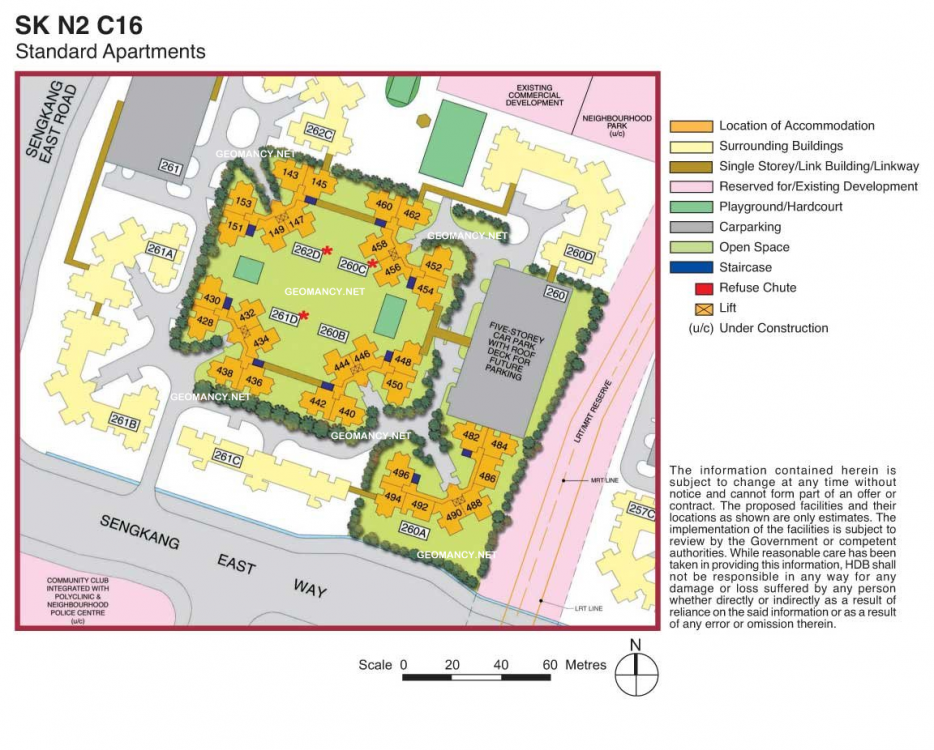
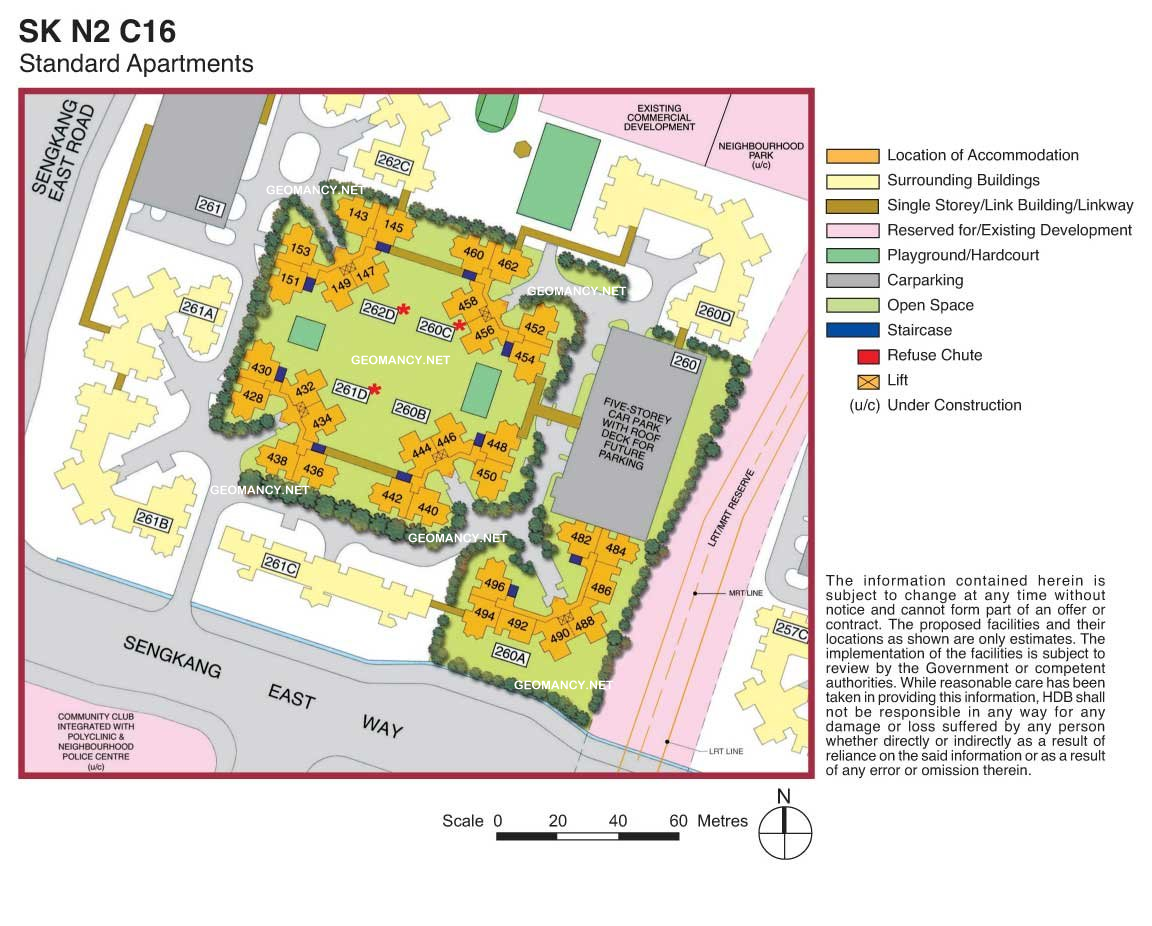
Seng Kang N2 C16: HDB Compassvale North Gate Site Map / Site Plan
-
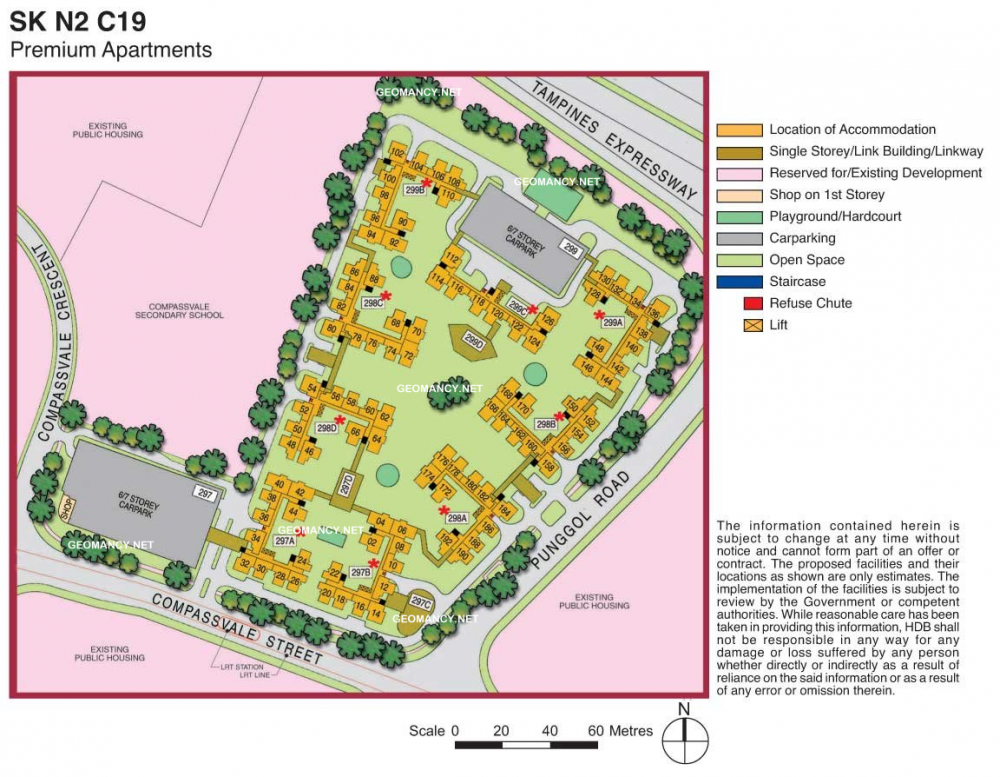
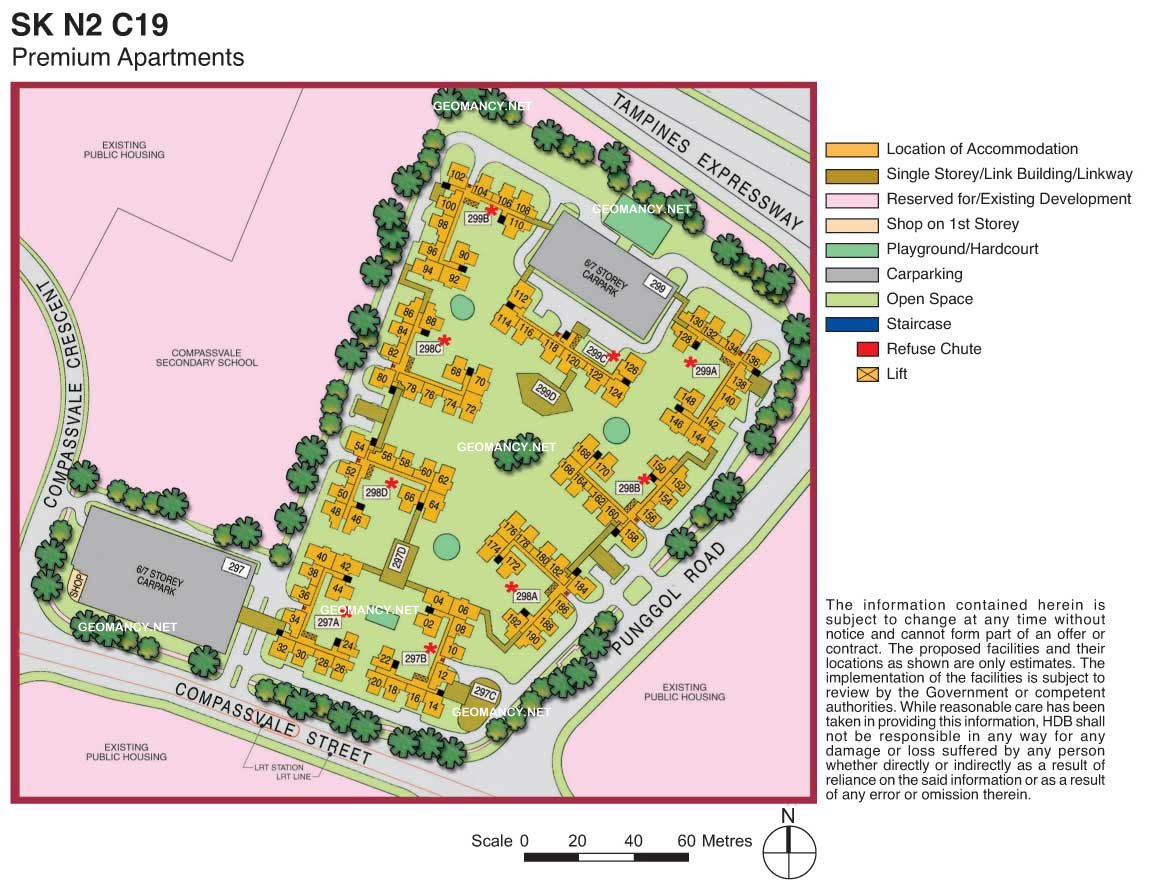
Seng Kang N2 C19: HDB Compassvale Green Site Map / Site Plan
-
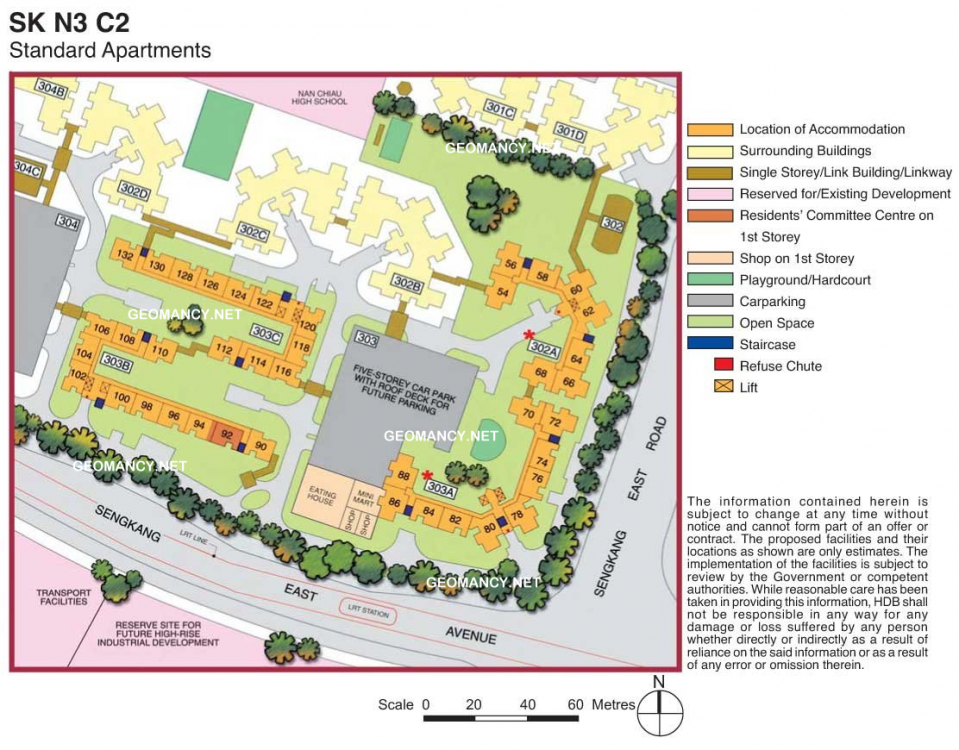
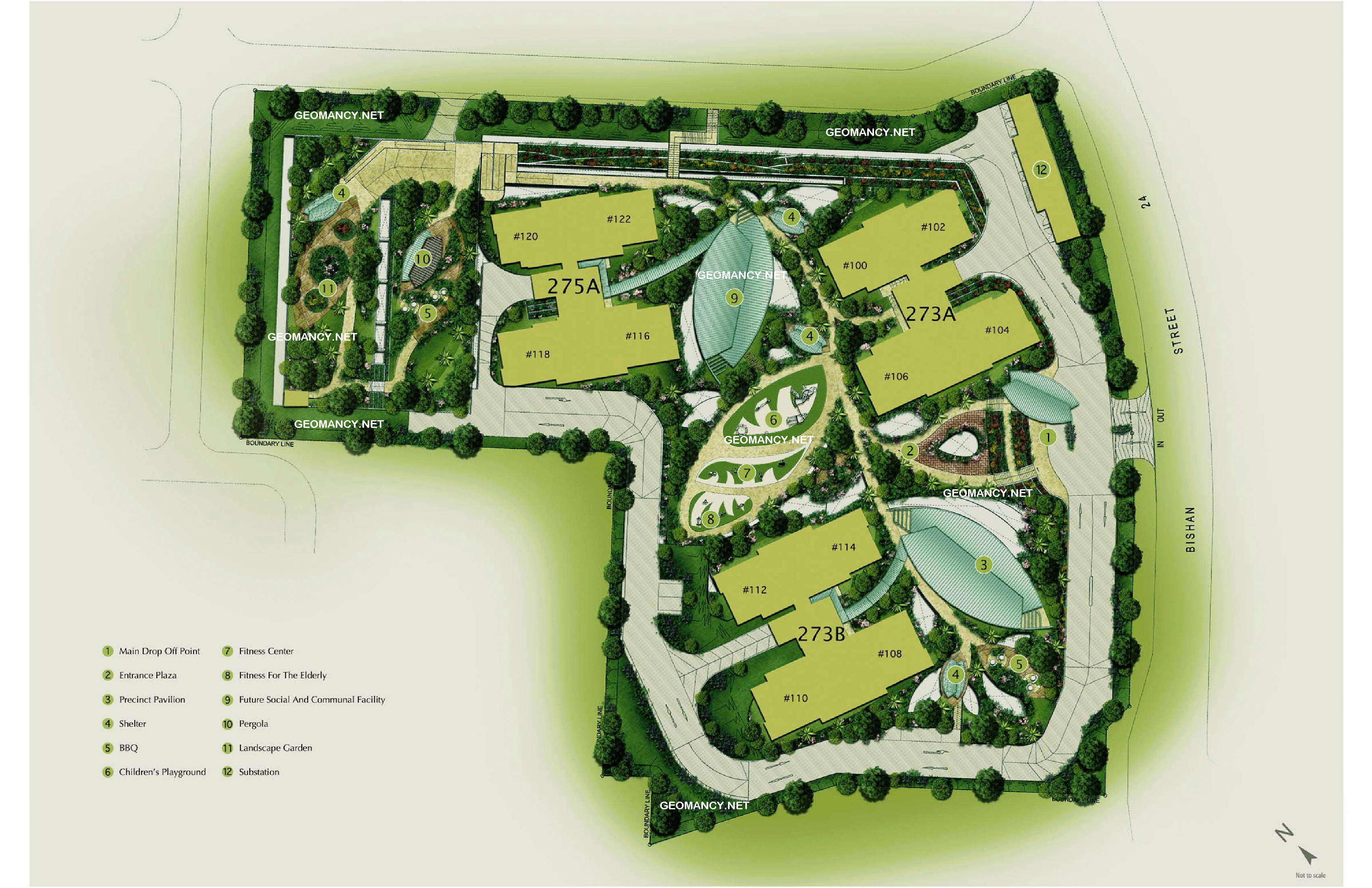
HDB Anchorvale Court at Anchorvale Link Site Map / Site Plan
-
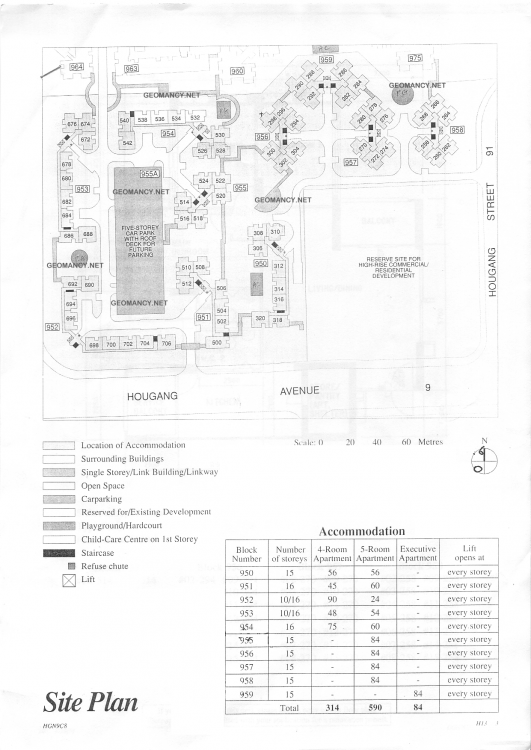
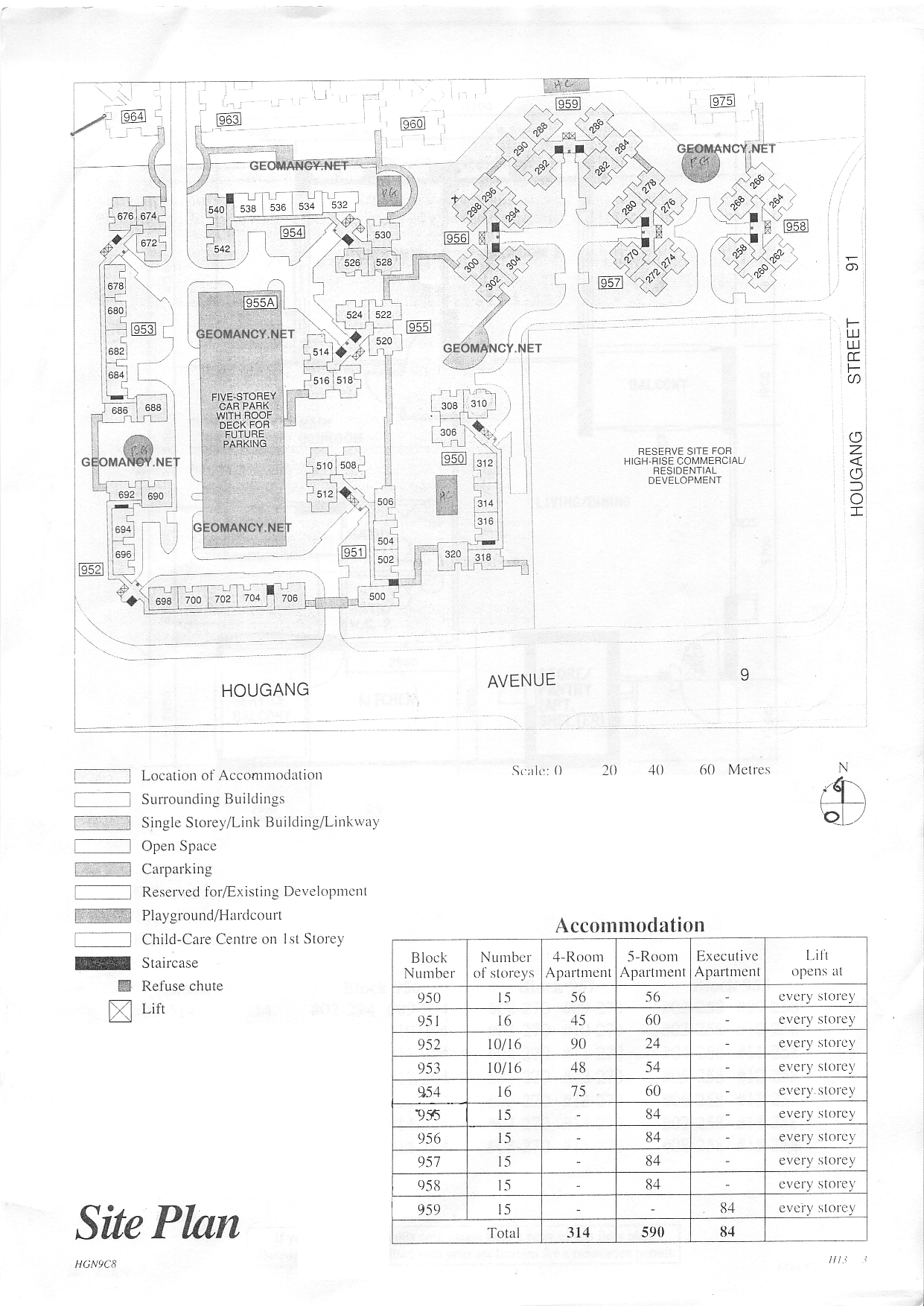
HDB Hougang Blocks 950, 951, 952, 953, 954, 955, 956, 957, 958, 959 @ Hougang Ave 9 and Hougang Street 91 Site Map / Site Plan This develop is beside Hougang One (formerly Hougang Point) and Yio Chu Kang Road
-
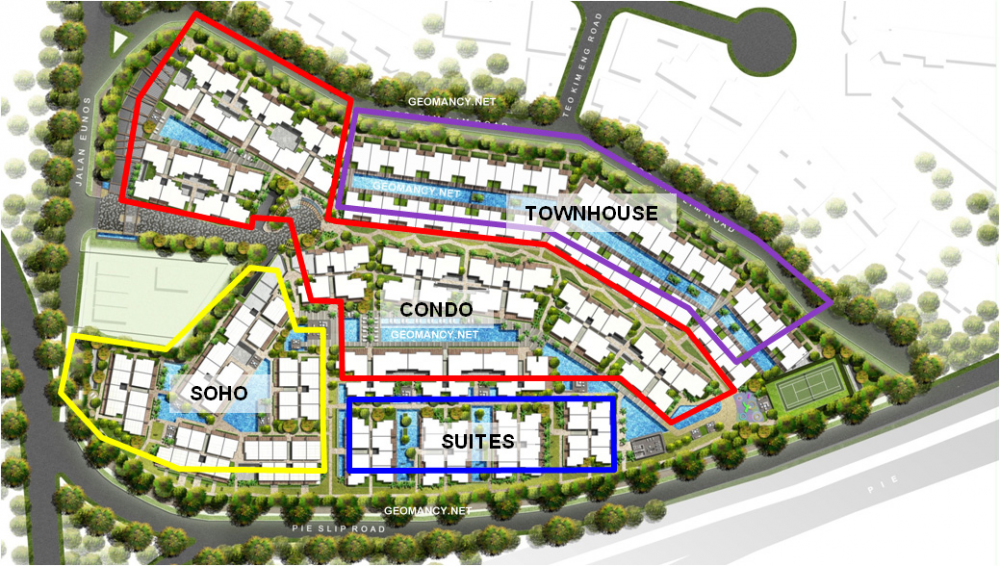
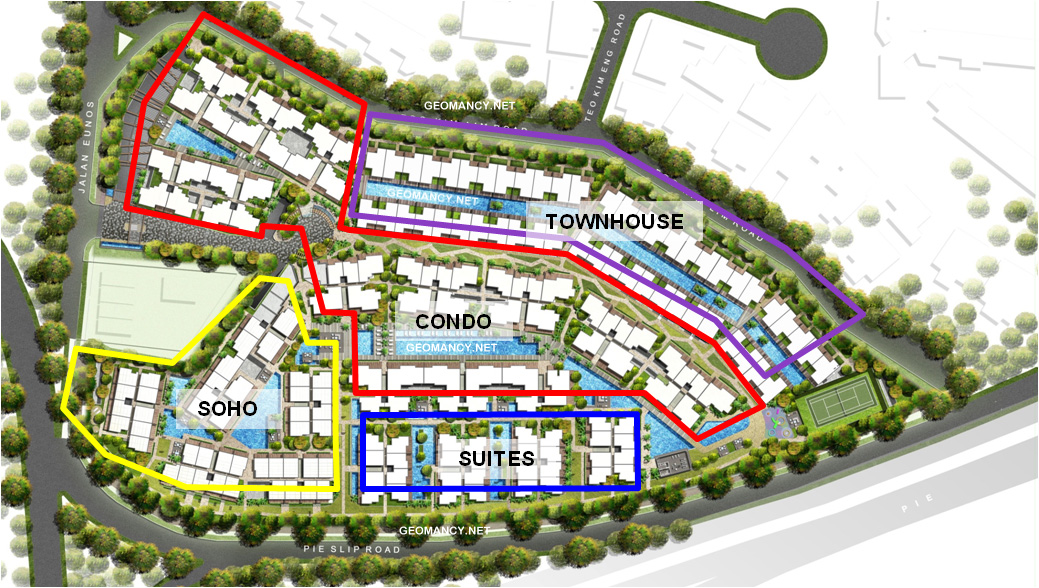
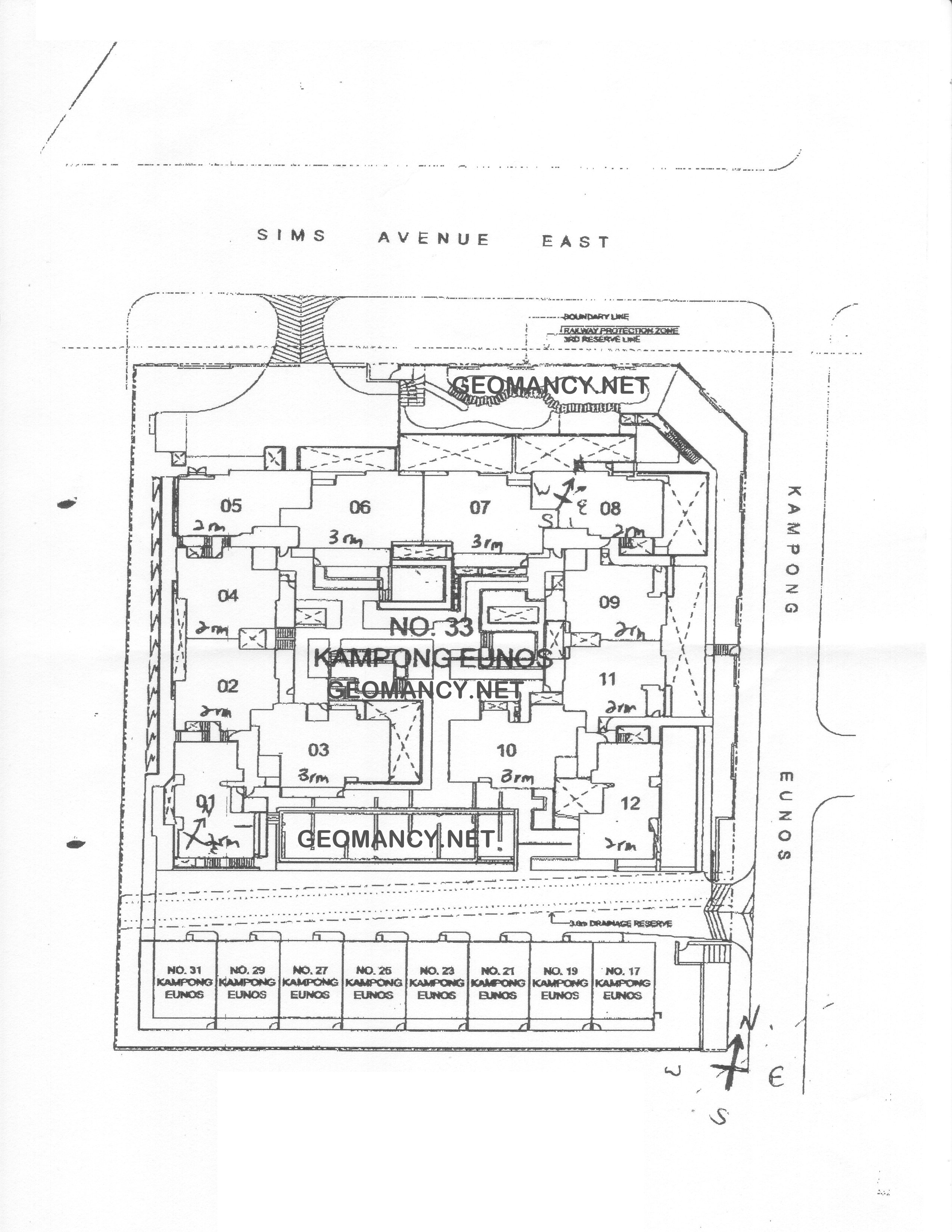
The four zones at euHabitat: 1. Townhouse 2. Condo 3. Soho & 4. Suites
-
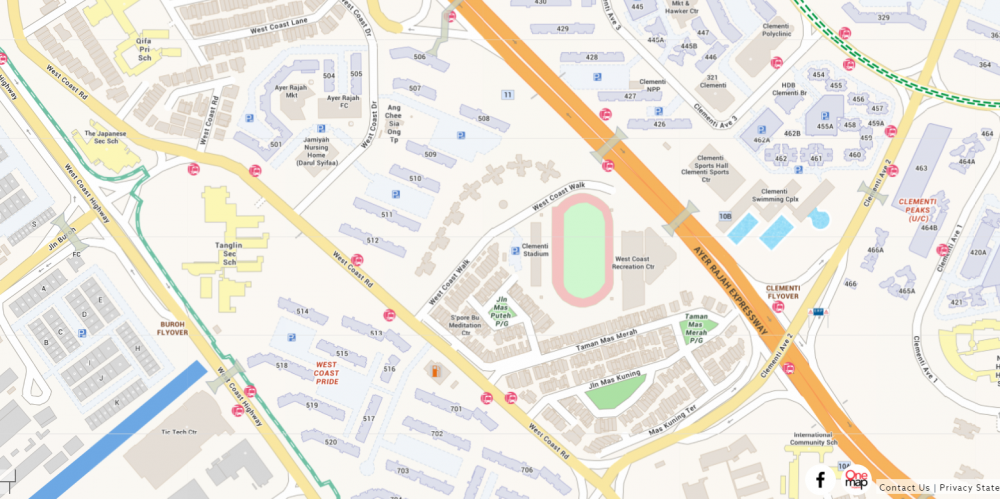
Location, location, location 3 Stars

-
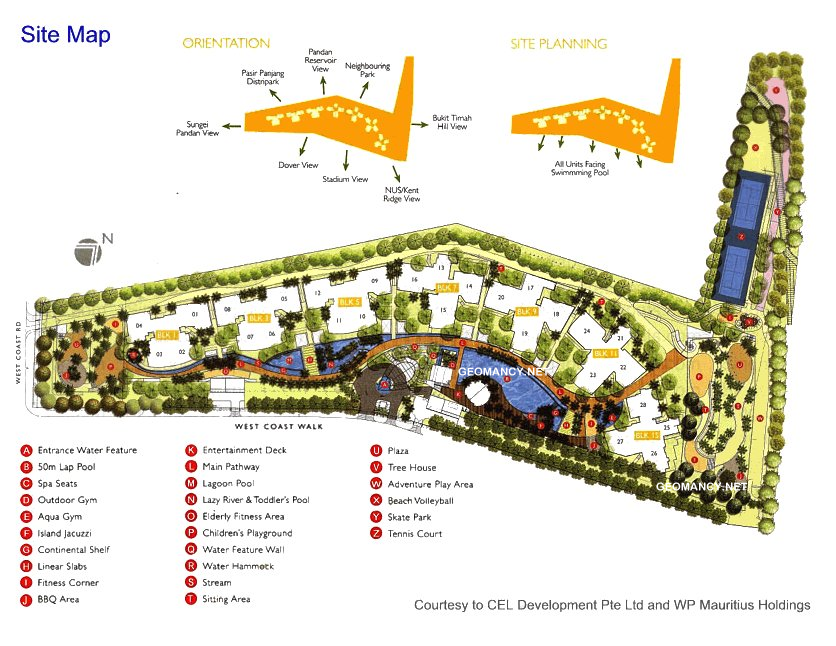
The Parc Condo Freehold at 24 Storeys high with 659 units. T.O.P. in 2011 under Period 8 Flying Star Feng Shui The Parc condo.pdf
-
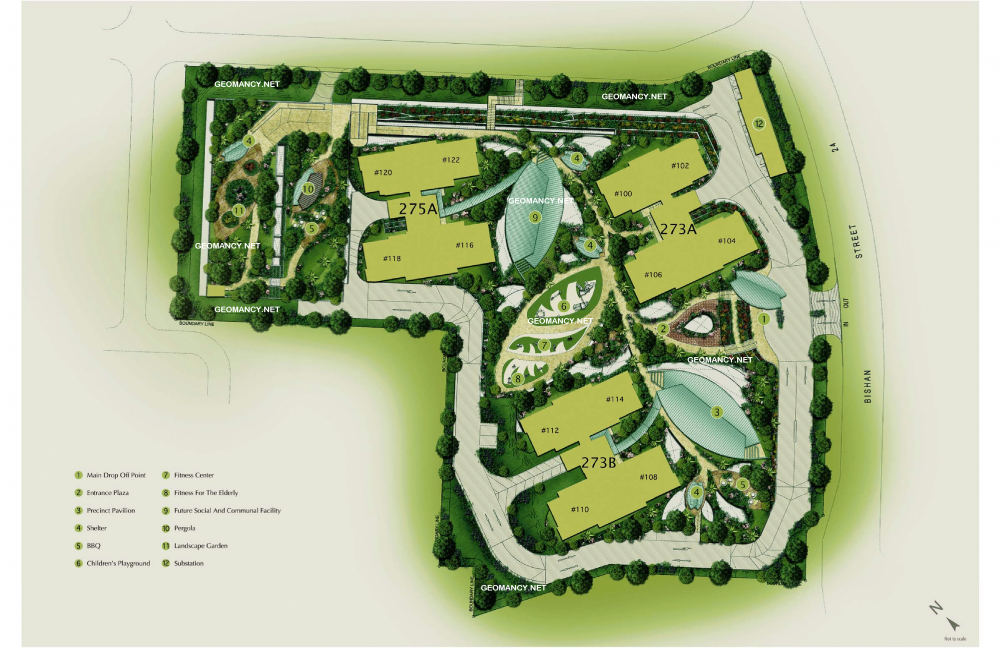
Natural Loft Site Map / Site Plan
-
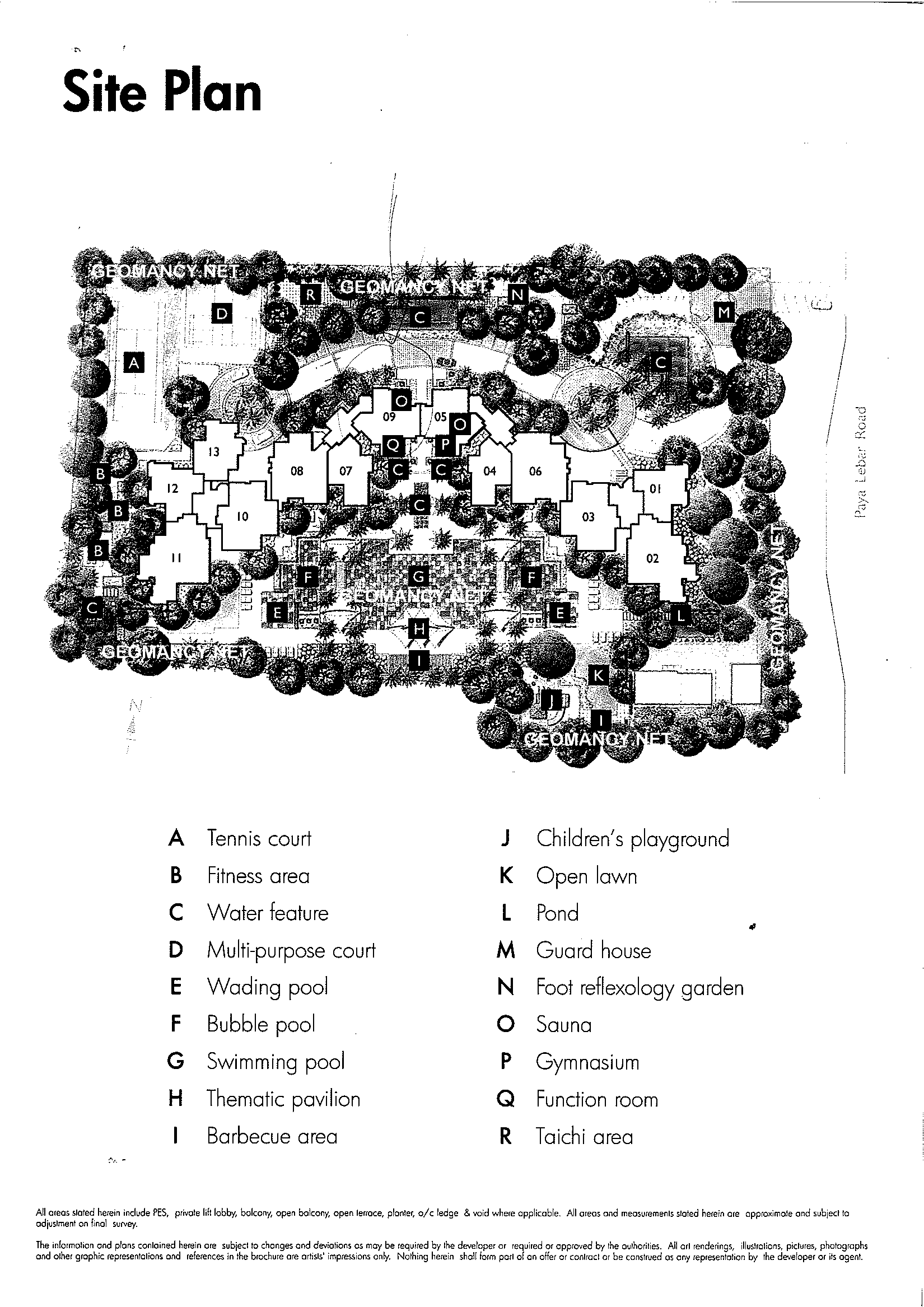
Additional Site Map / Site Plan with Legend
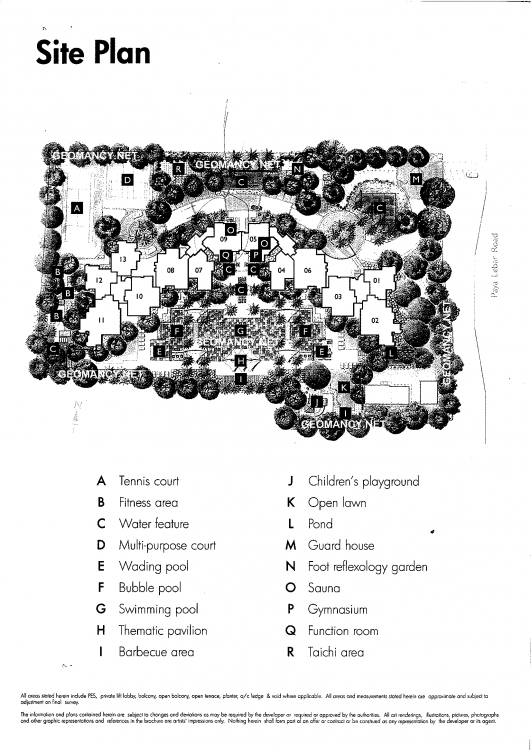
-
Le Cresendo Stacks 06 or 08
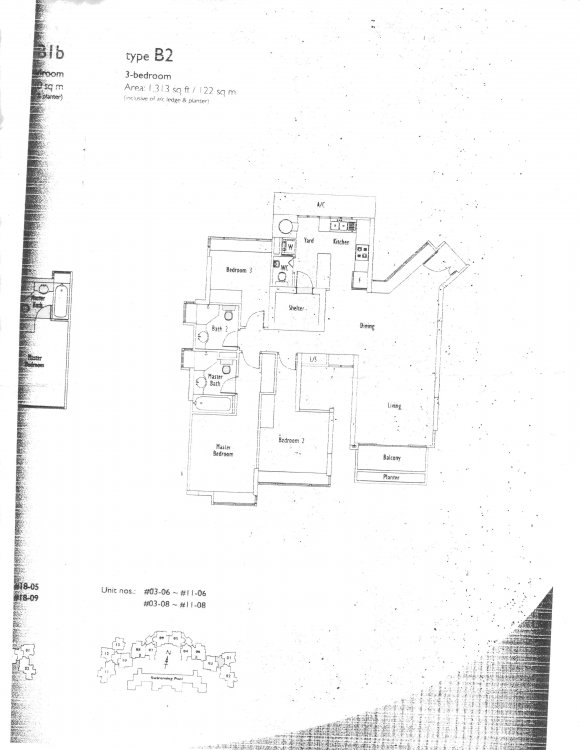
-
Le Cresendo Site Map / Site Plan
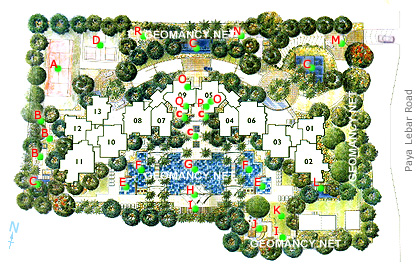
-
Stacks #01 and #02
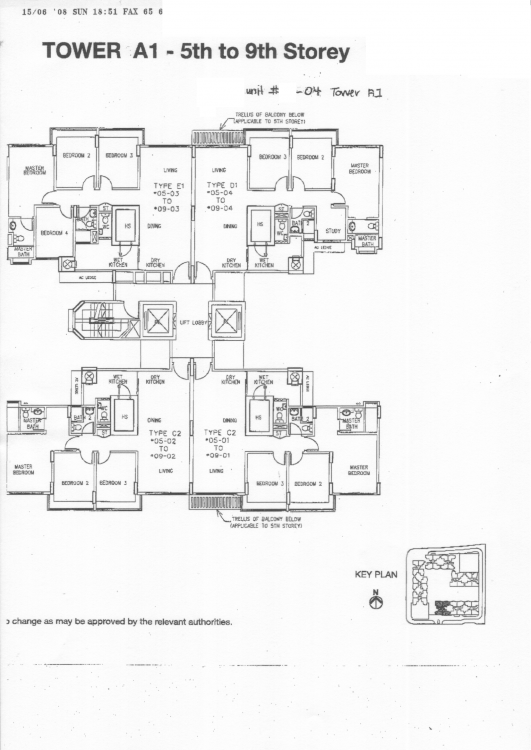
-
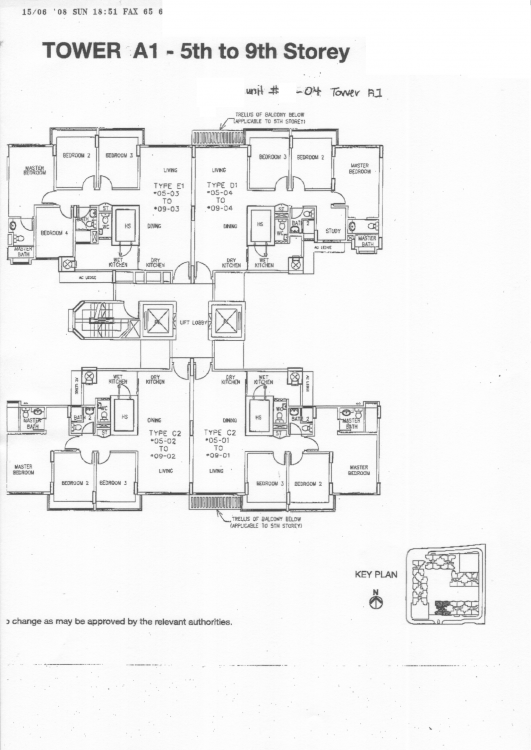
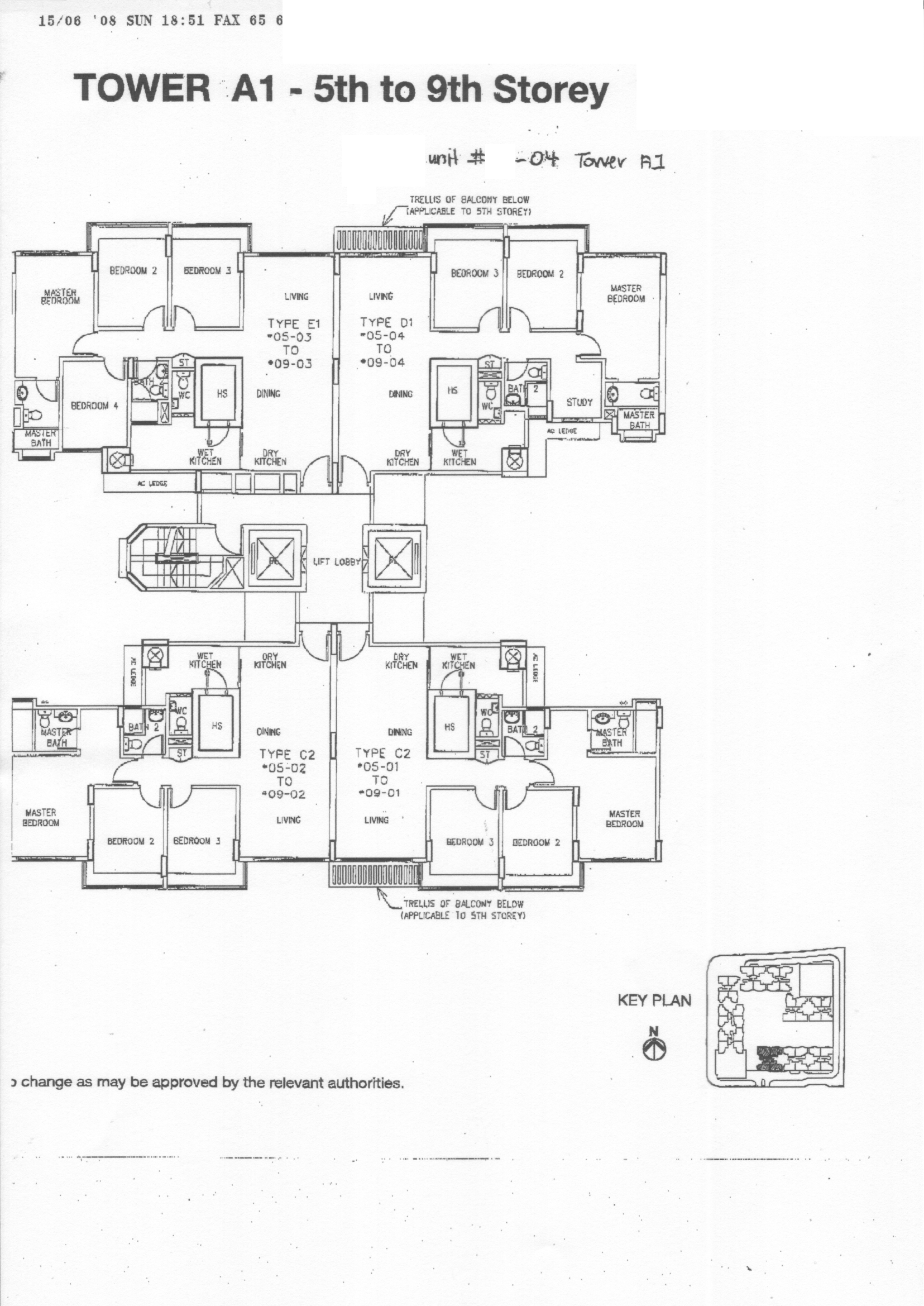
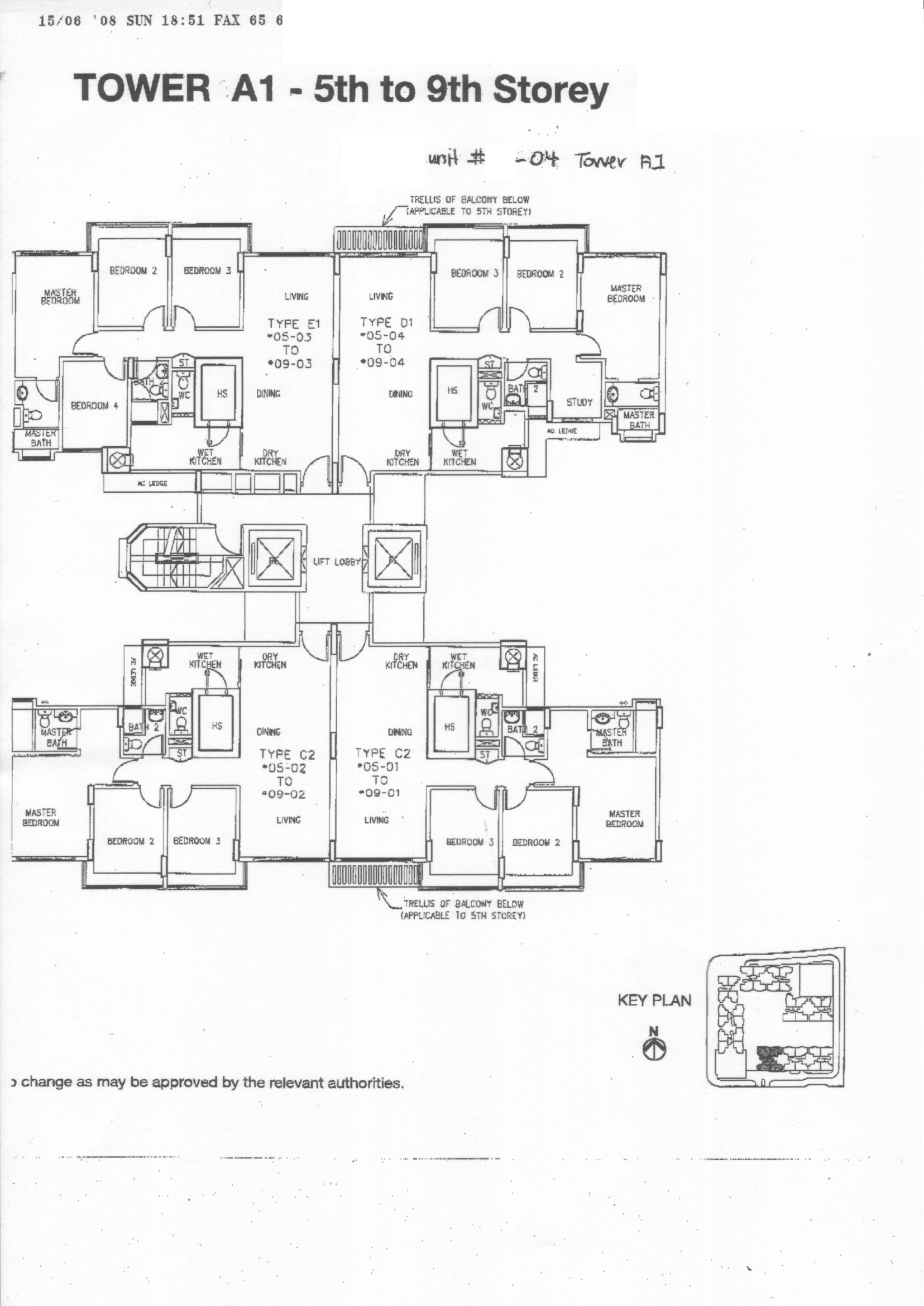
La Casa Tower A1 Floor Plans
-
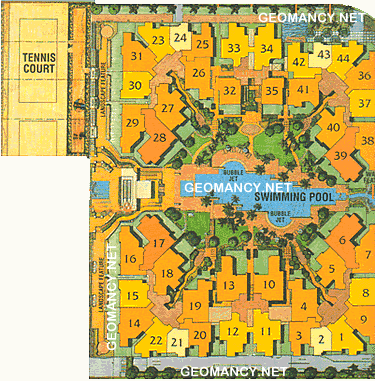
Compass Heights Site Map / Site Plan
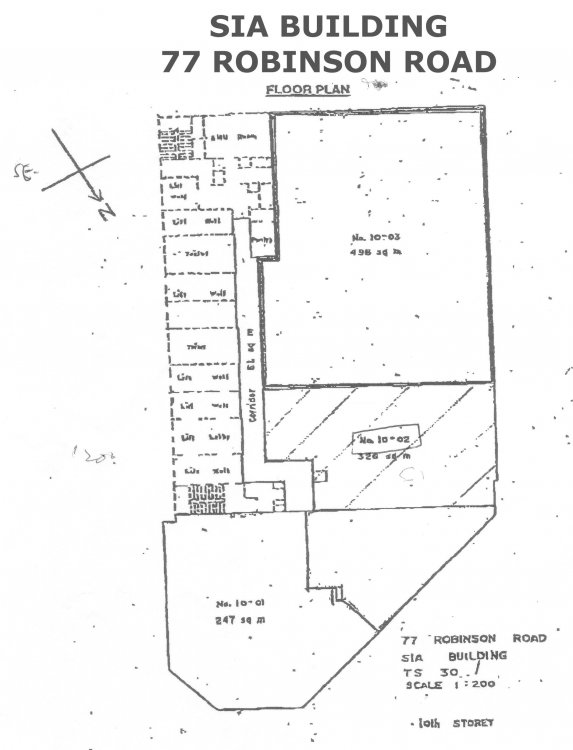
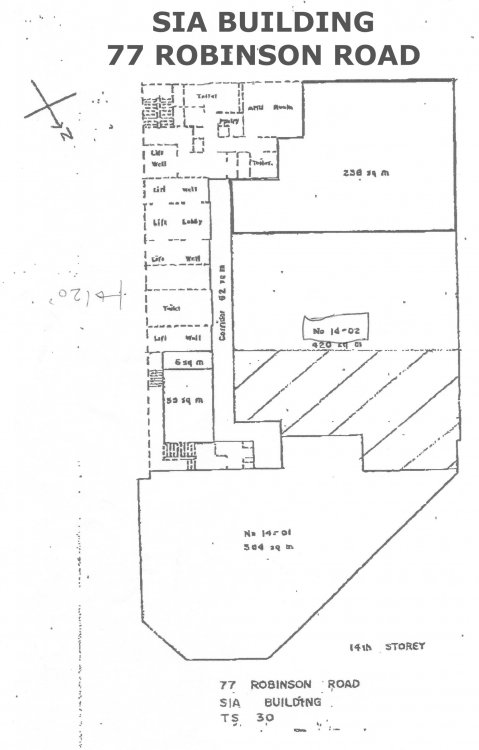
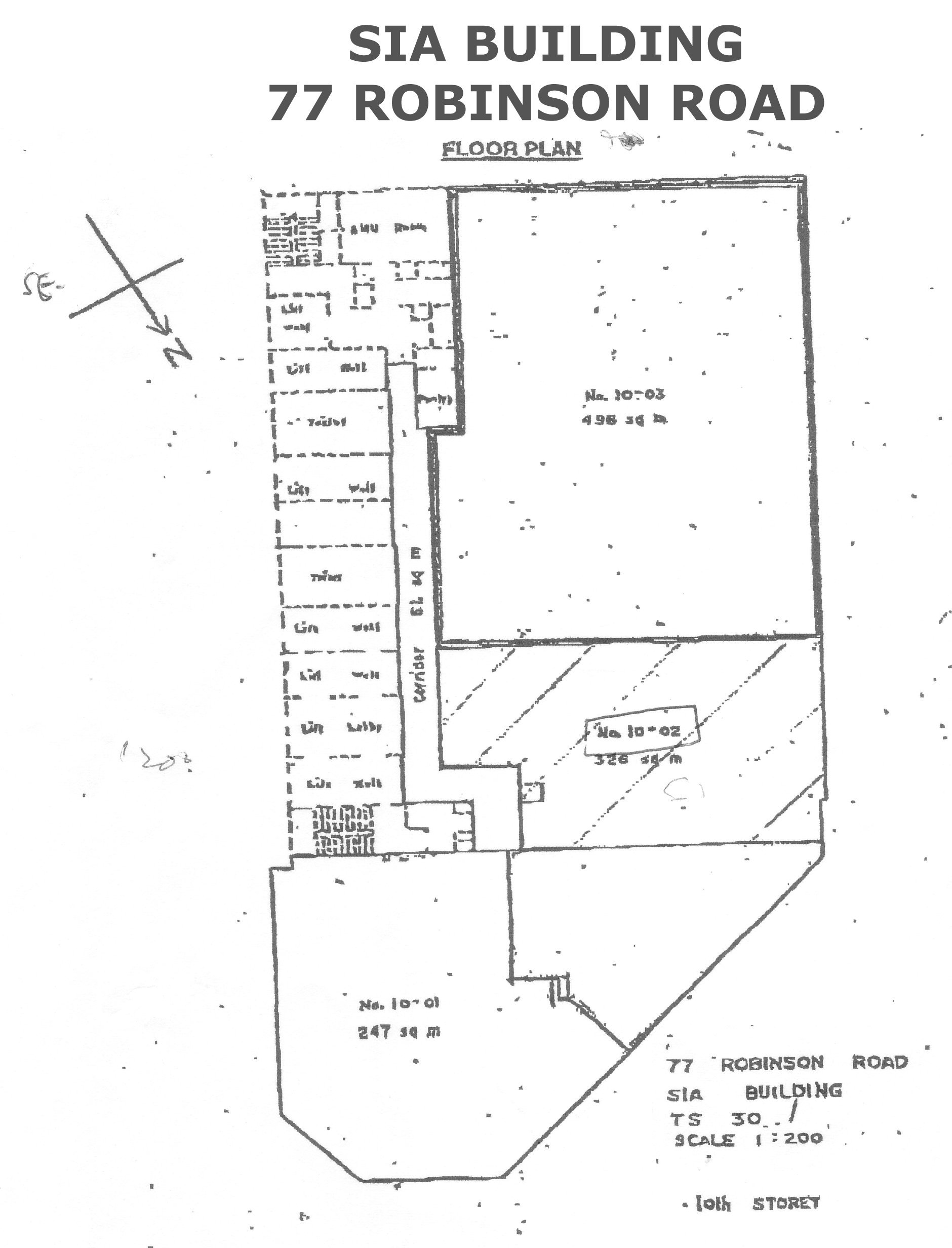
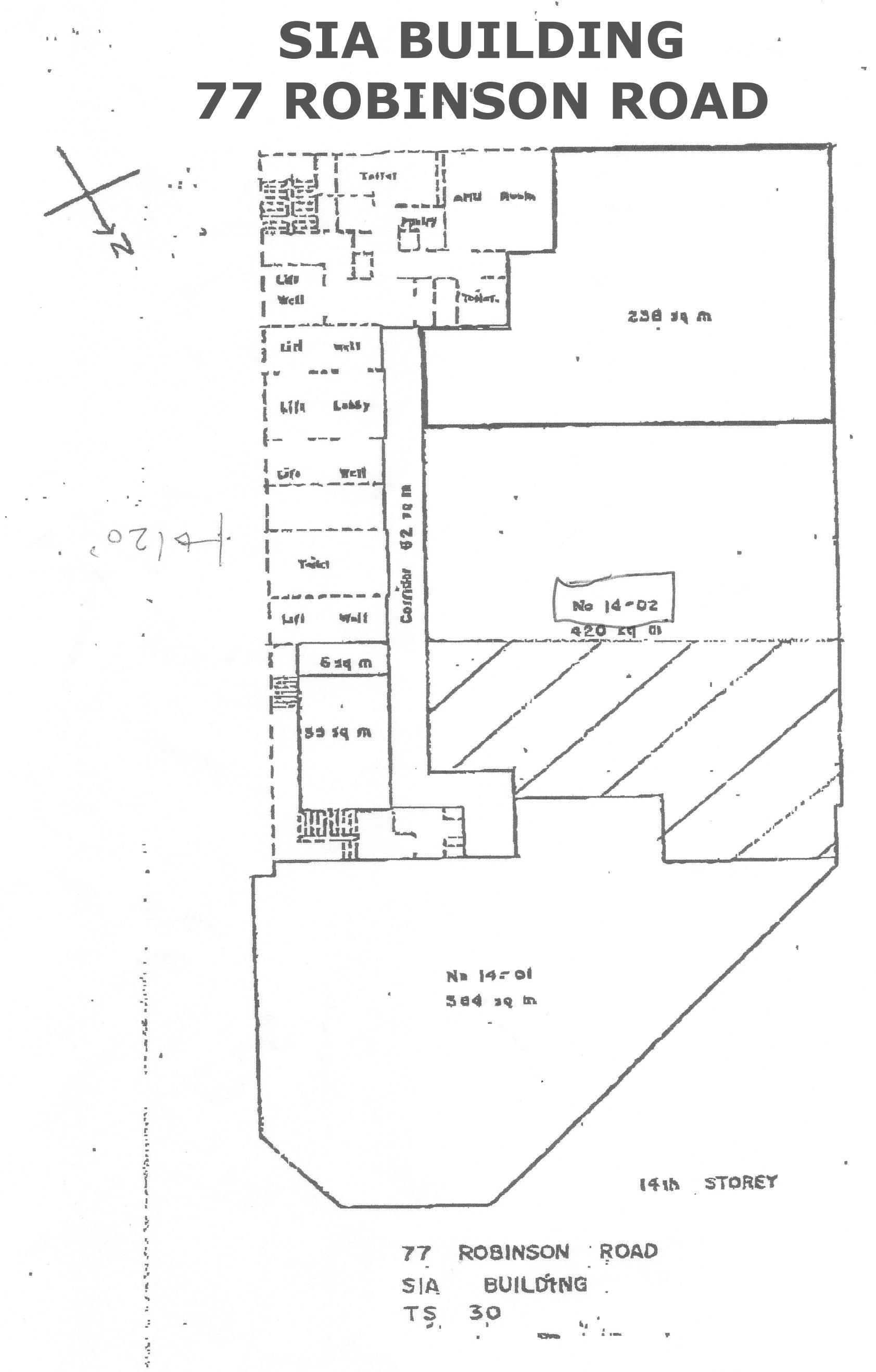
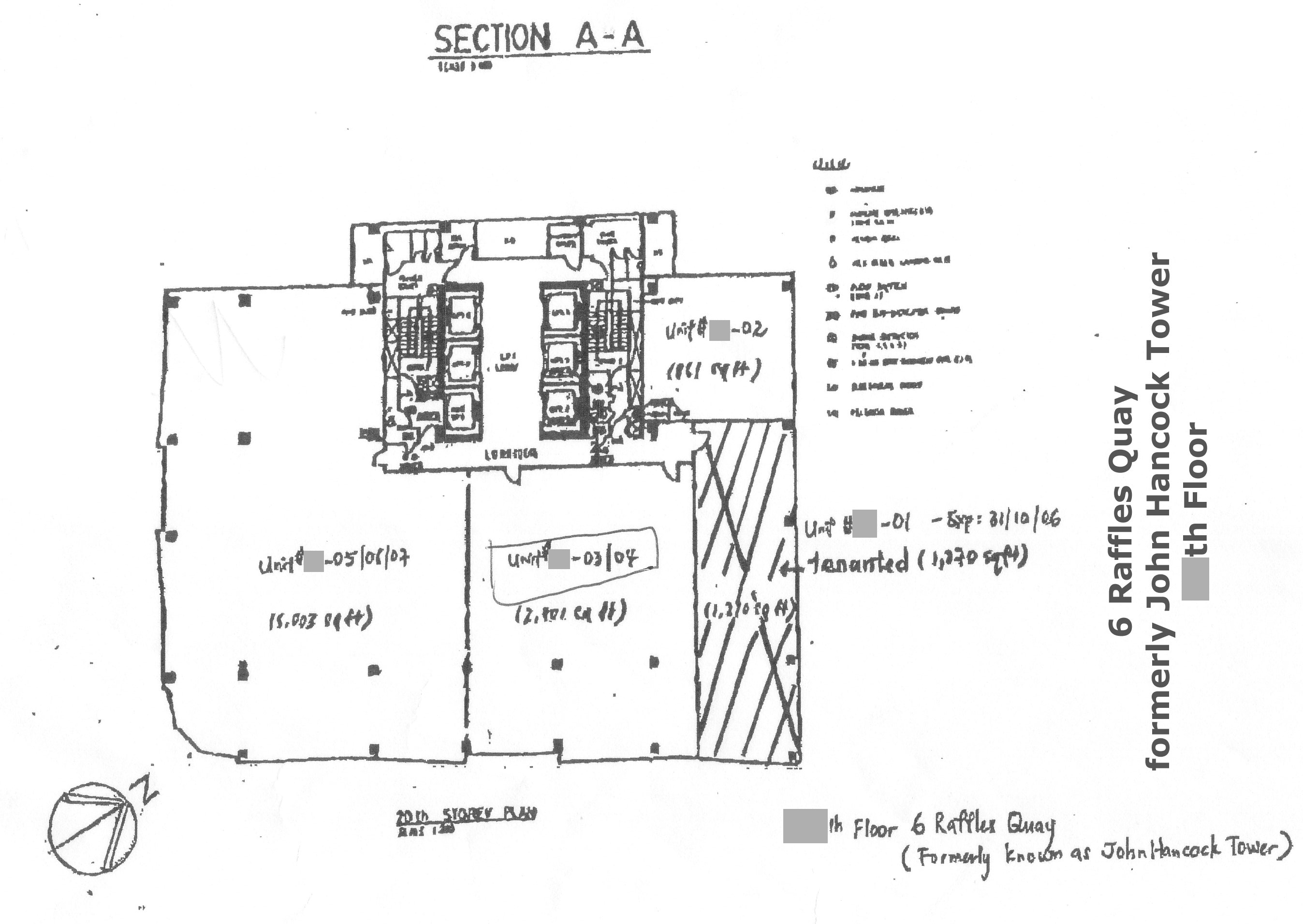
 Other Commercial: SIA Building, UOB (OUB Centre)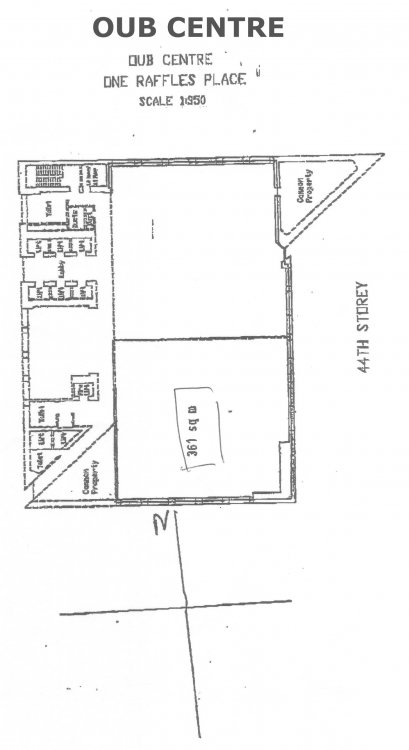
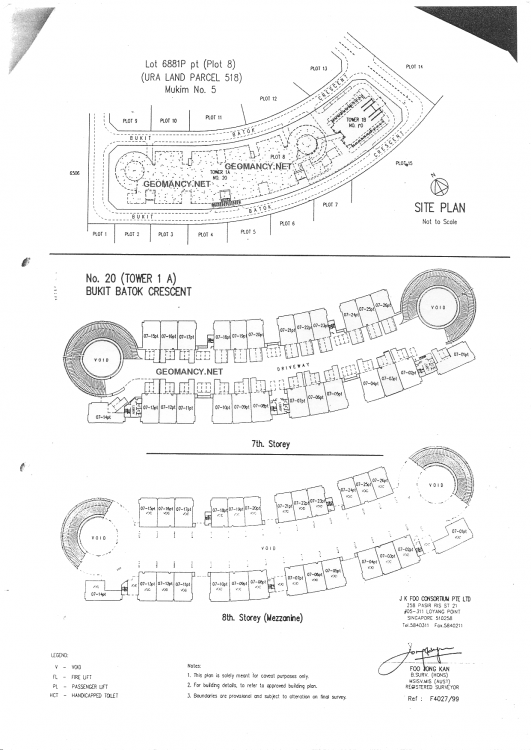
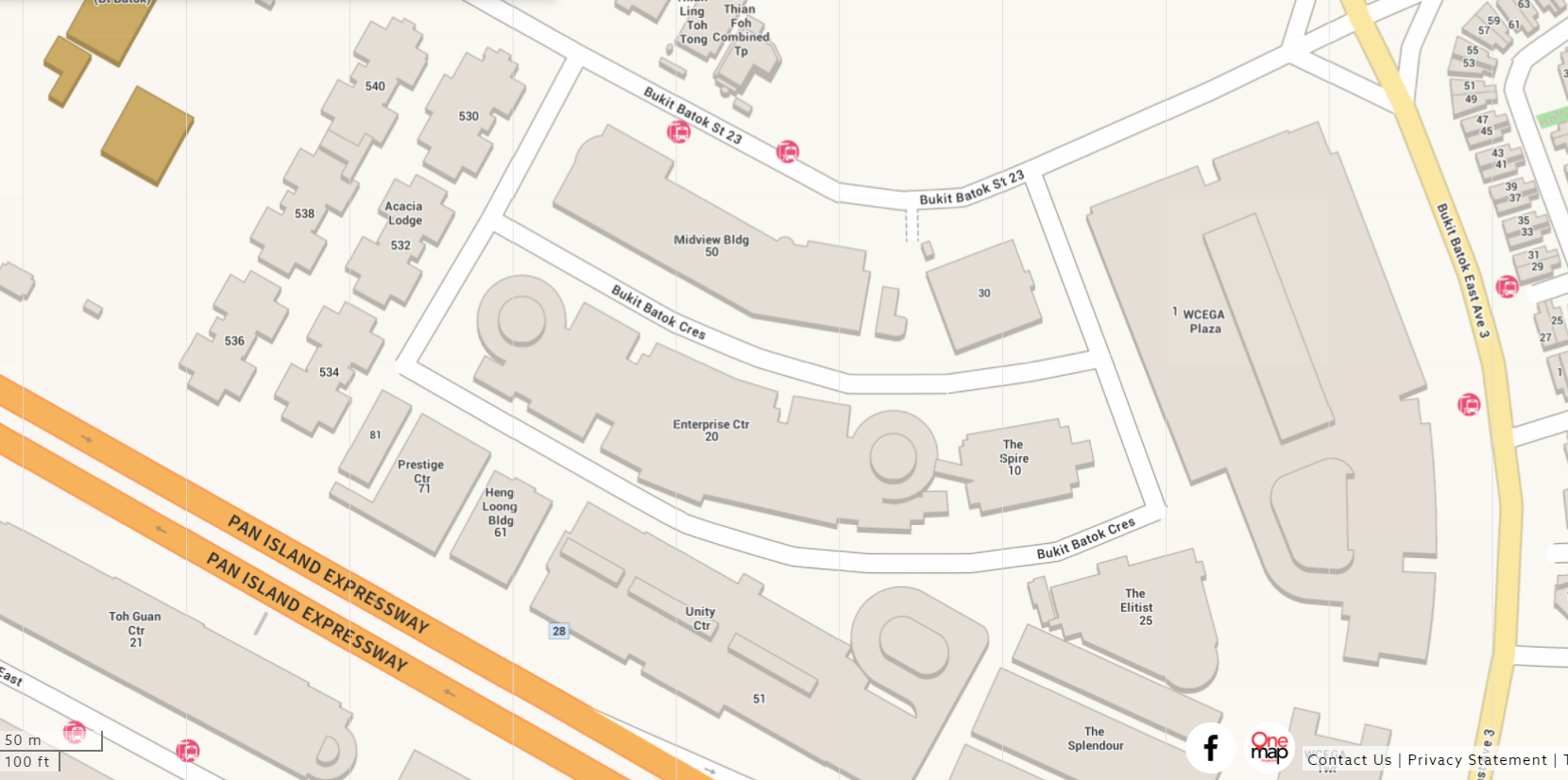
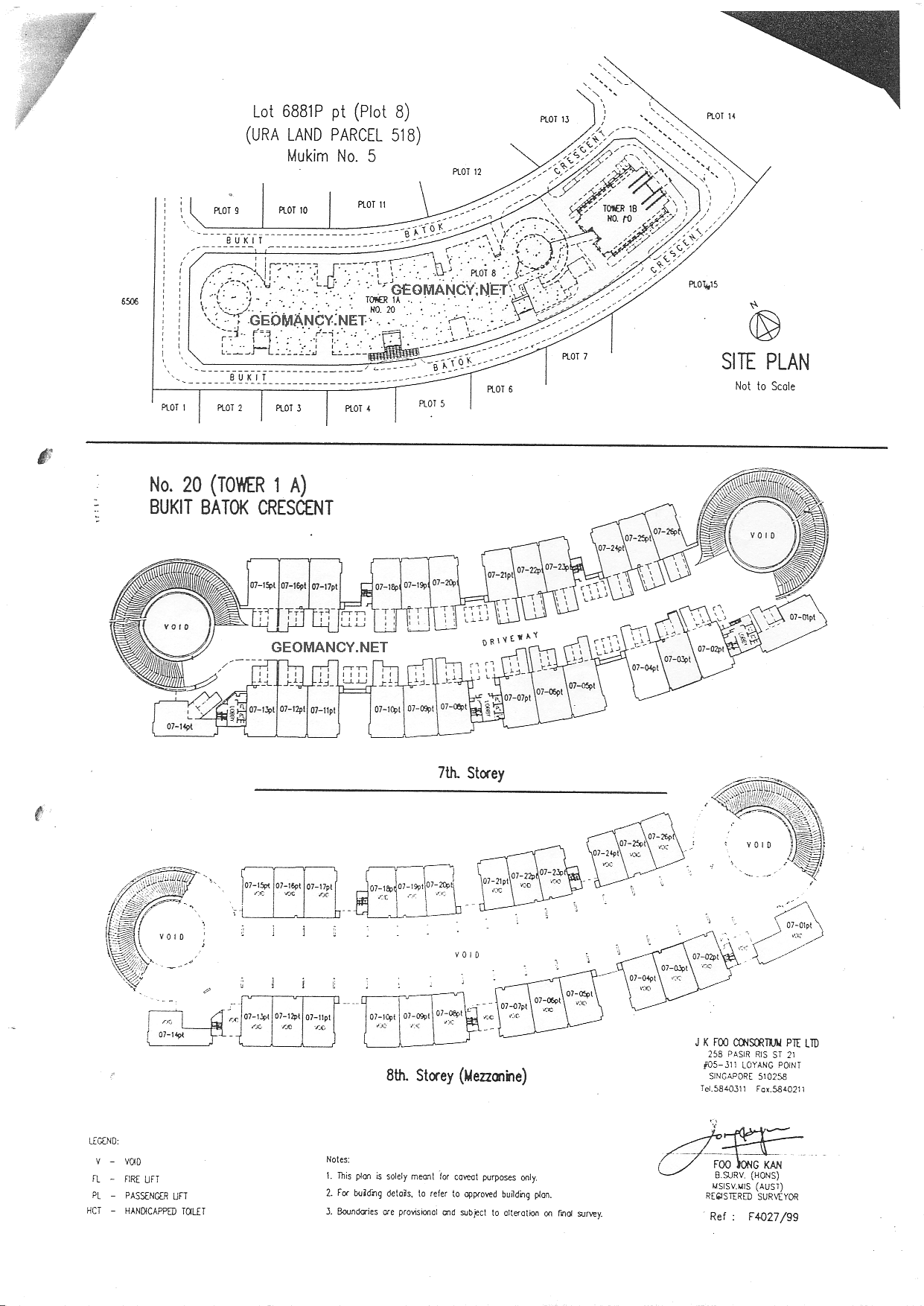
 Industrial/SME : Enterprise Centre, 20 Bukit Batok Crescent
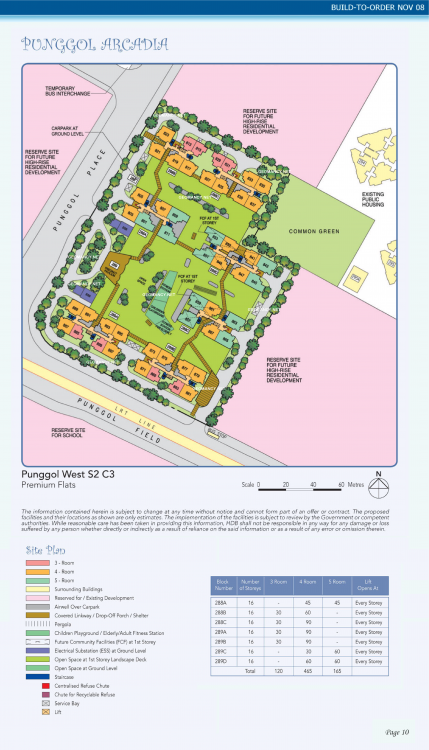
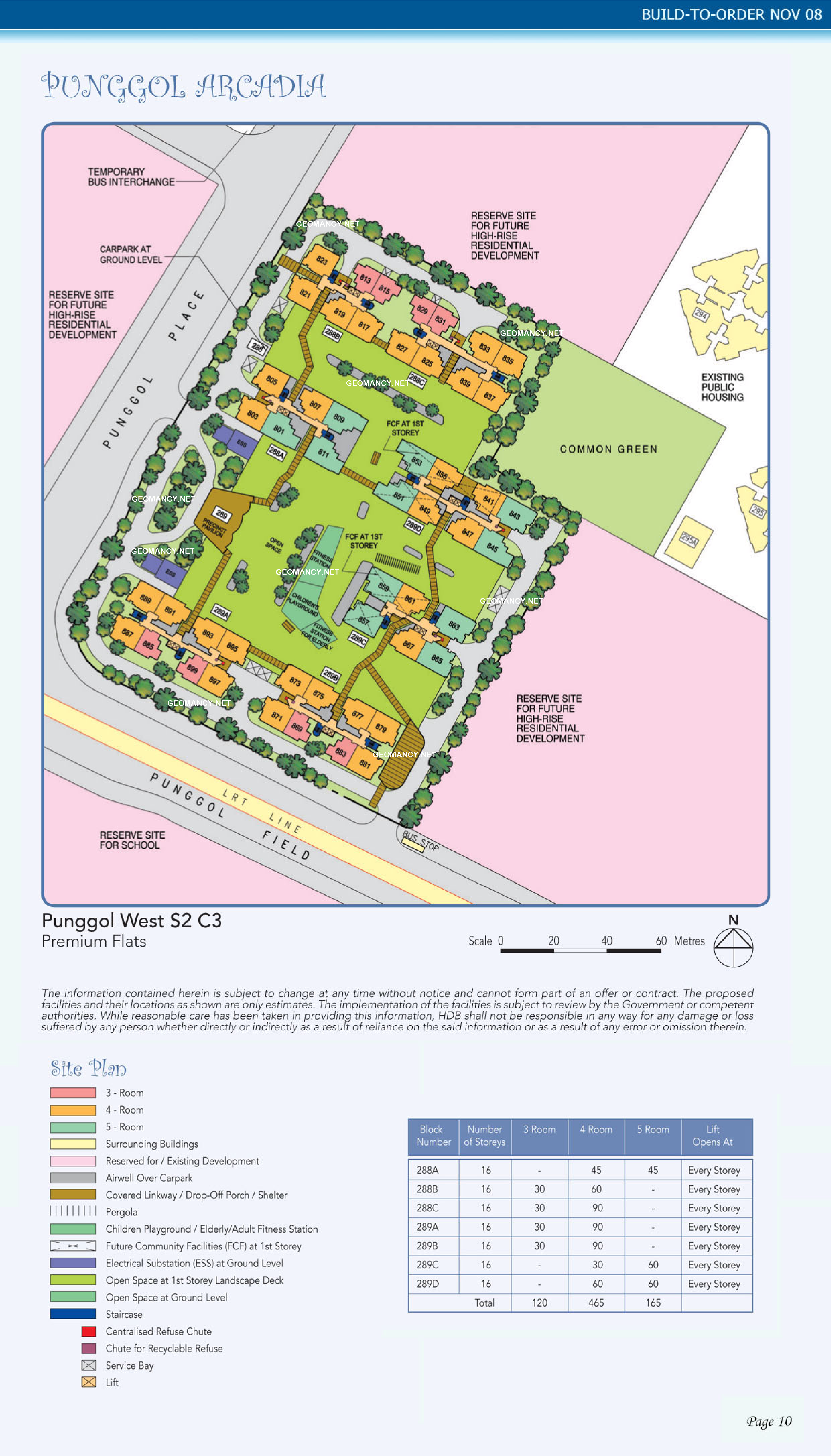
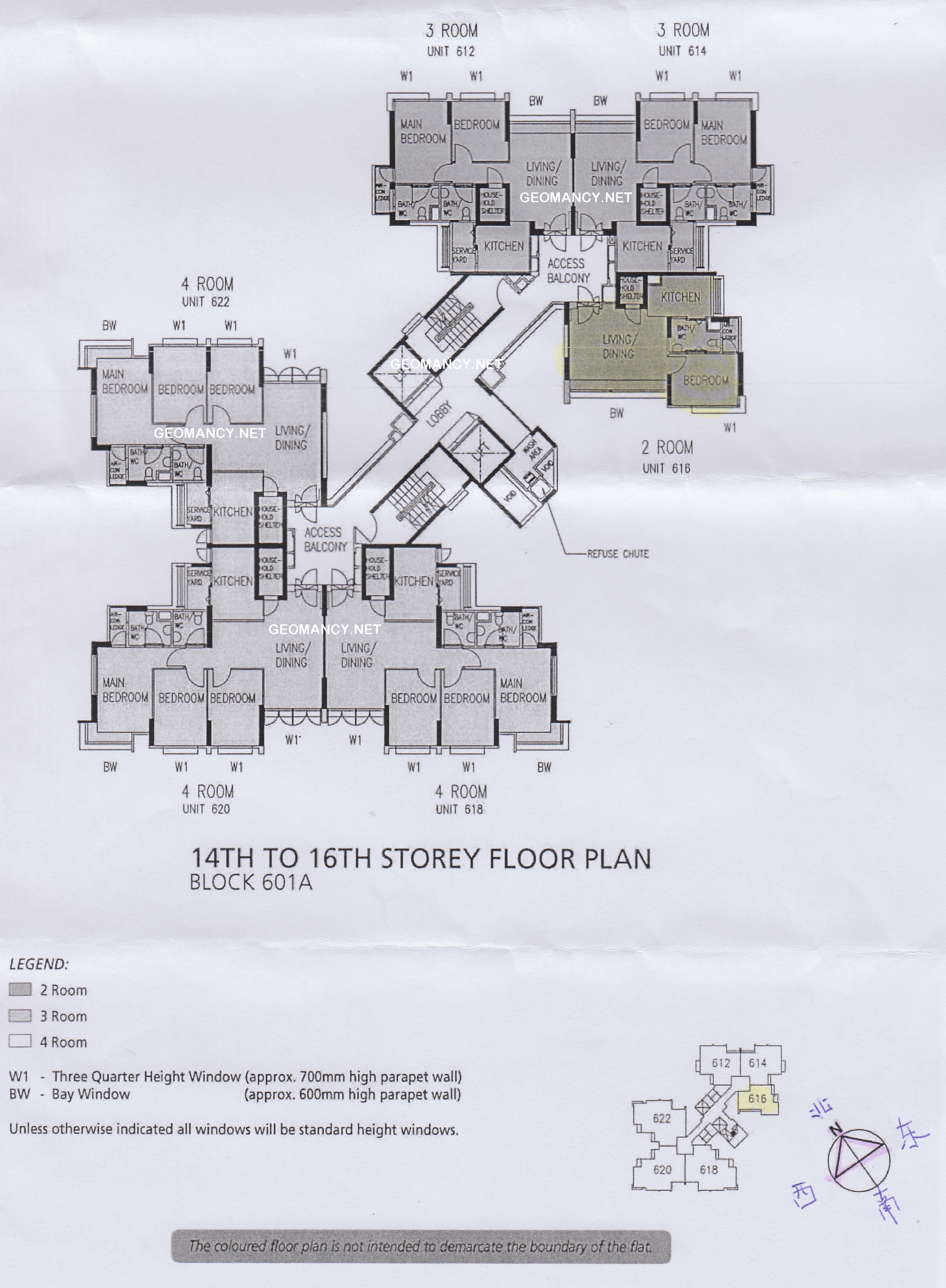
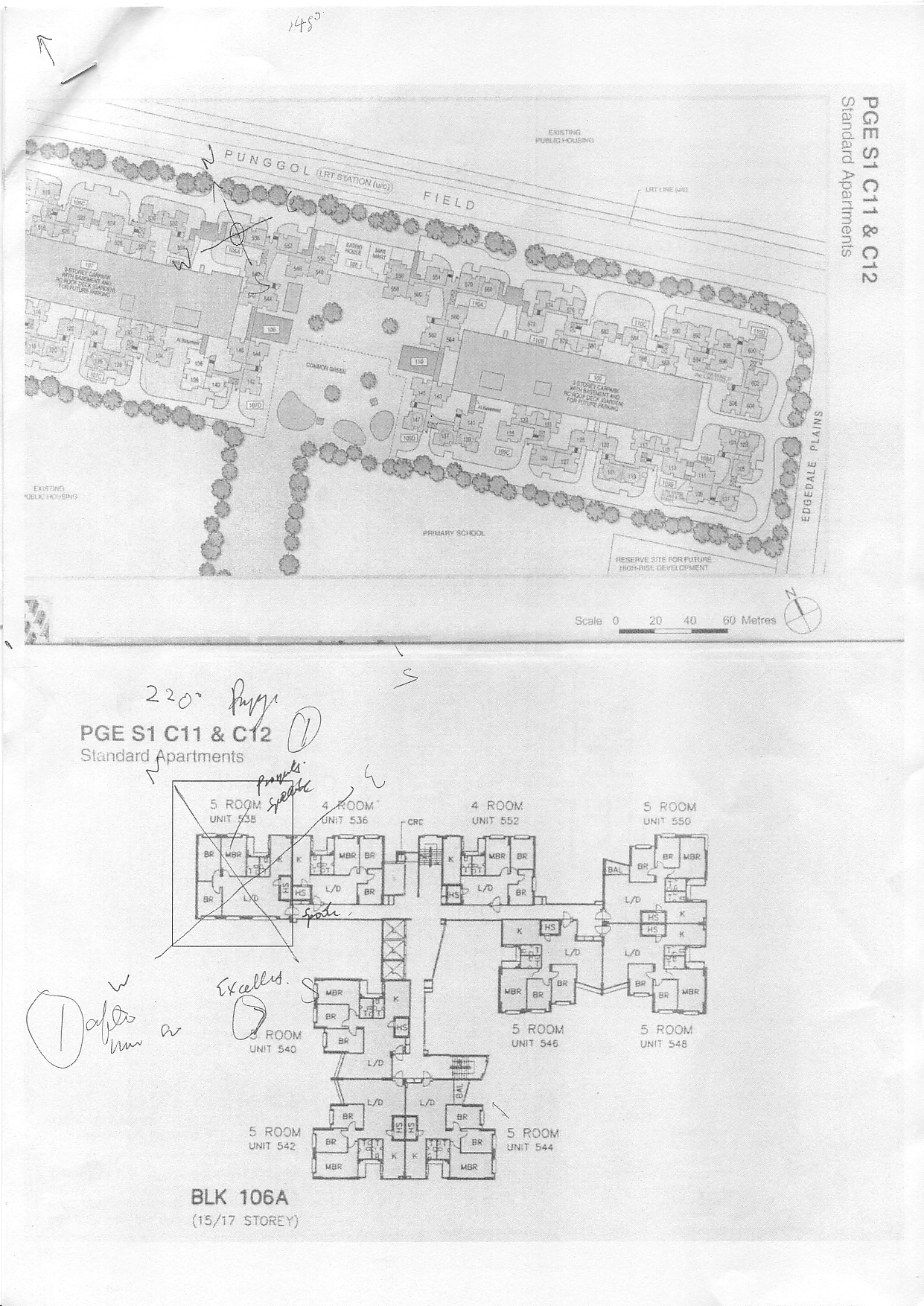
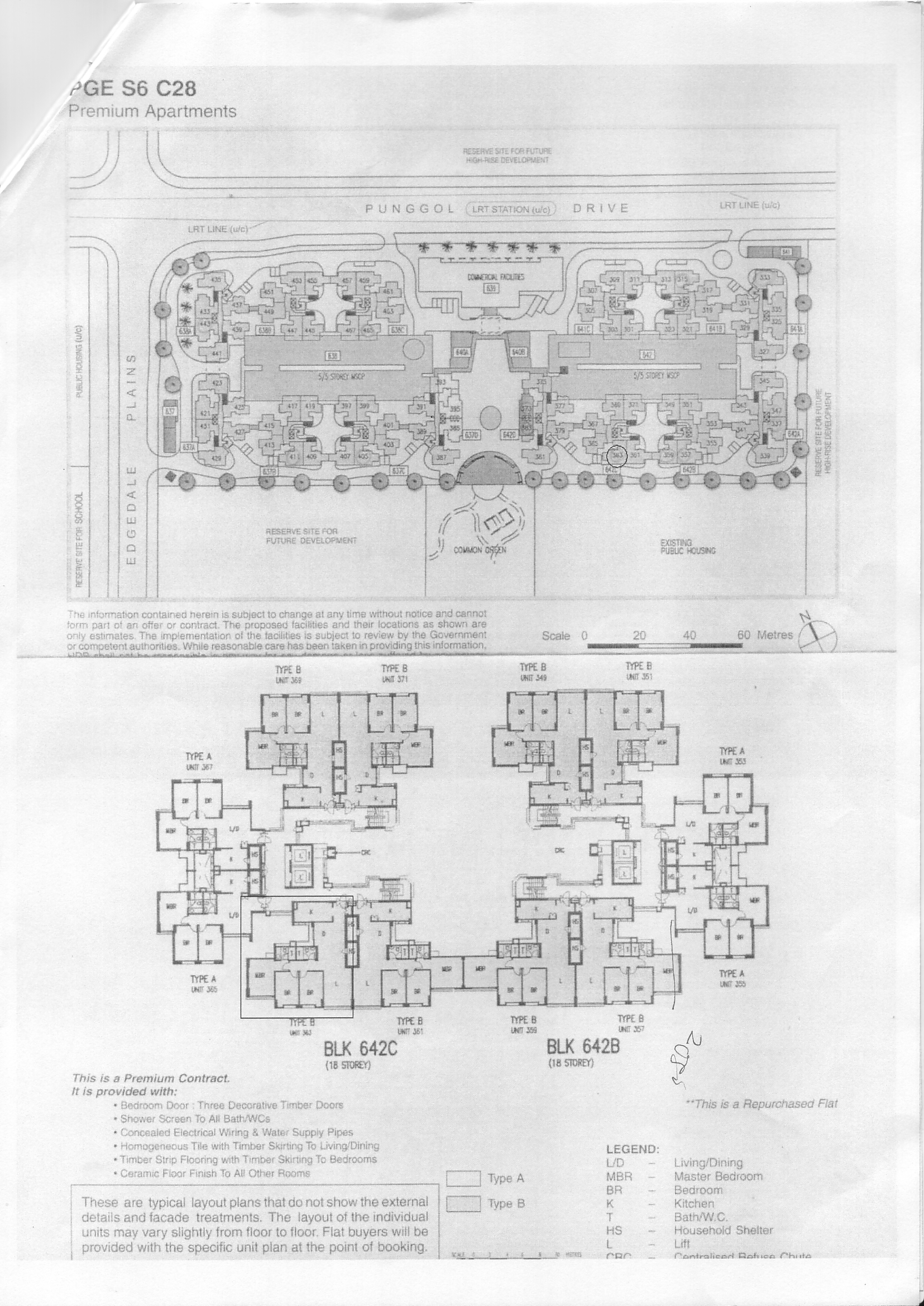
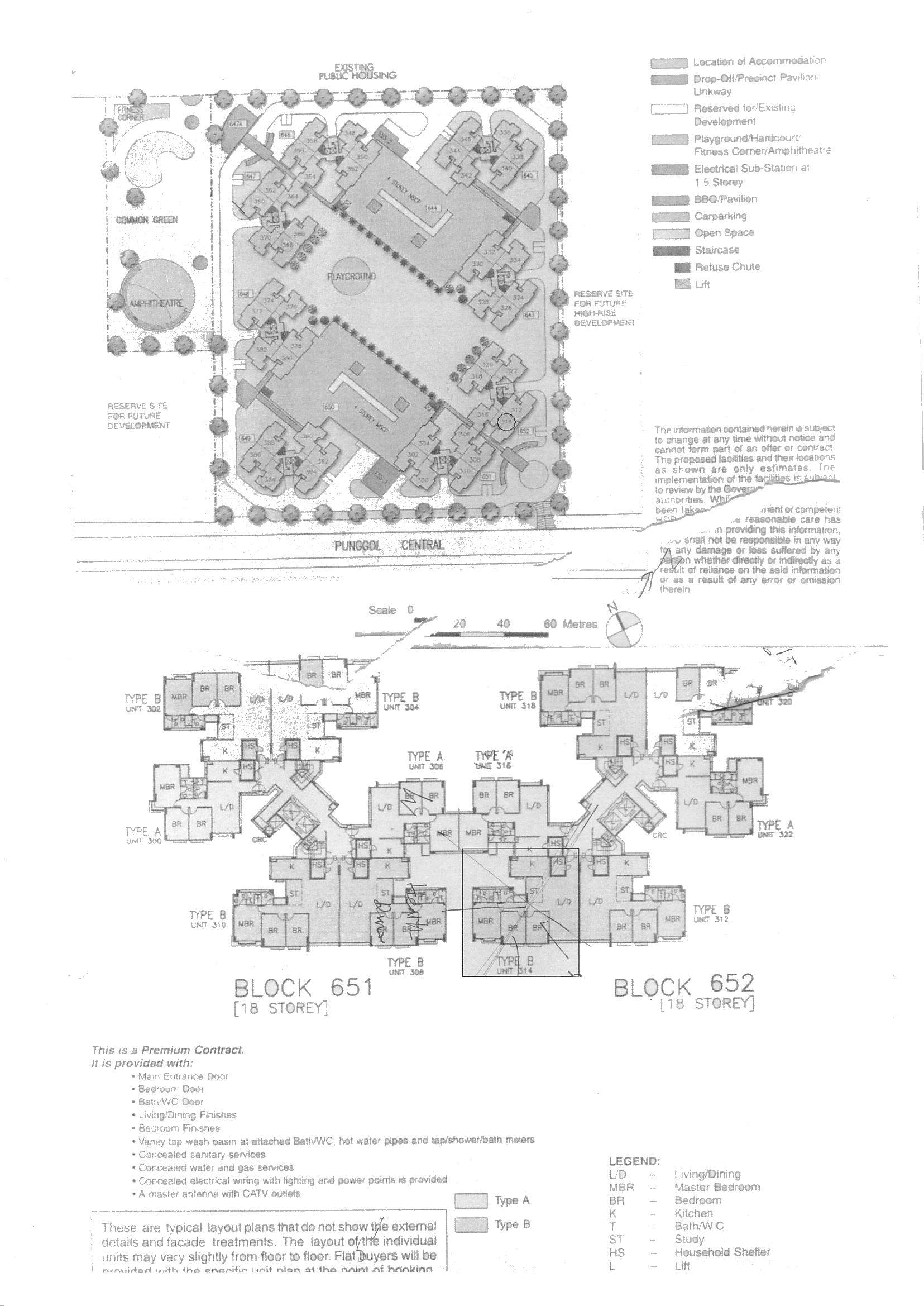
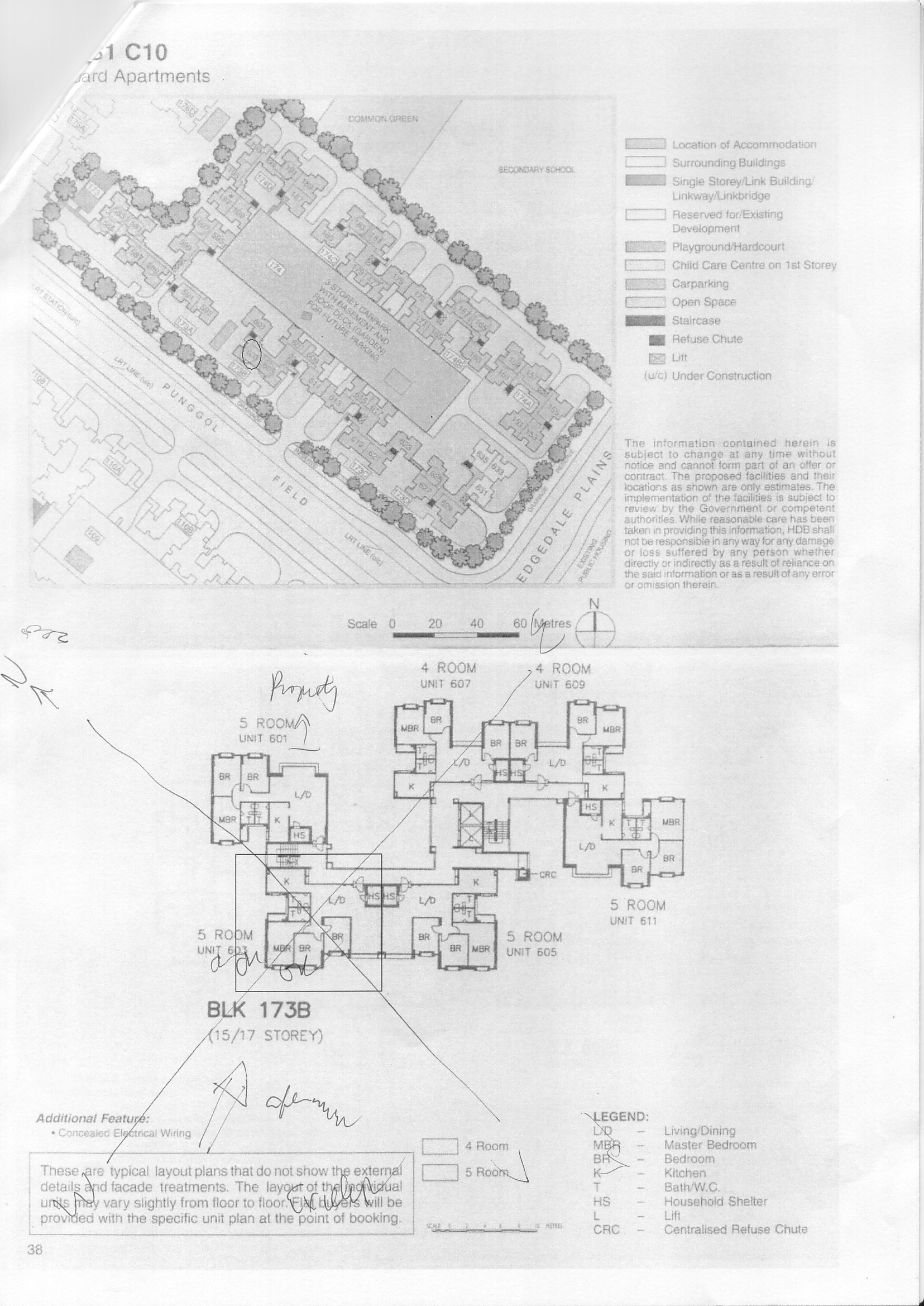
 HDB Punggol Arcadia Site Map / Site Plan
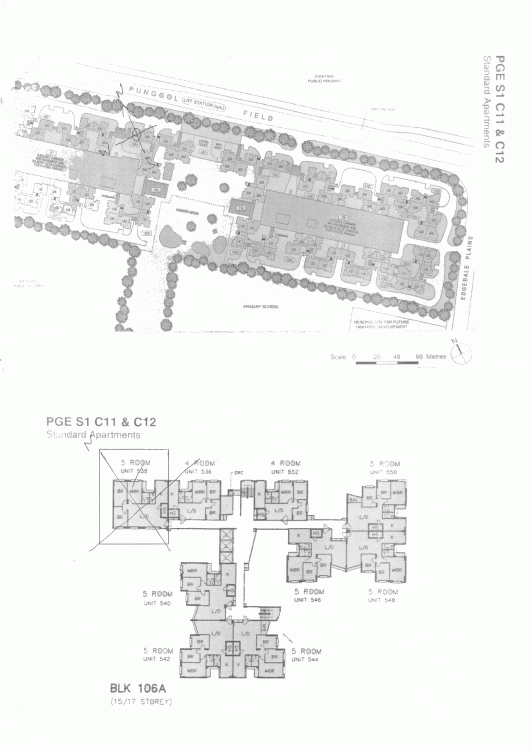
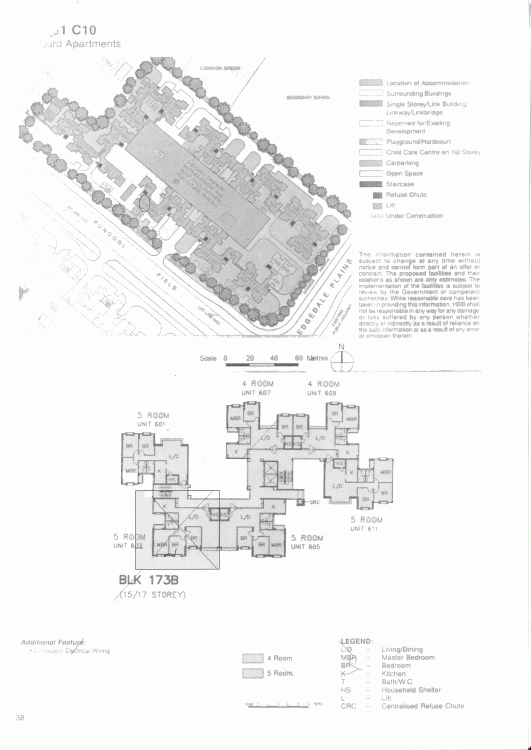
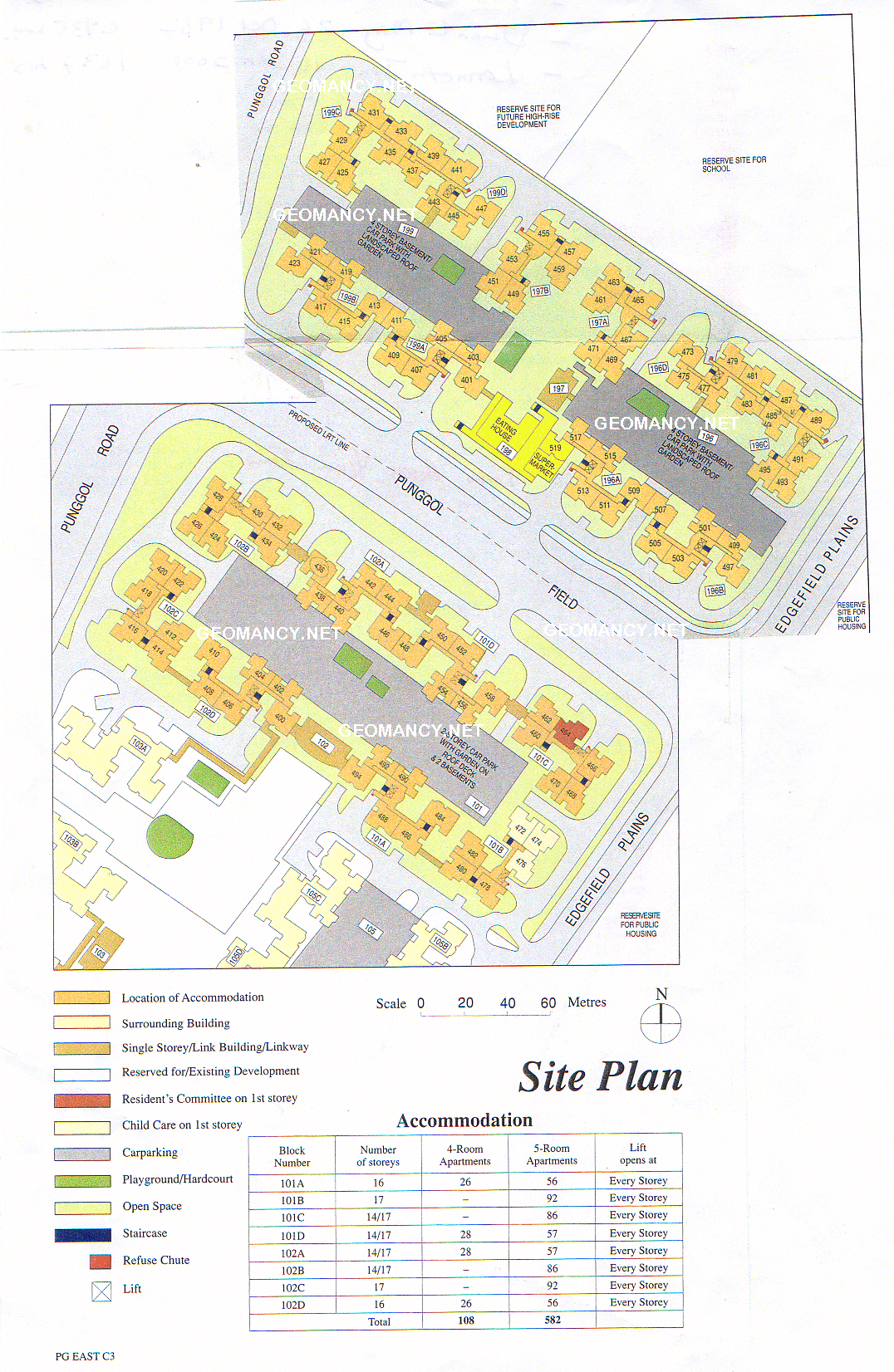
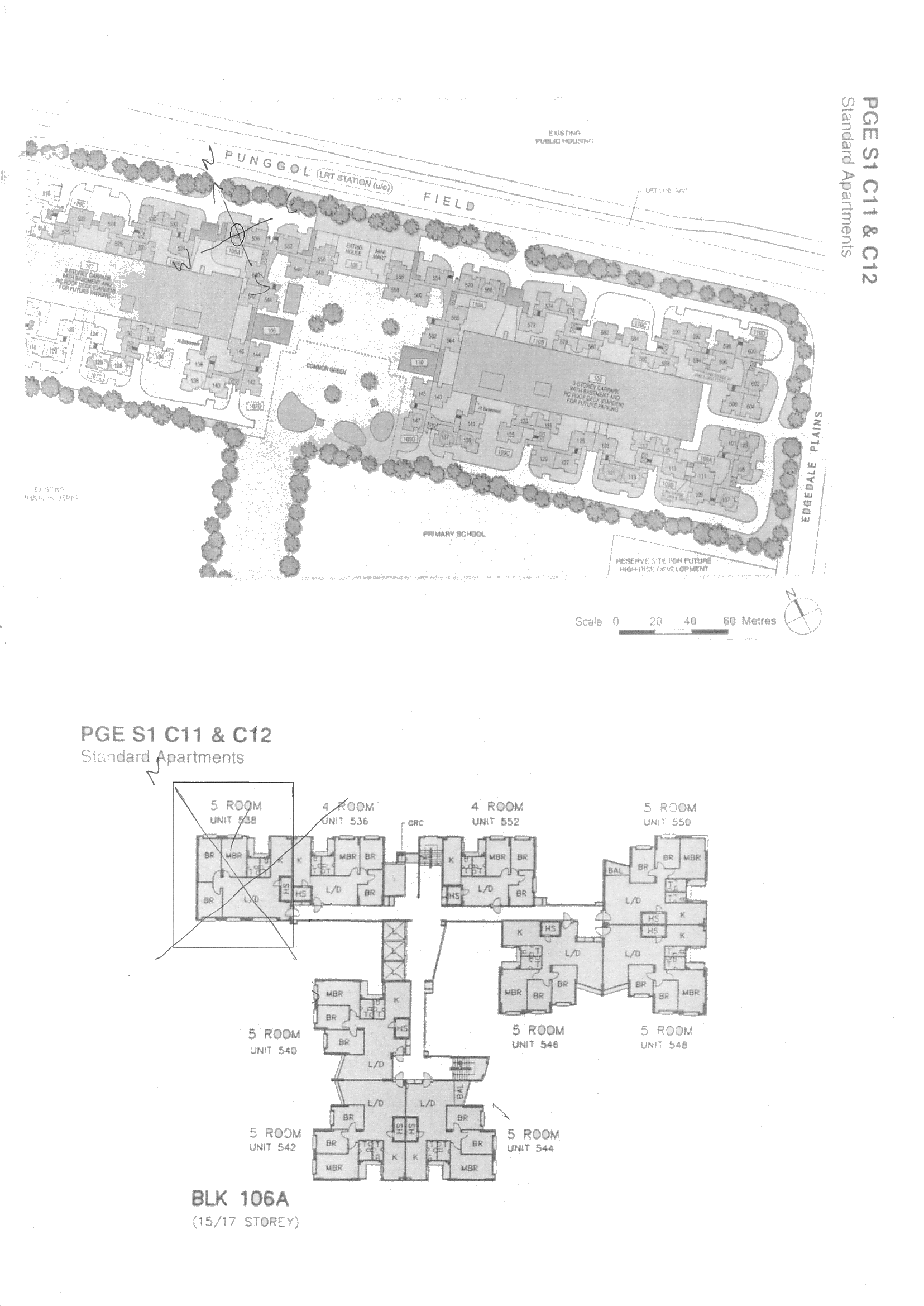
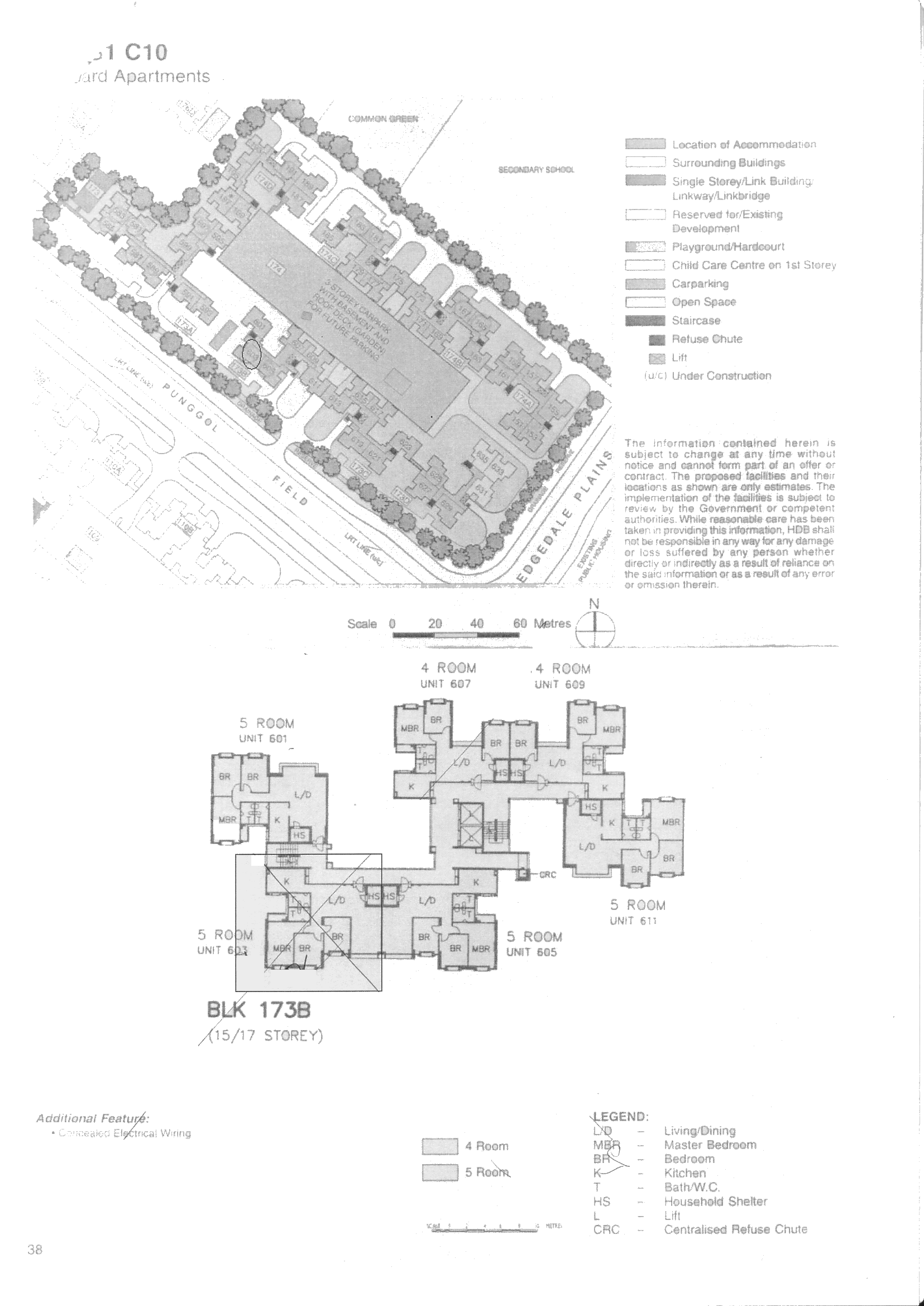
 HDB Punggol Blocks 101, 101A, 101B, 101C, 101D, 102, 102A, 102B, 102C, 102D & 196, 197, 198 and 199 Site Map / Site Plan Blocks 101 to 102 = Ground Zero of HDB developments in Punggol. Or Punggol 21.
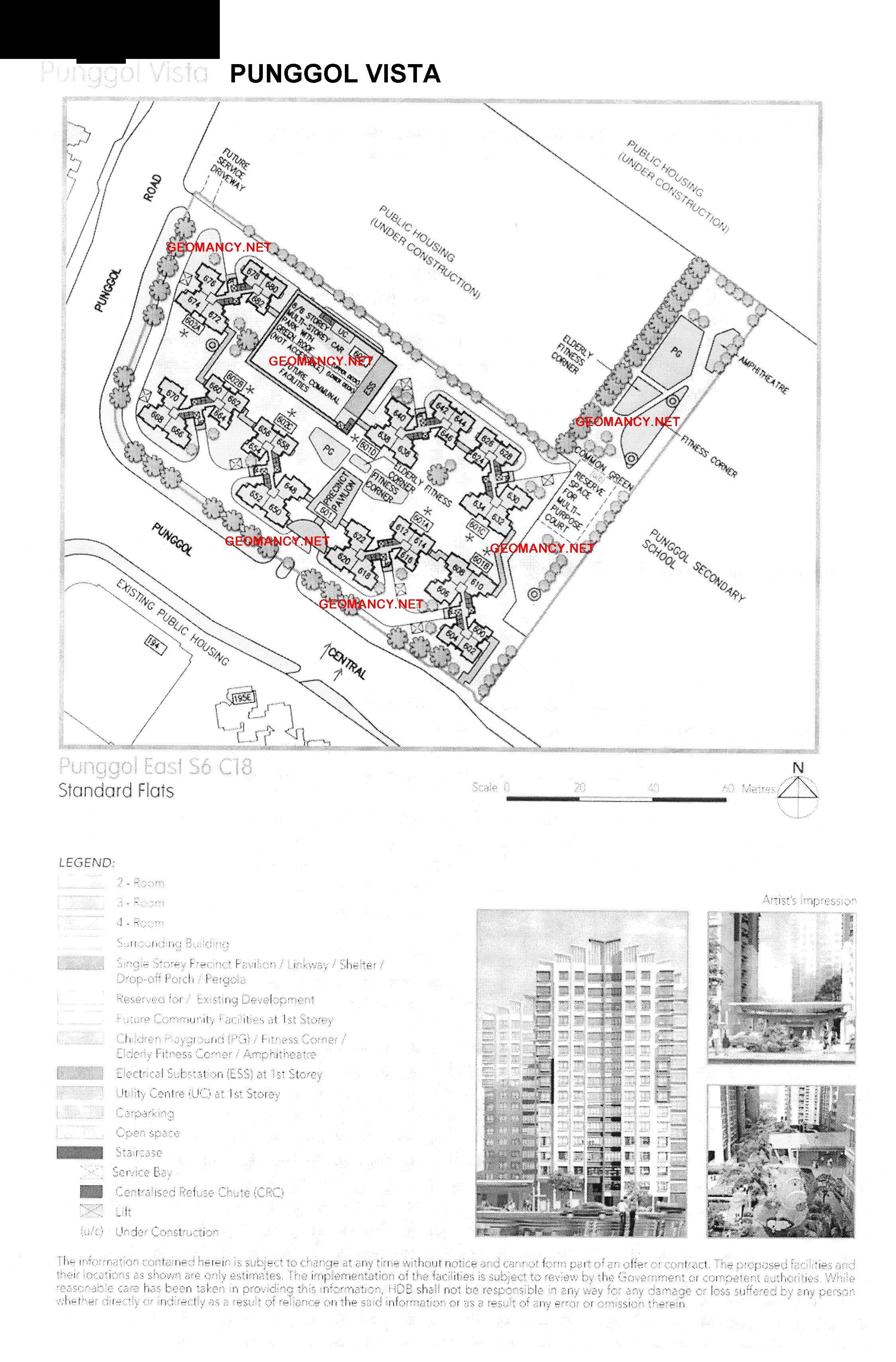
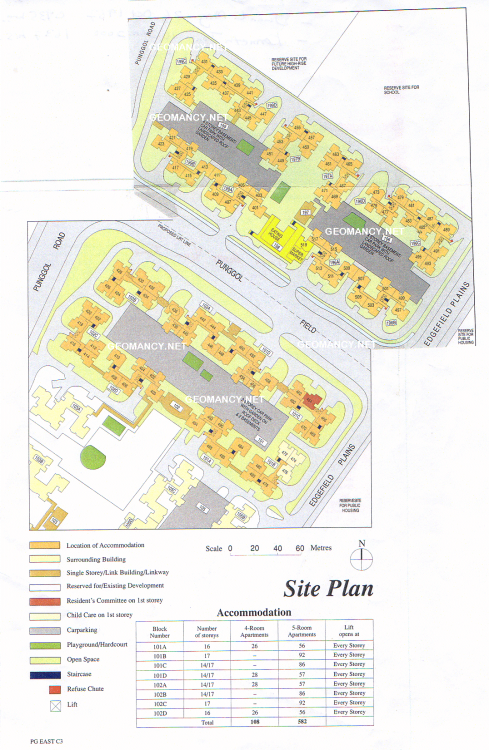 My personal collection of some of the earliest HDB developments at Punggol. But please take note that unfortunately some of the graphics are faint. These layouts were kept by me as far back as year 2001.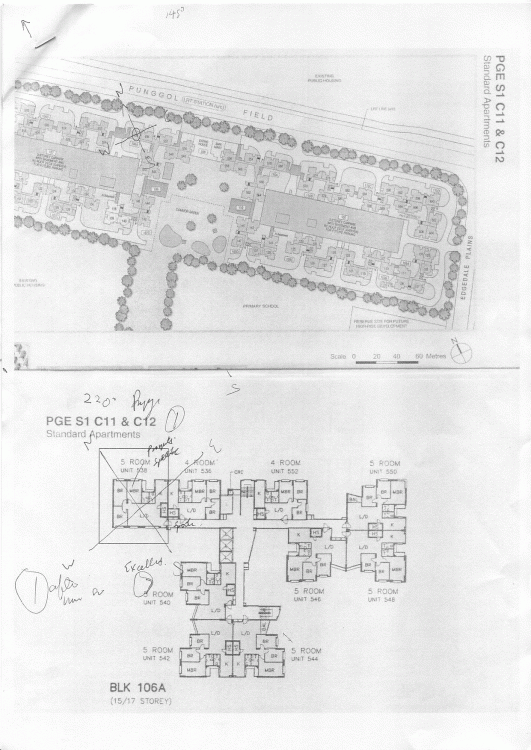
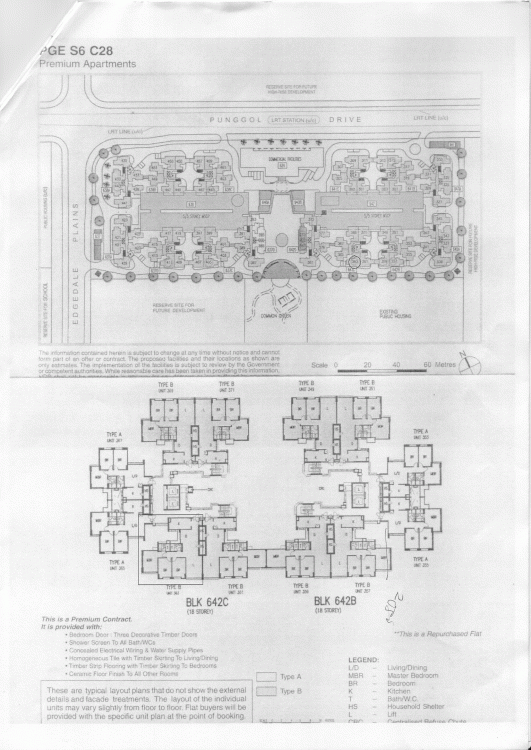
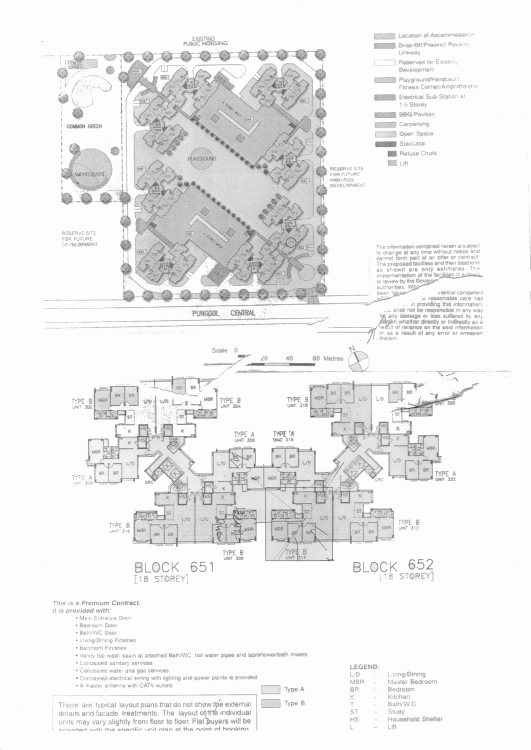
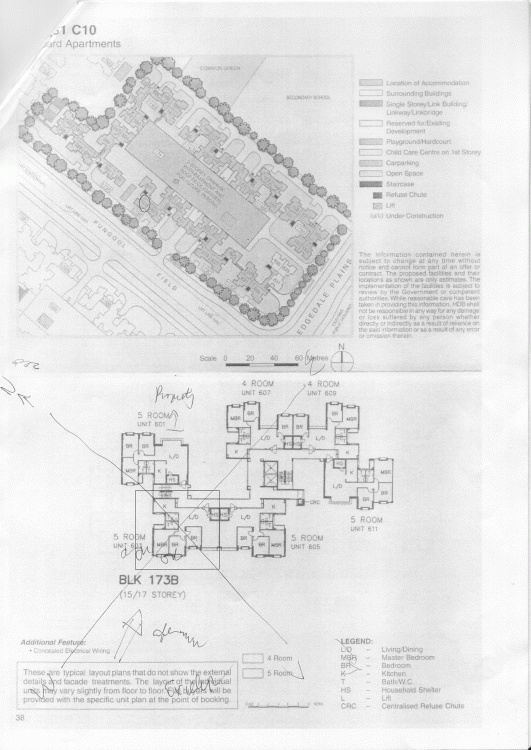
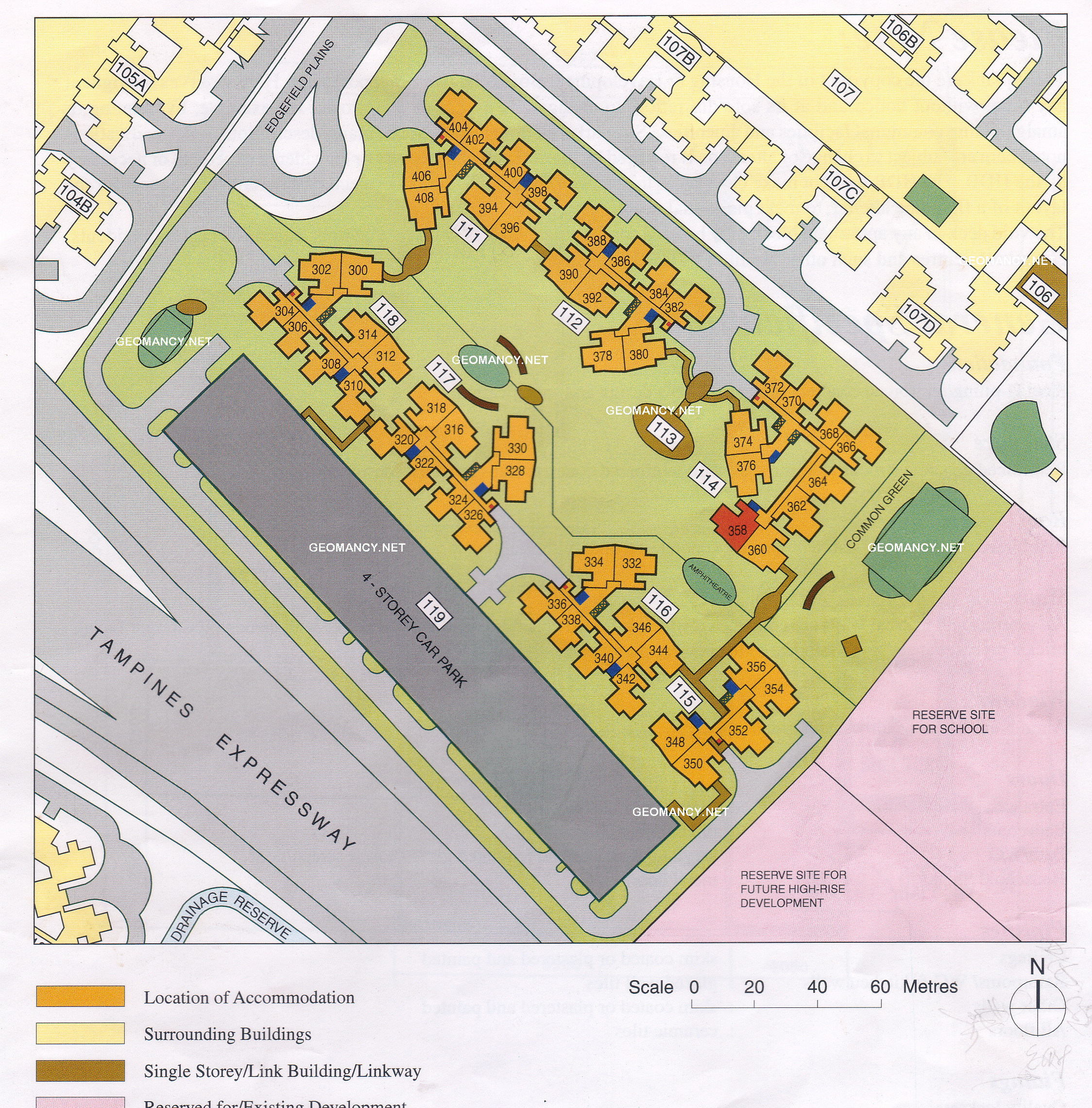
 HDB Punggol Blocks 111, 112, 113, 114, 115, 116, 117, 118 and 119 Edgefield Plains Site Map / Site Plan One of the earliest HDB developments in Punggol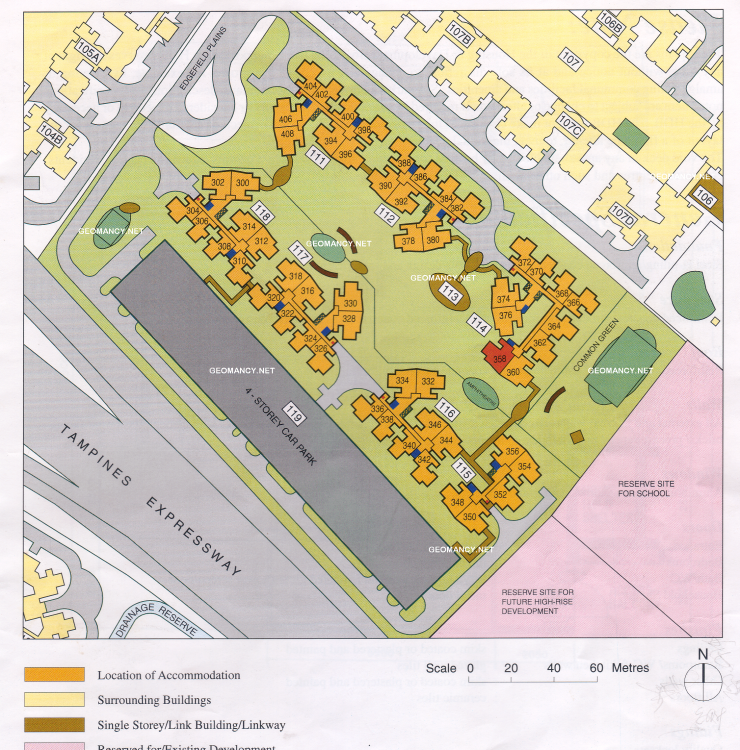

Background Picker
Account
Navigation
Search
Configure browser push notifications
Chrome (Android)
- Tap the lock icon next to the address bar.
- Tap Permissions → Notifications.
- Adjust your preference.
Chrome (Desktop)
- Click the padlock icon in the address bar.
- Select Site settings.
- Find Notifications and adjust your preference.
Safari (iOS 16.4+)
- Ensure the site is installed via Add to Home Screen.
- Open Settings App → Notifications.
- Find your app name and adjust your preference.
Safari (macOS)
- Go to Safari → Preferences.
- Click the Websites tab.
- Select Notifications in the sidebar.
- Find this website and adjust your preference.
Edge (Android)
- Tap the lock icon next to the address bar.
- Tap Permissions.
- Find Notifications and adjust your preference.
Edge (Desktop)
- Click the padlock icon in the address bar.
- Click Permissions for this site.
- Find Notifications and adjust your preference.
Firefox (Android)
- Go to Settings → Site permissions.
- Tap Notifications.
- Find this site in the list and adjust your preference.
Firefox (Desktop)
- Open Firefox Settings.
- Search for Notifications.
- Find this site in the list and adjust your preference.