Cecil Lee
Staff
-
Joined
-
Last visited
Everything posted by Cecil Lee
-
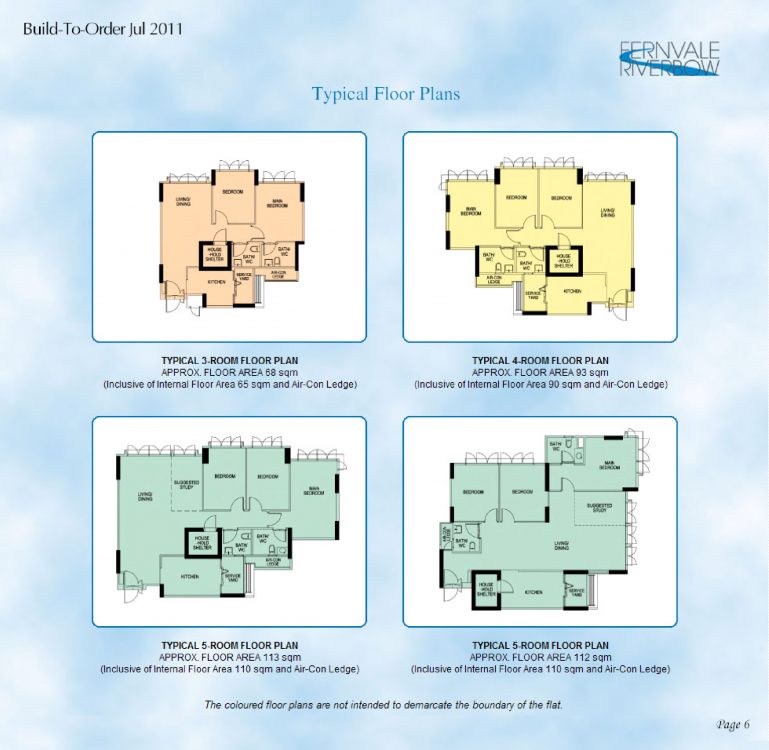
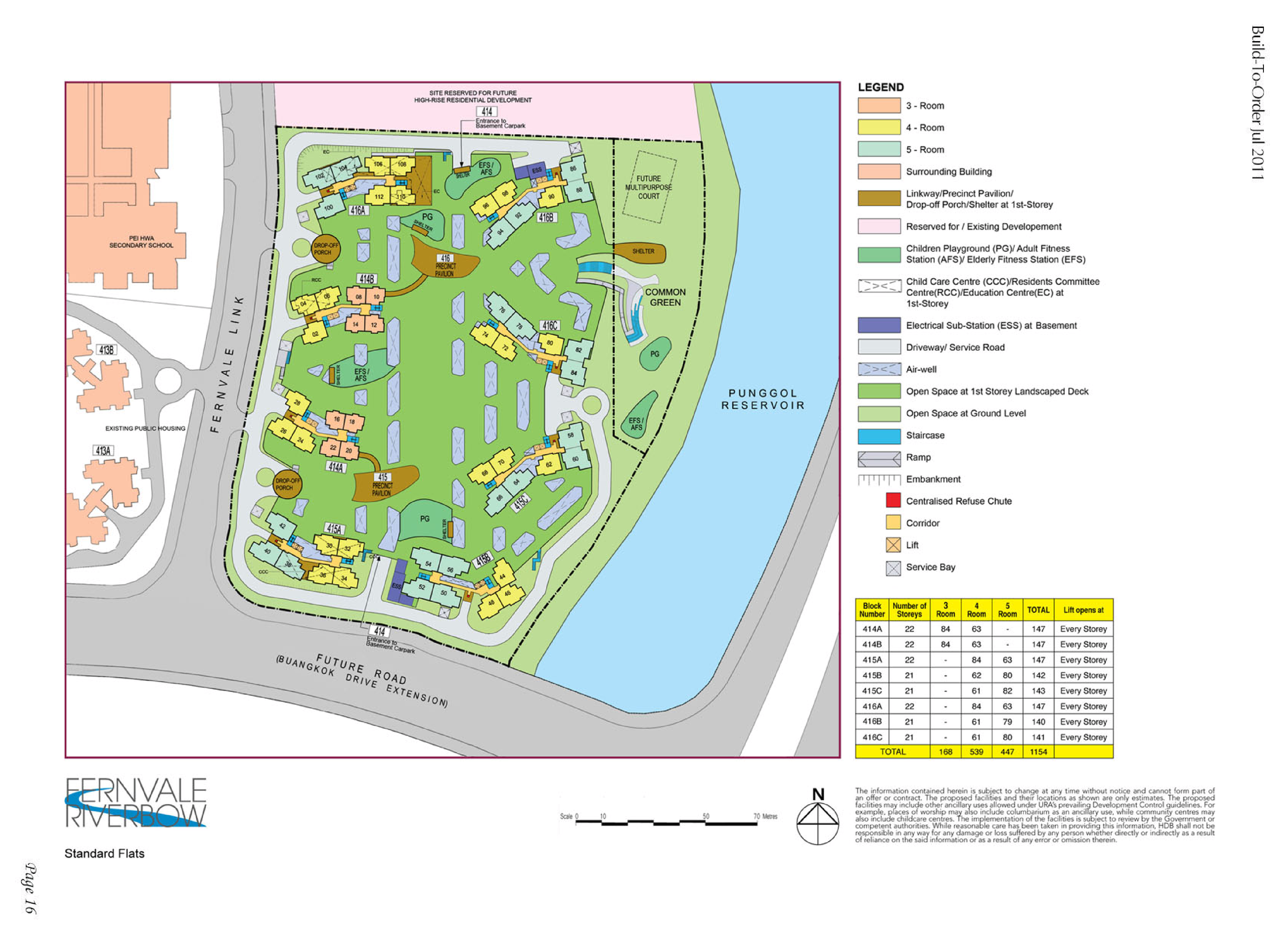
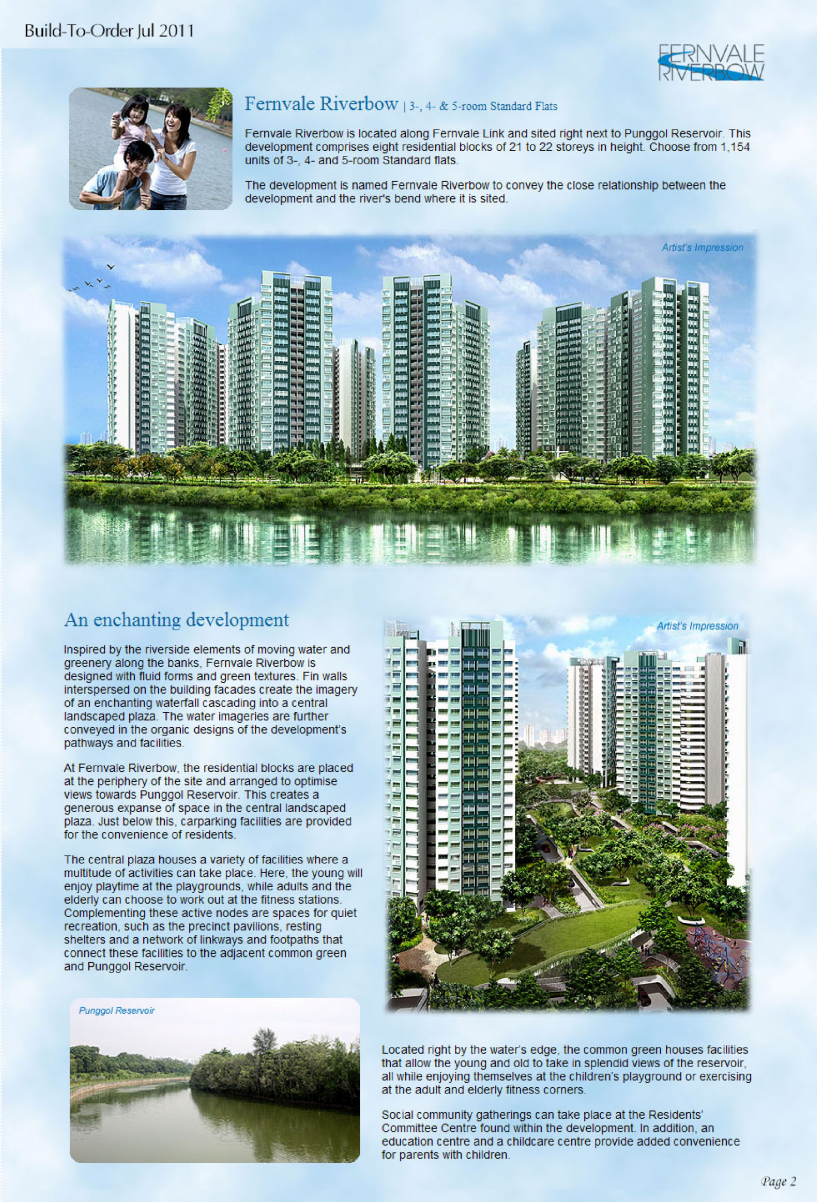
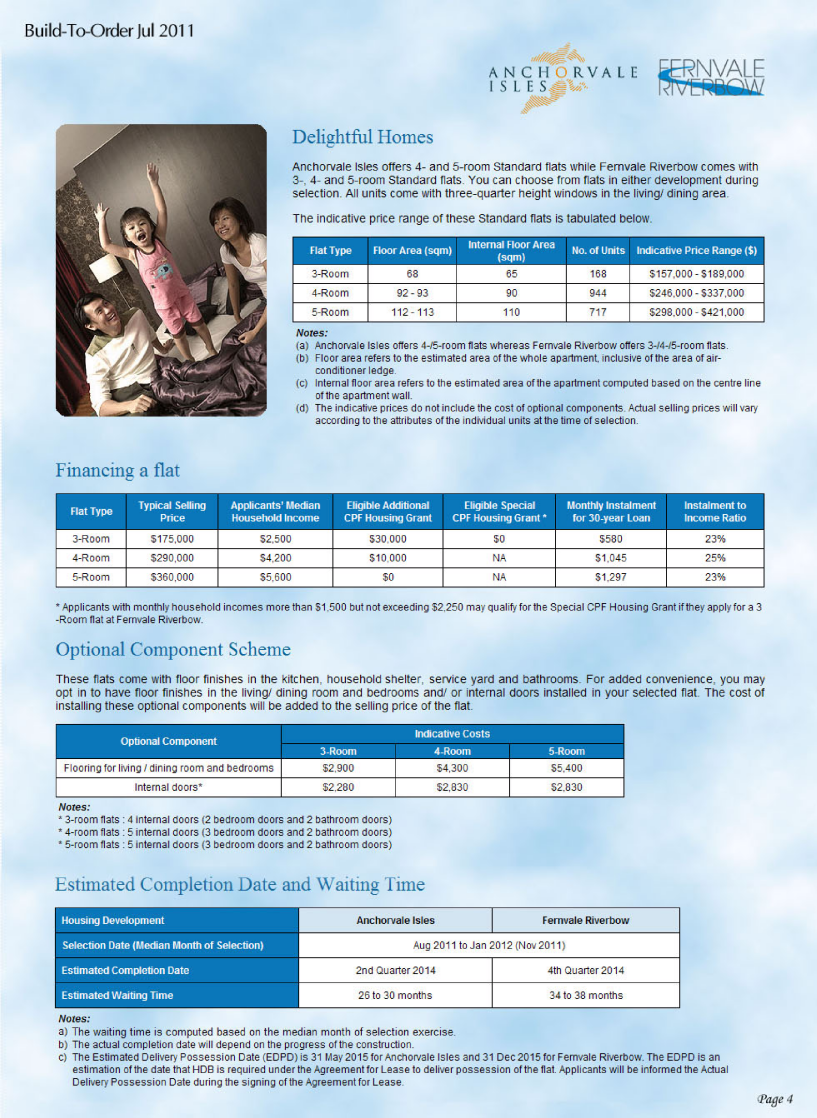
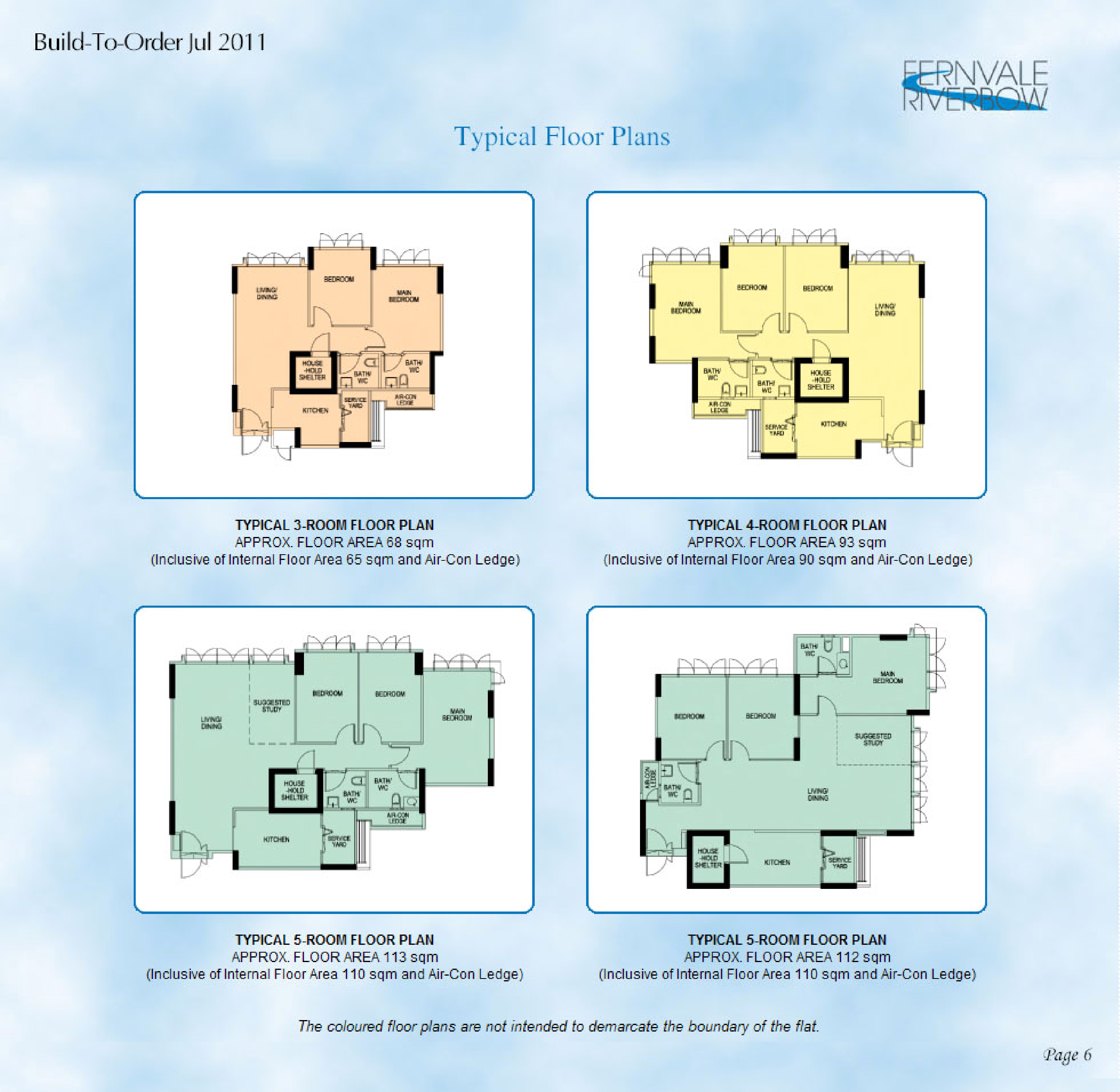
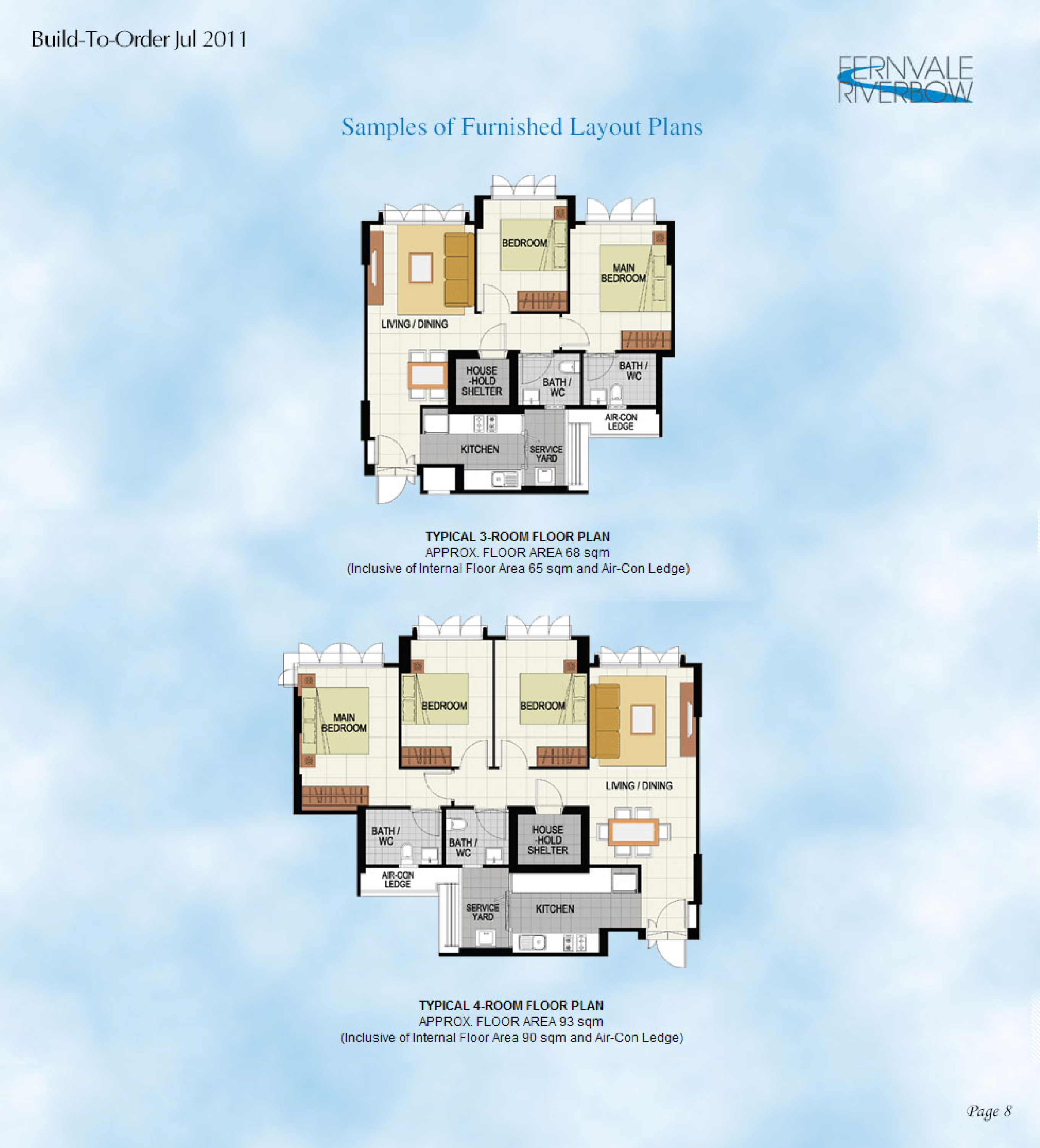
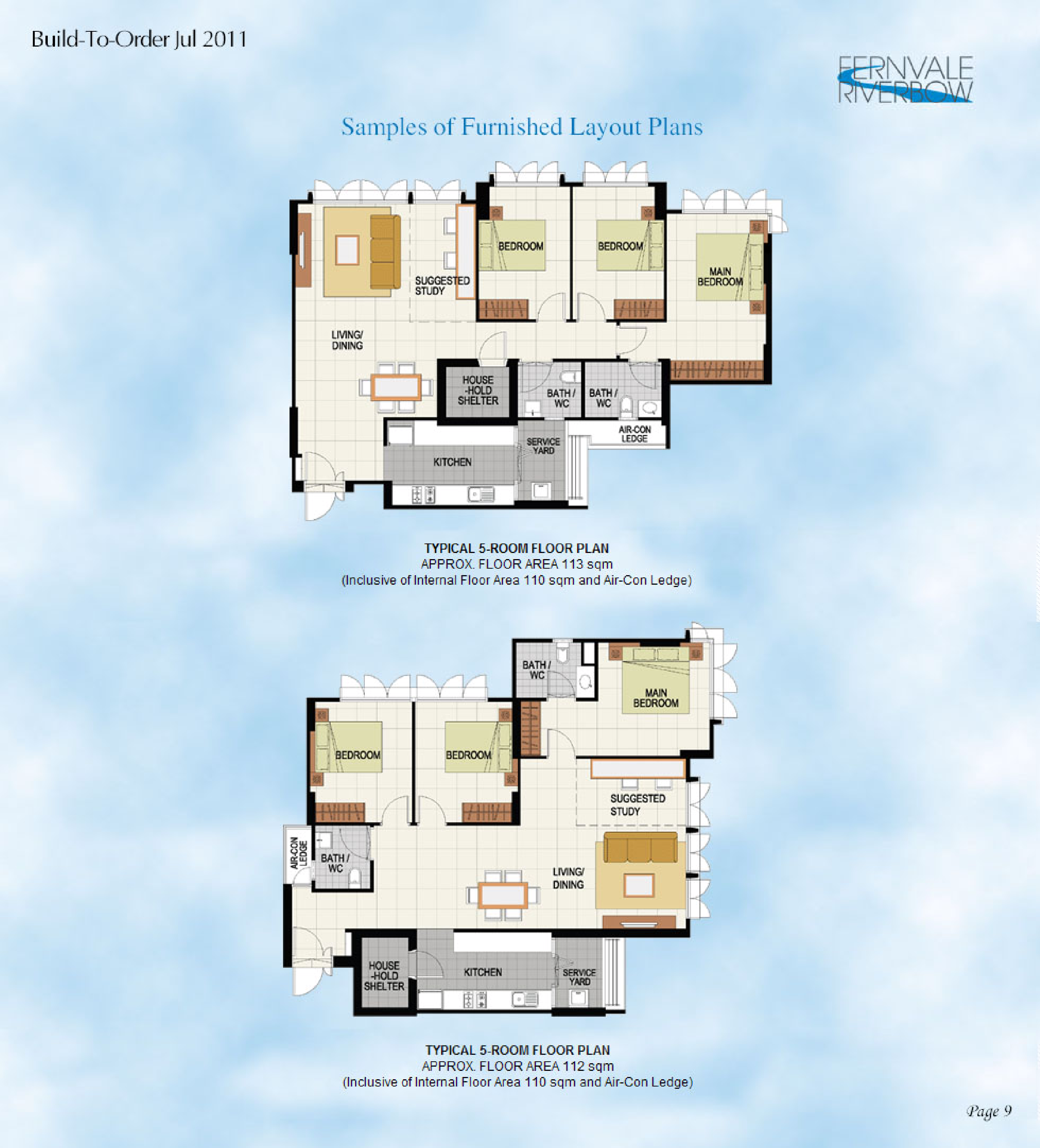
HDB Fernvale Bow BTO launched in July 2011 site plan
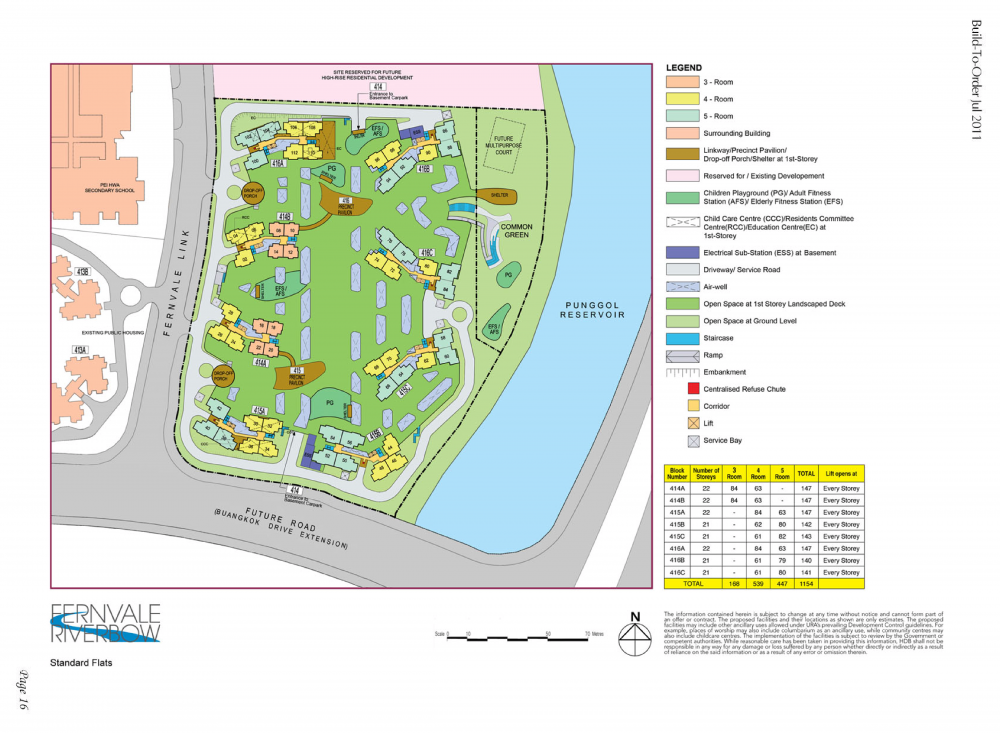
-
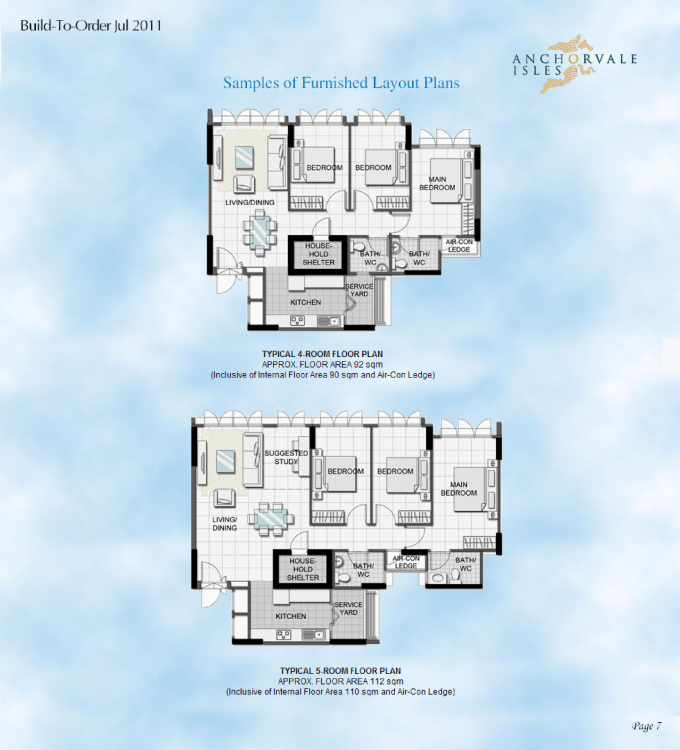
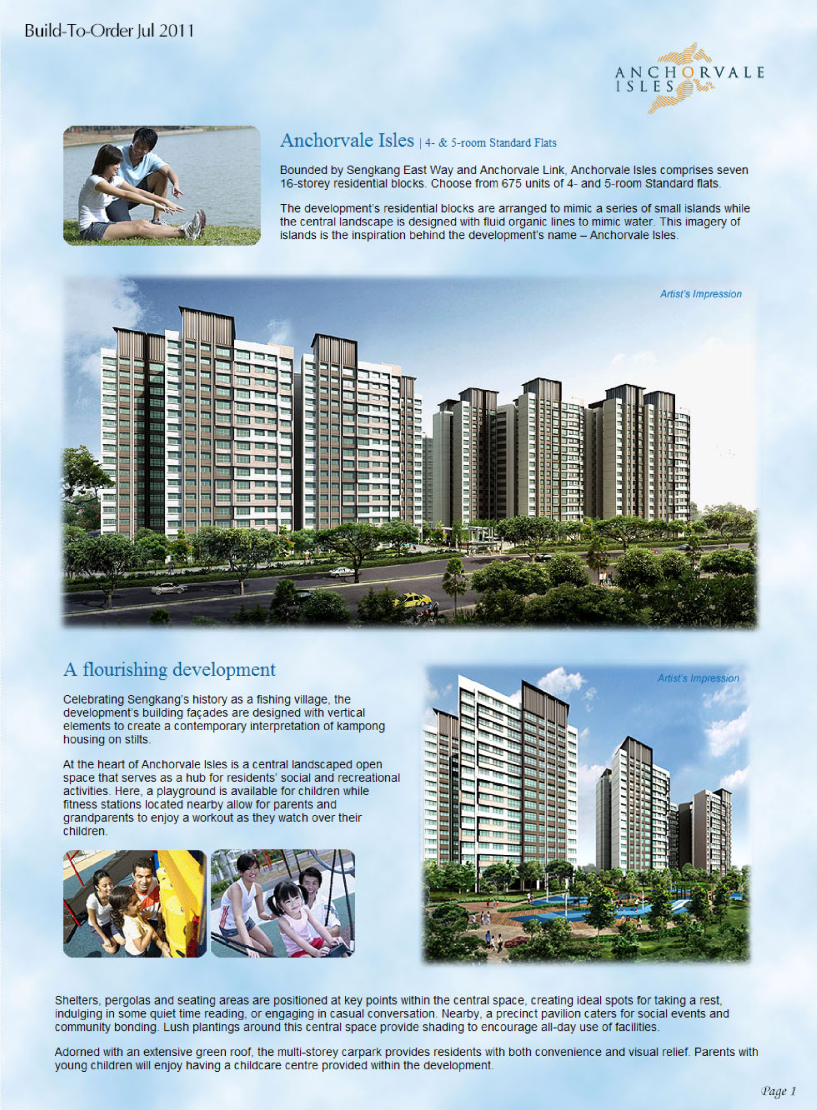
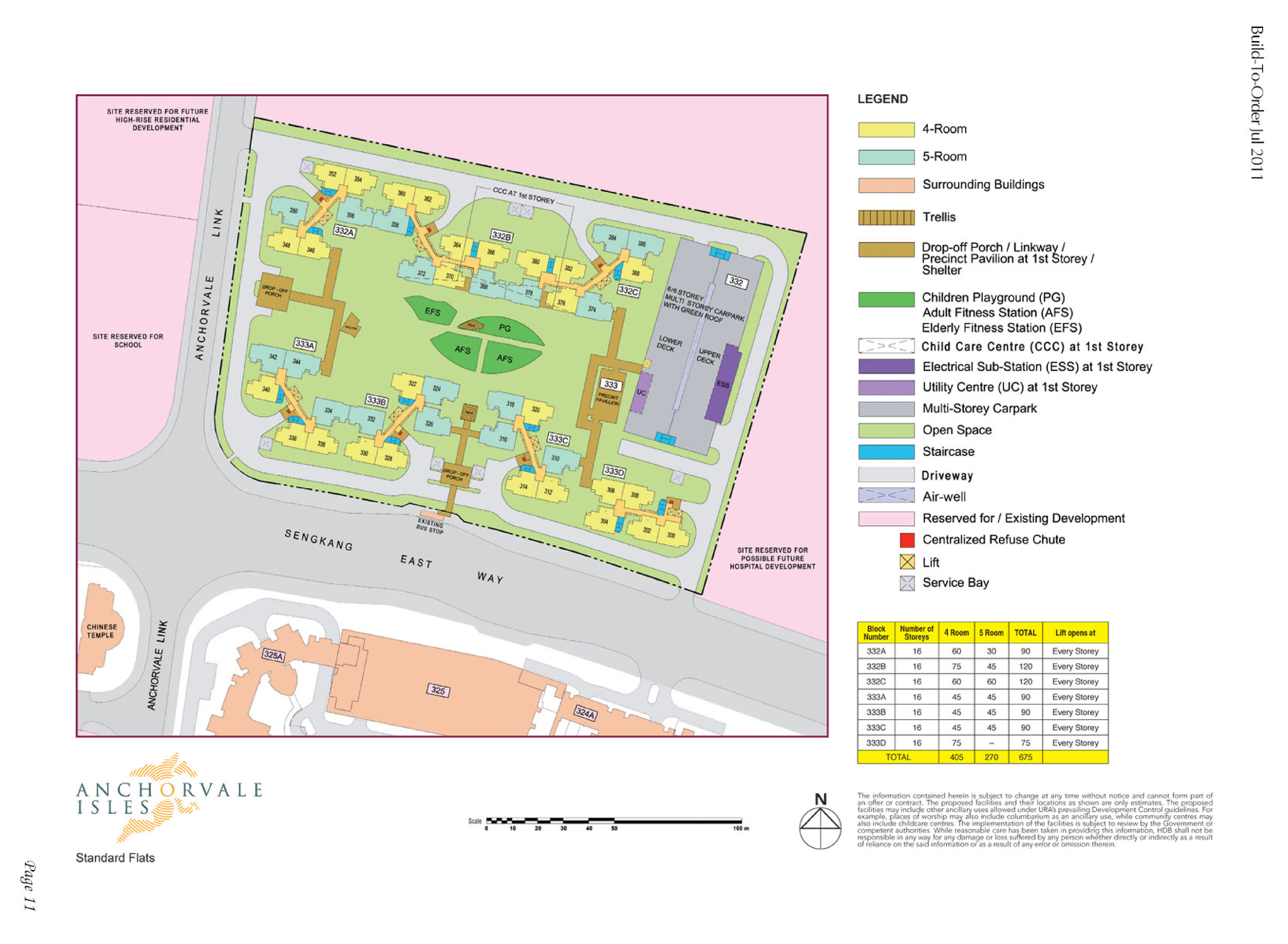
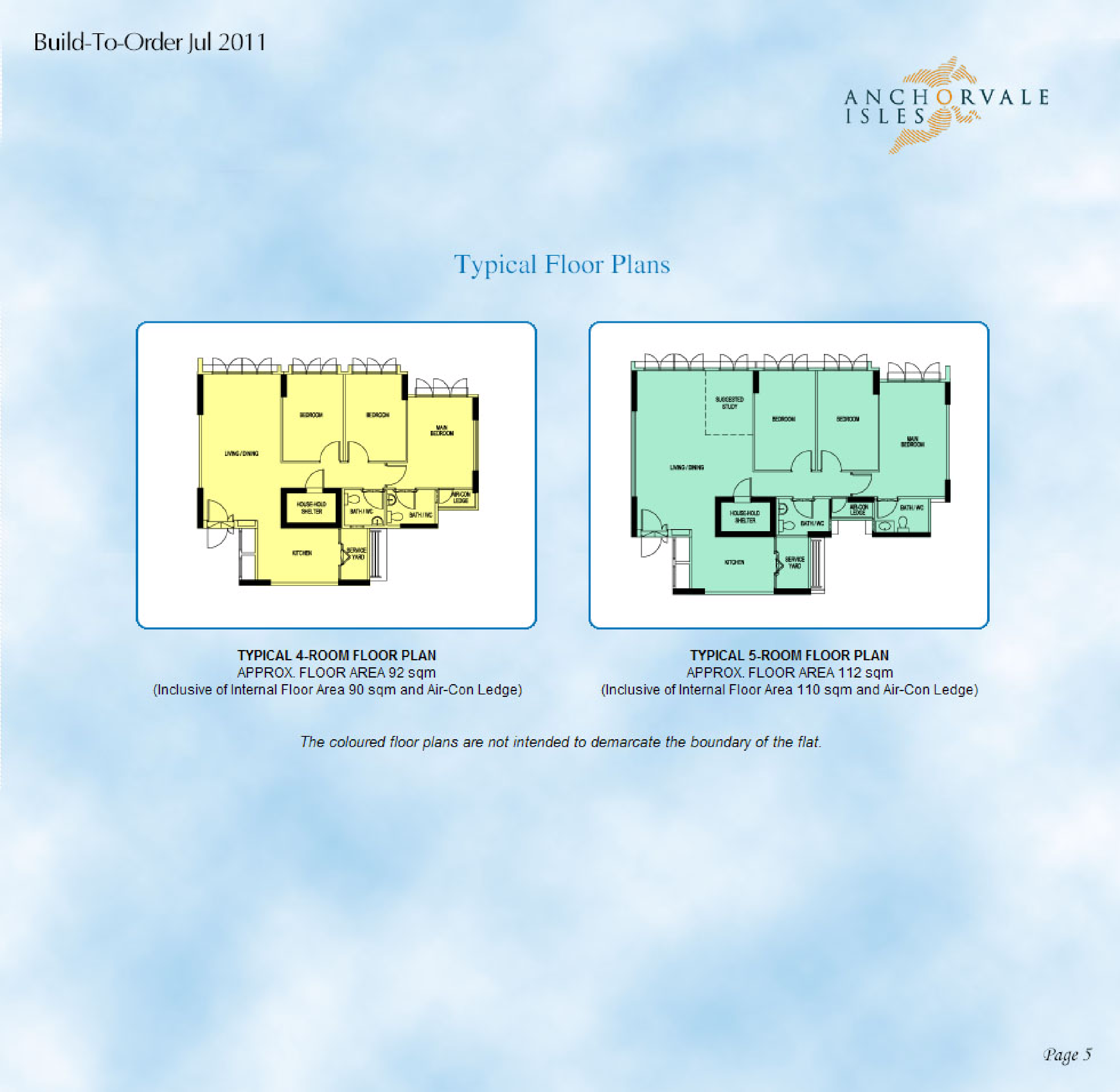
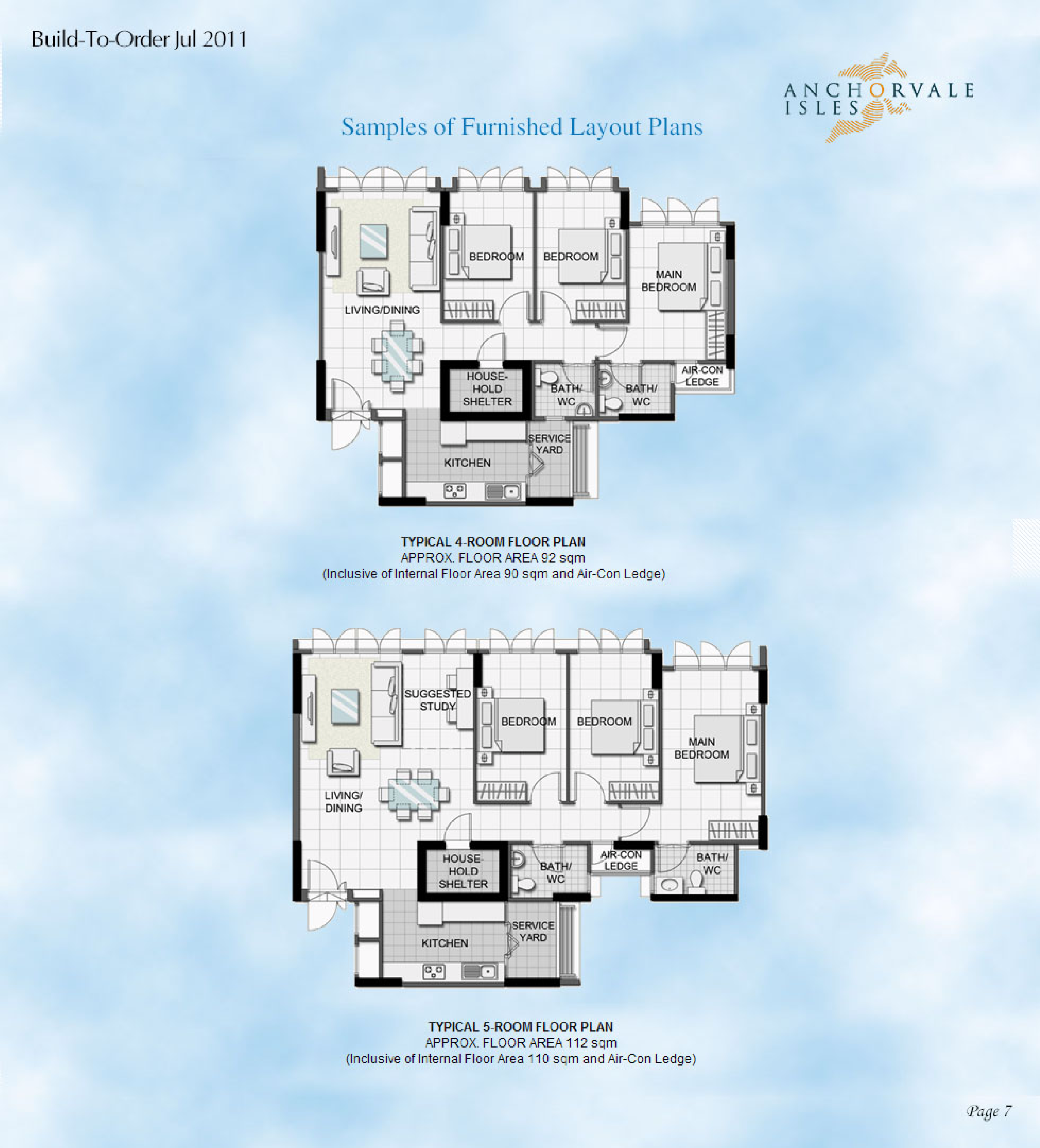
HDB Anchorvale Isles BTO launched in July 2011 site plan & floor plans: anchorvale-isles.pdf Lease Commencement in Year 2014
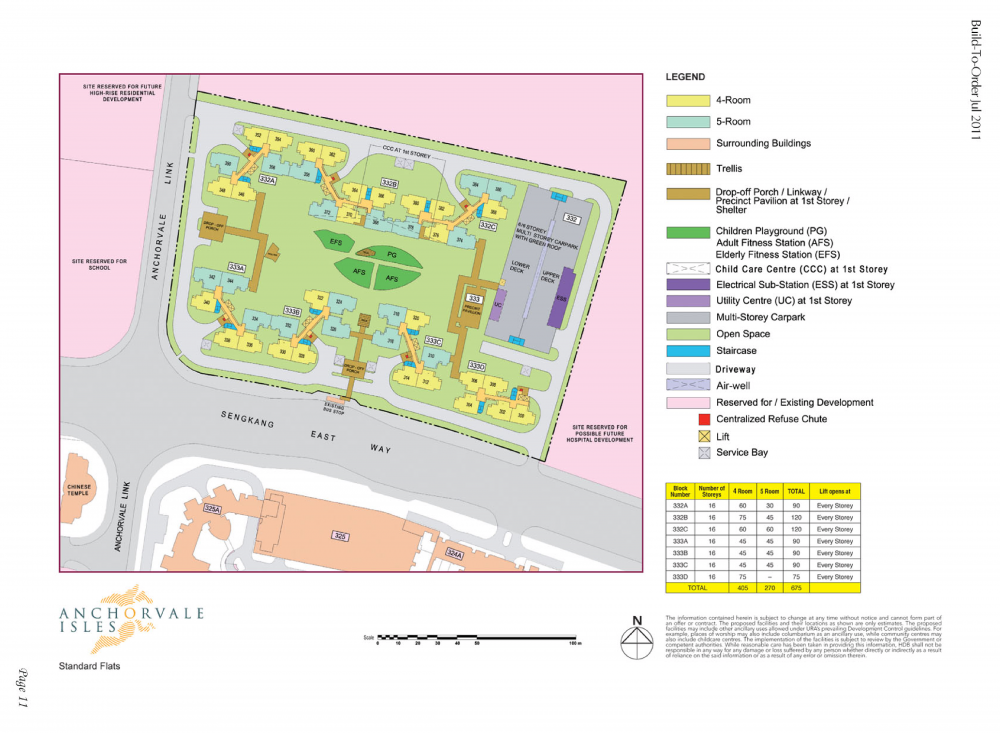
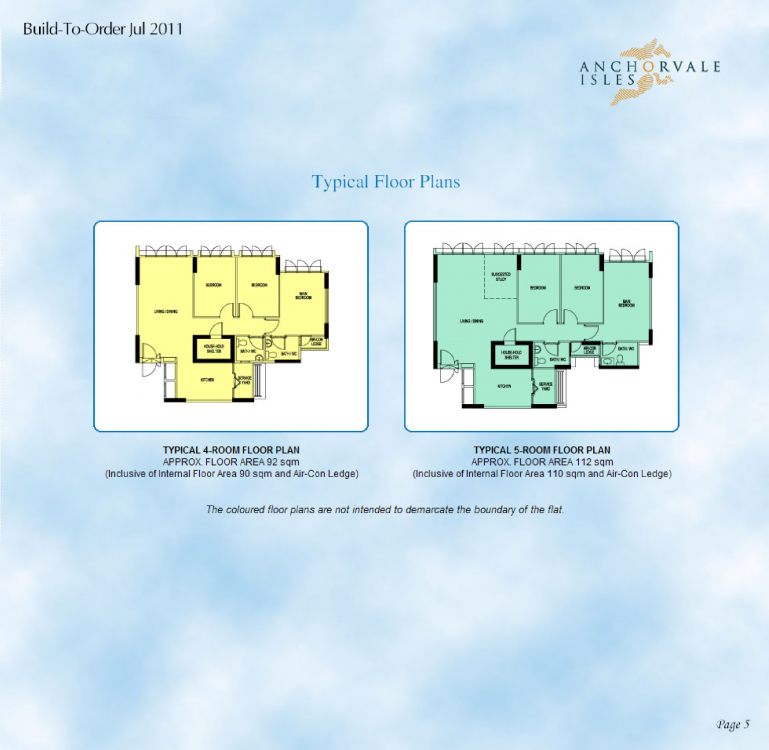
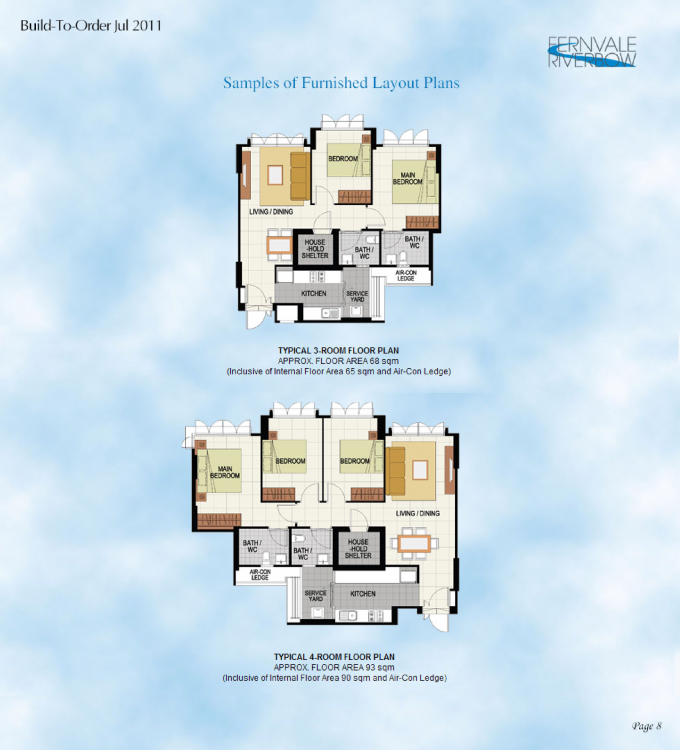
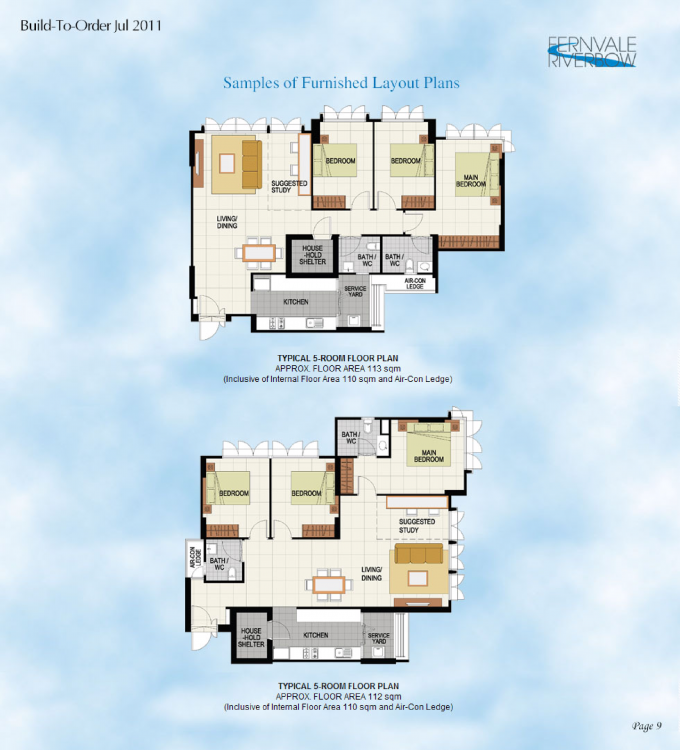
 HDB Tampines Greenleaf BTO launched in May 2011 site plan and floor plans Sales Brochure: tampines-greenleaf.pdf
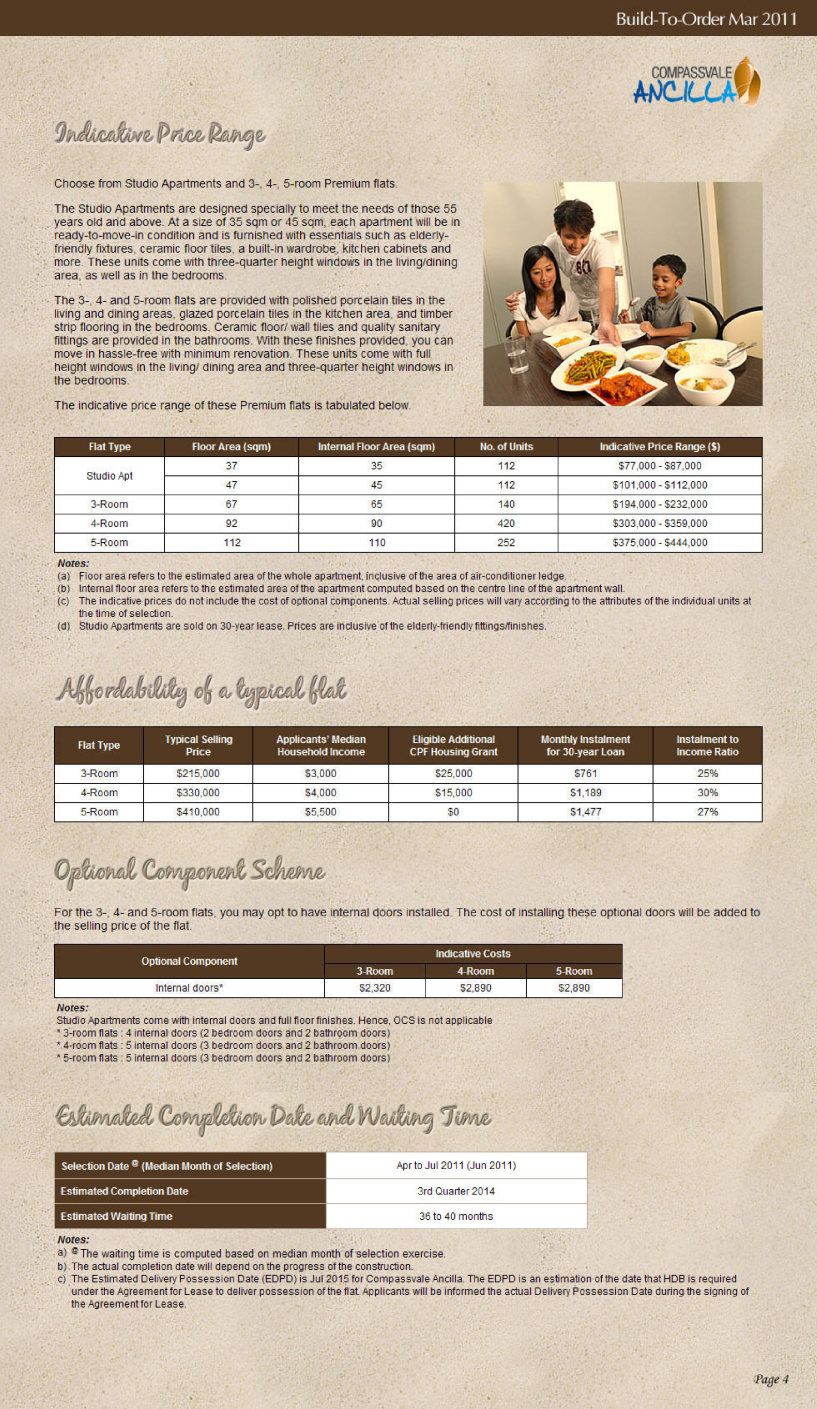
.thumb.png.36eee3f1f20aaf96f52ae9dc4fc99a3d.png)
.thumb.png.27821b0f4c5f9836d4eea05bca5f890a.png)
.thumb.png.1508d8312082906c9a847d207fbe3b96.png)
.thumb.png.82140dff5644f0c71b432910c70b0419.png)
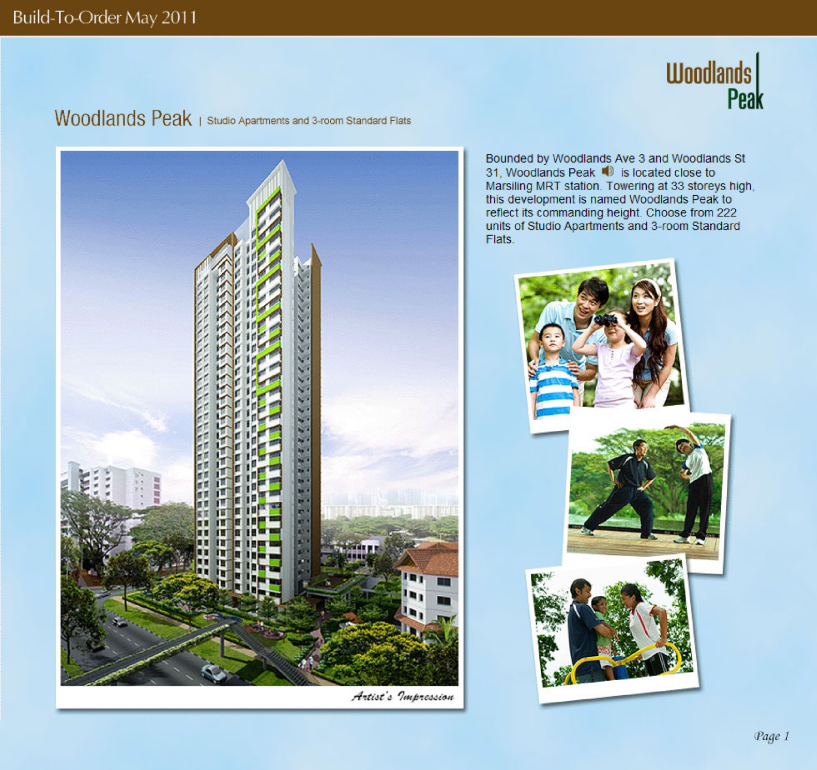
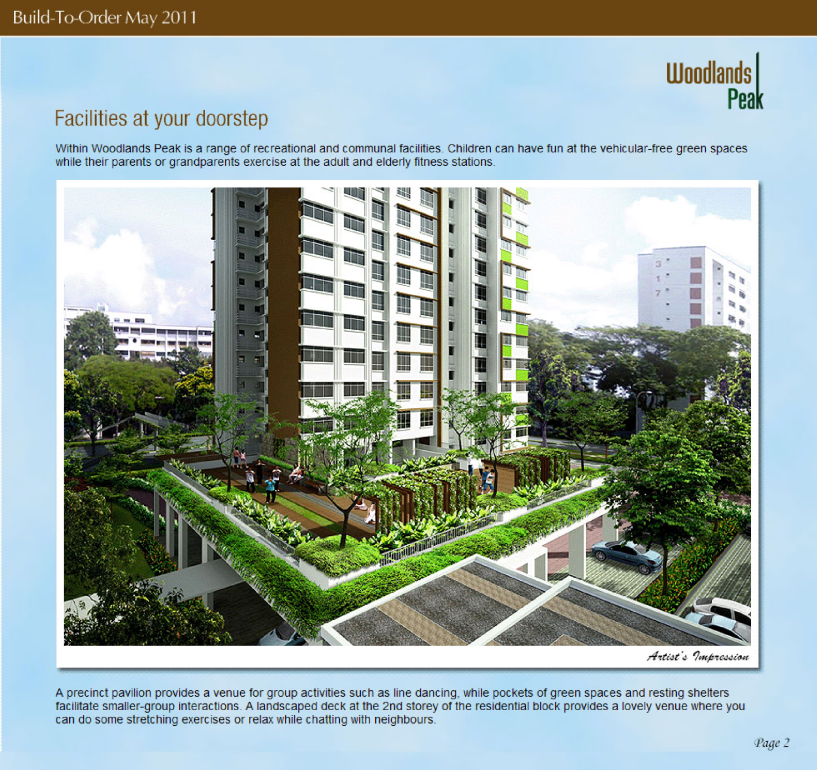
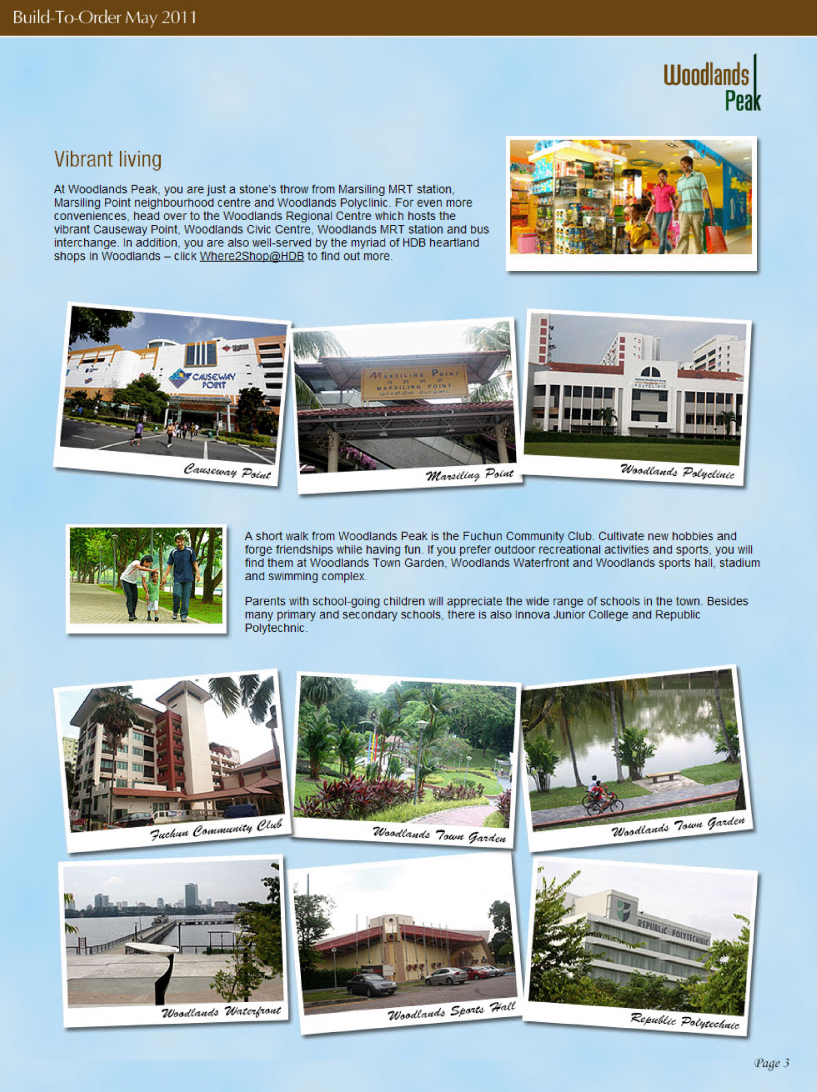
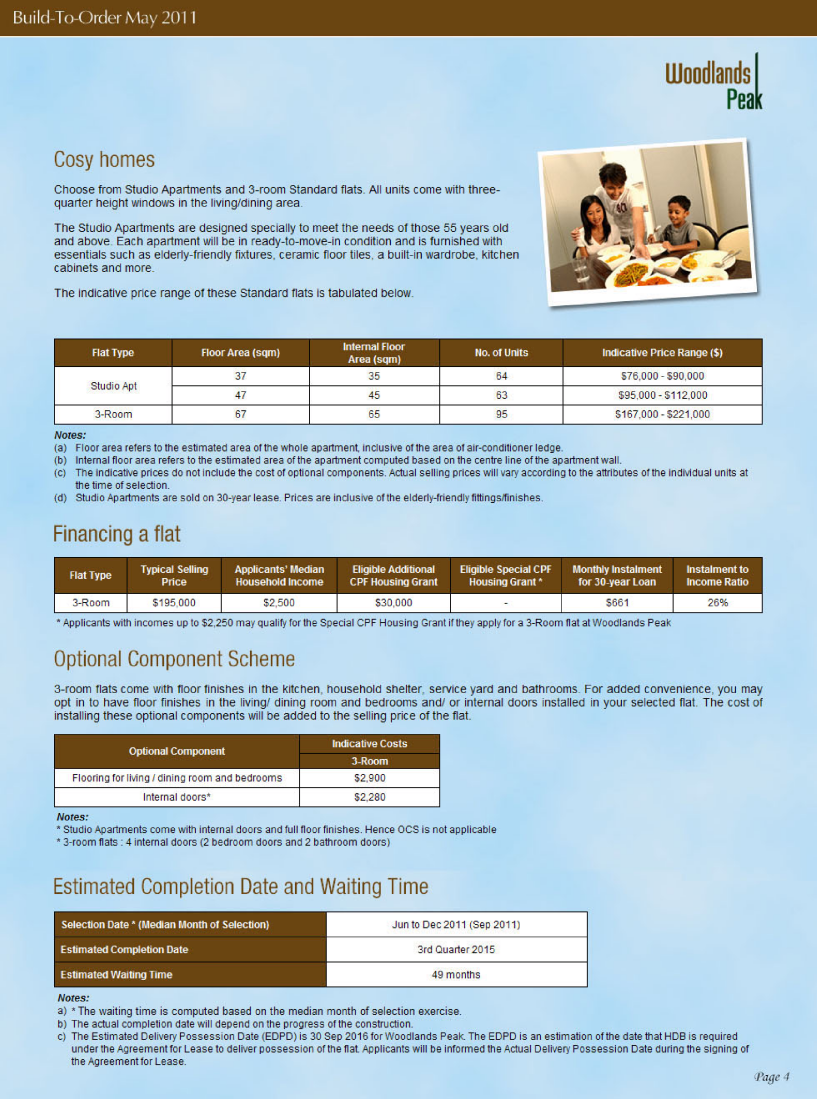
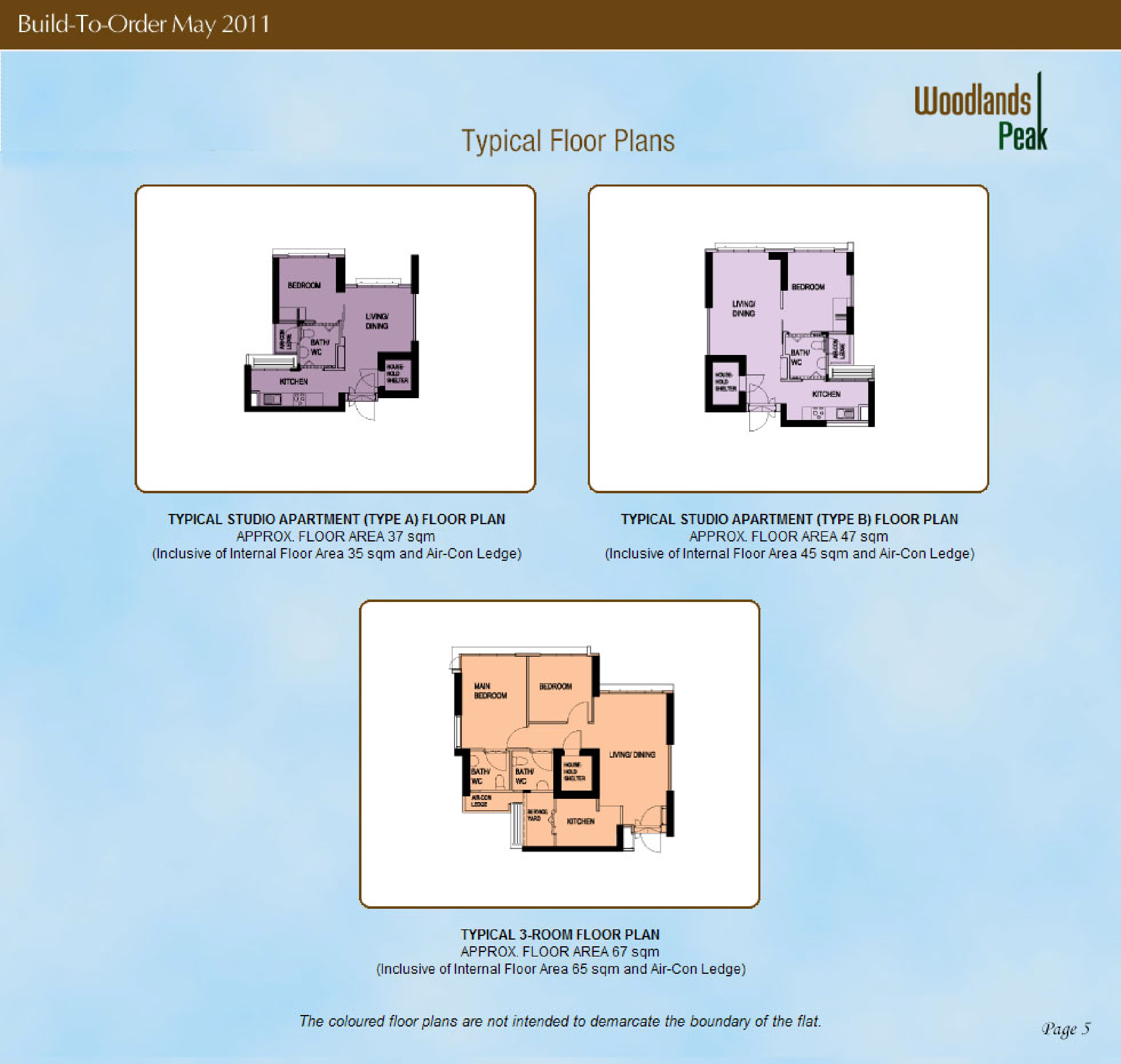
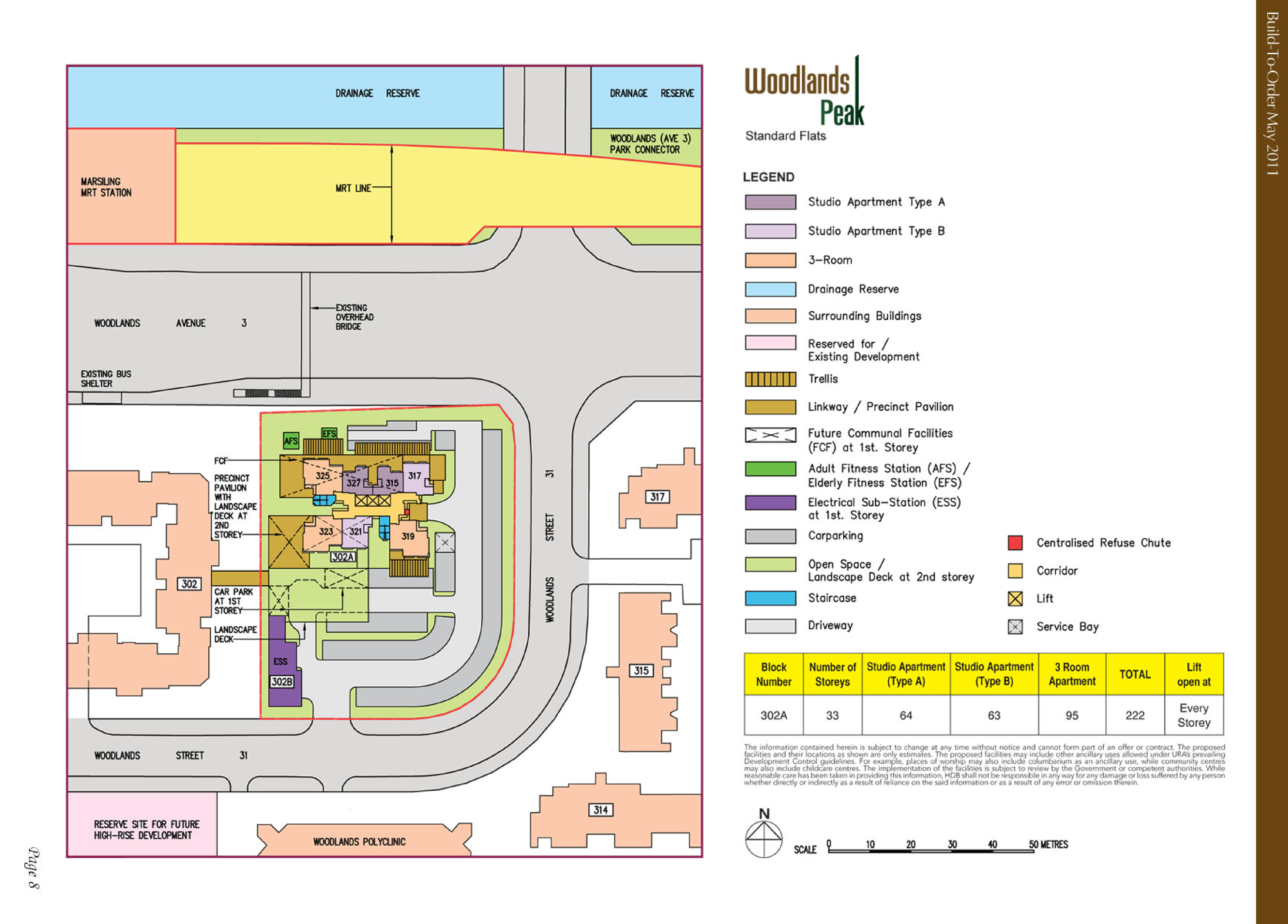
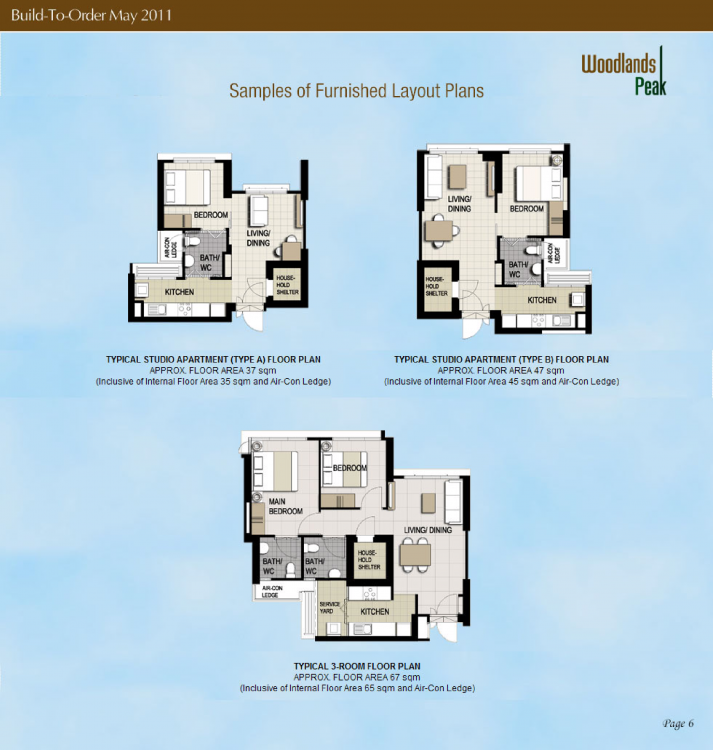
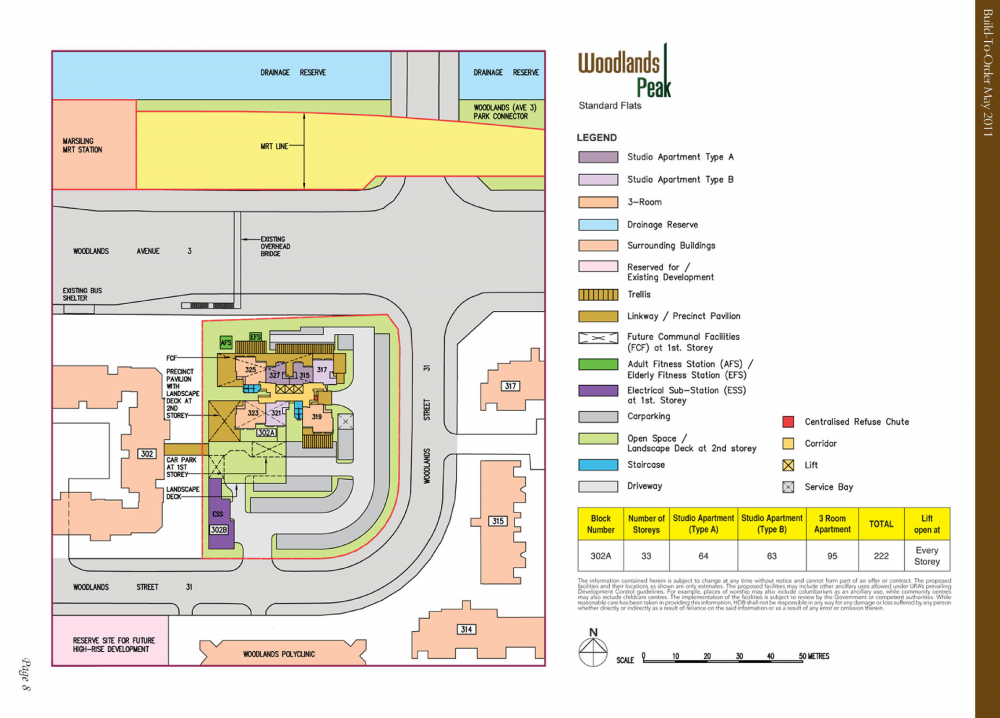
.thumb.png.61f0e51e290f34d2a69624e2d1bd3553.png) HDB Woodlands Peak BTO launched in May 2011 site plan and floor plans woodlands-peak.pdf
HDB Woodlands Peak BTO launched in May 2011 site plan and floor plans woodlands-peak.pdf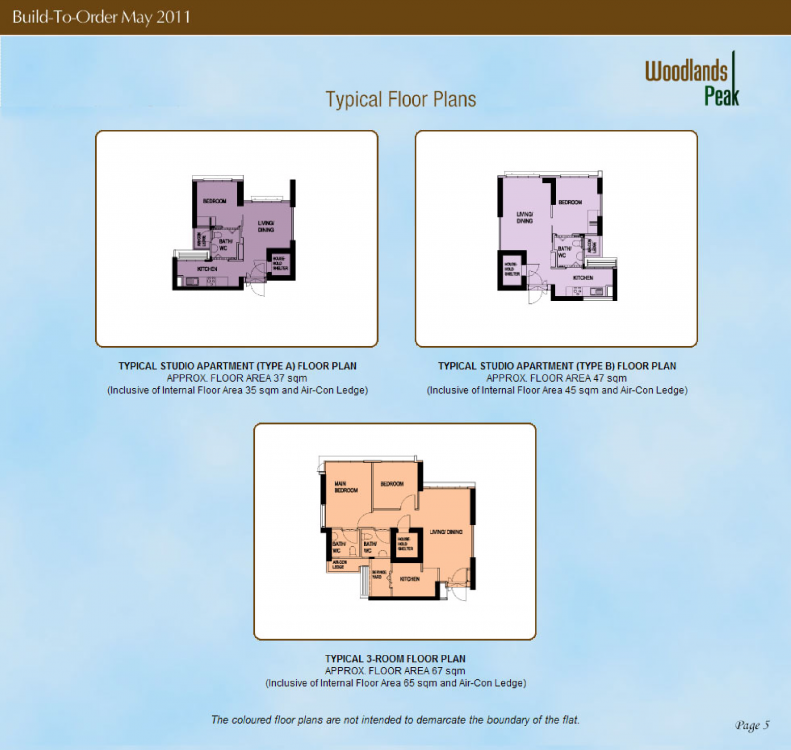
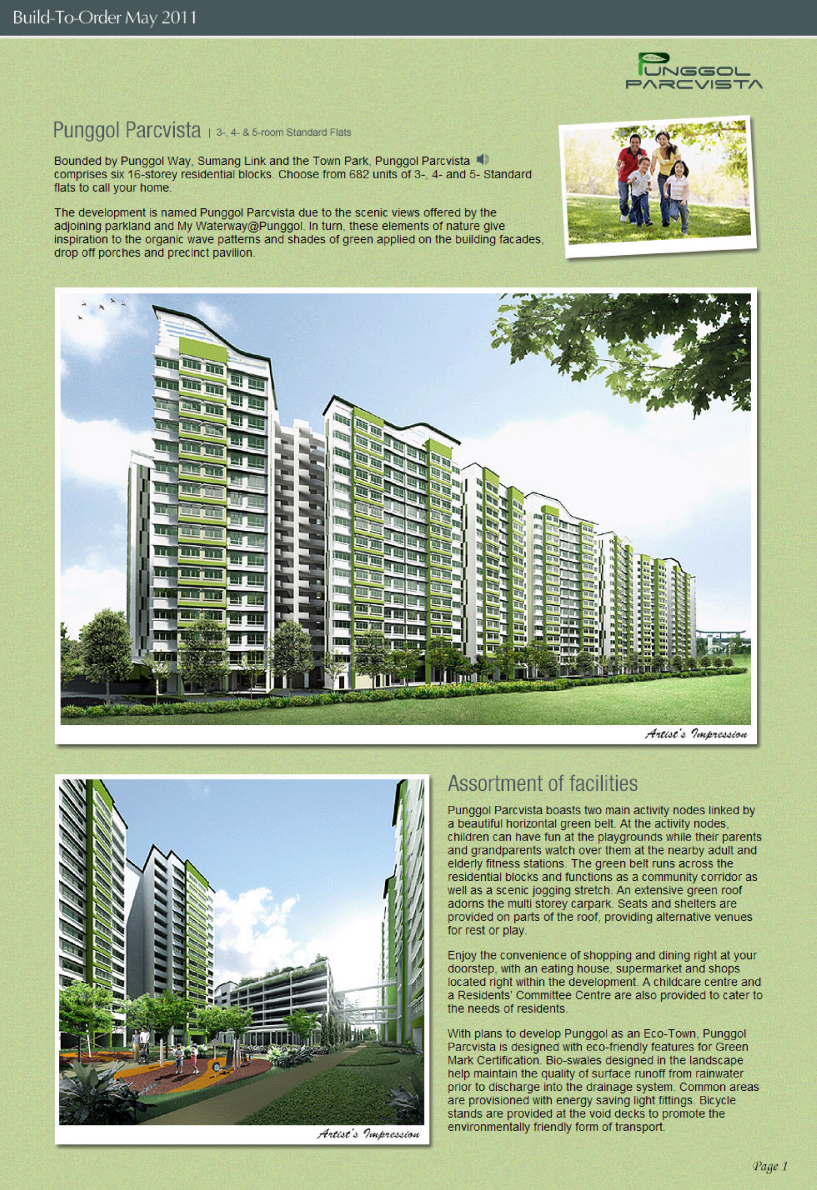
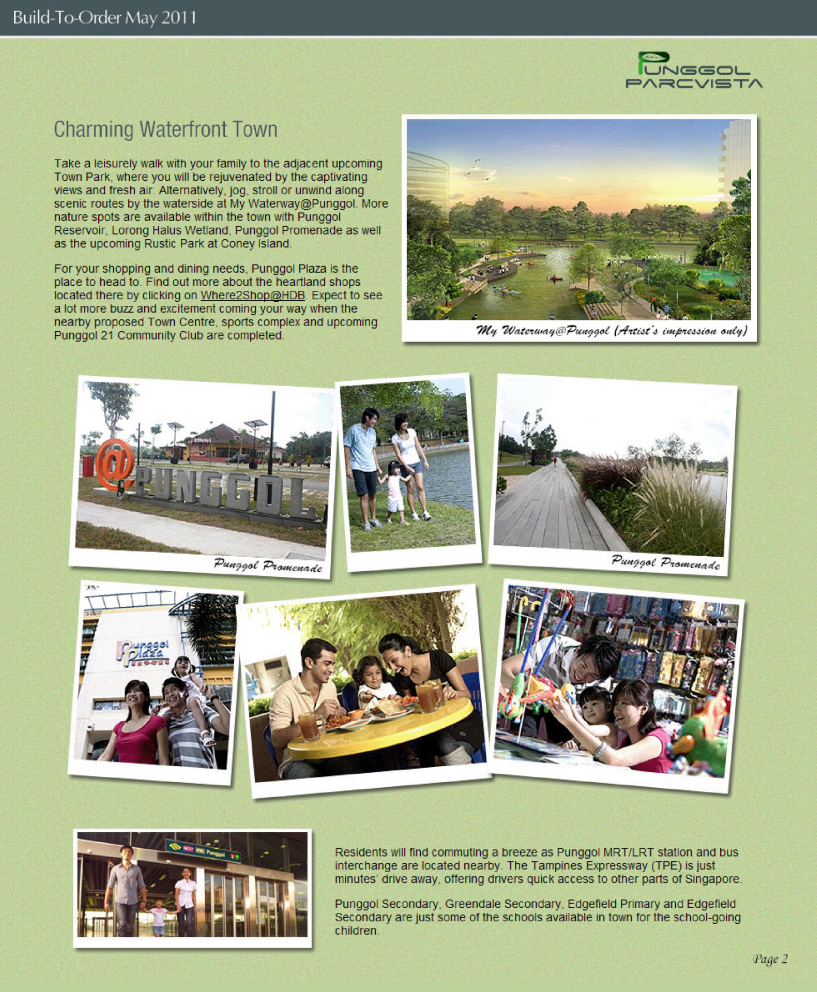
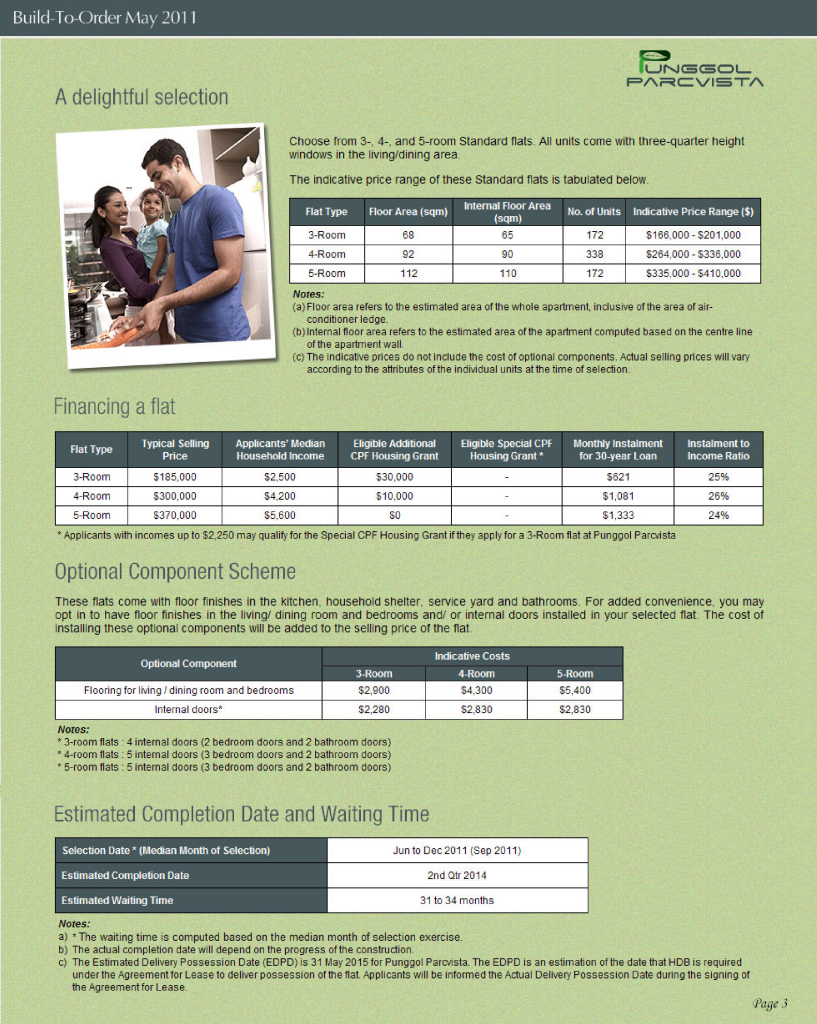
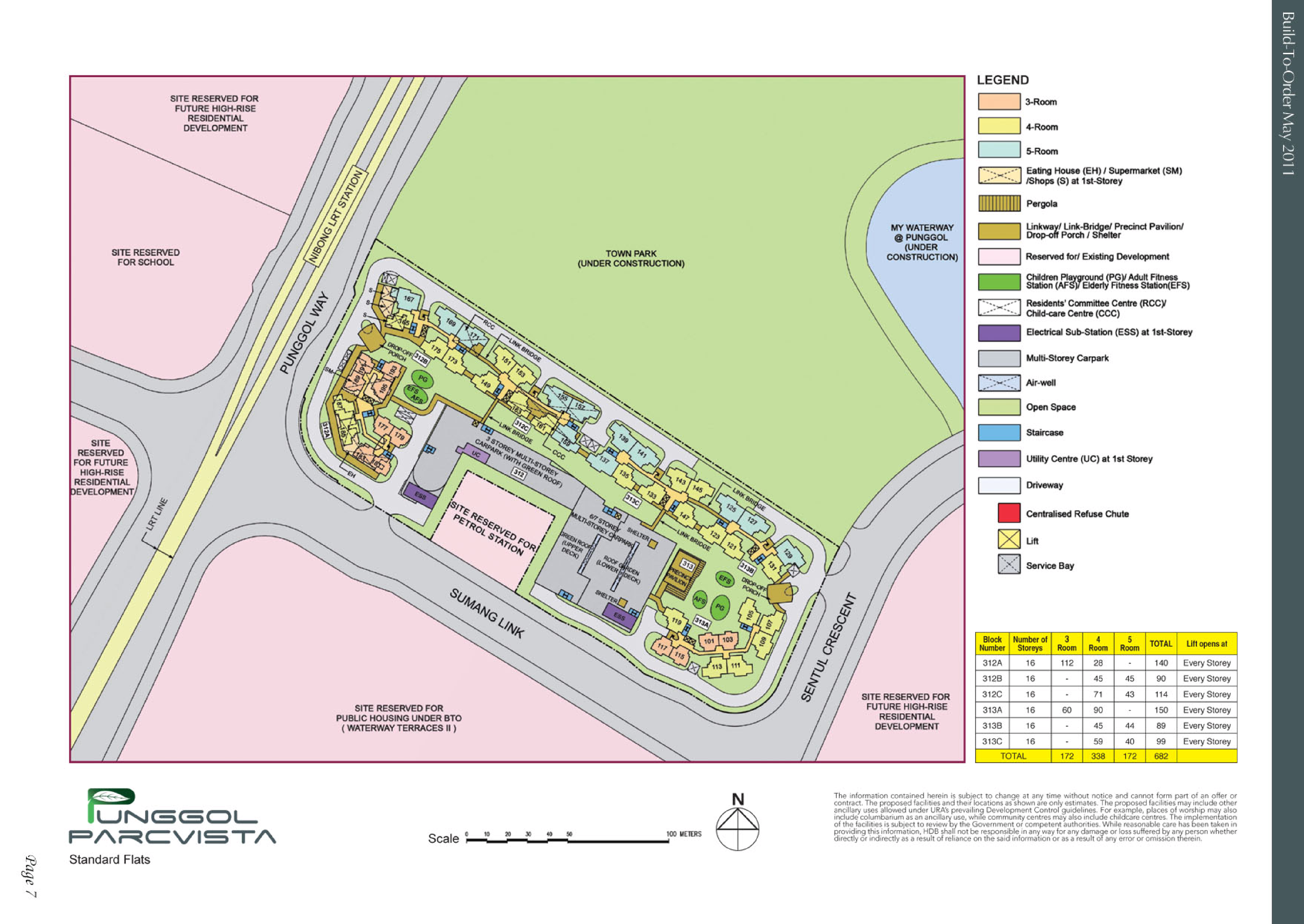
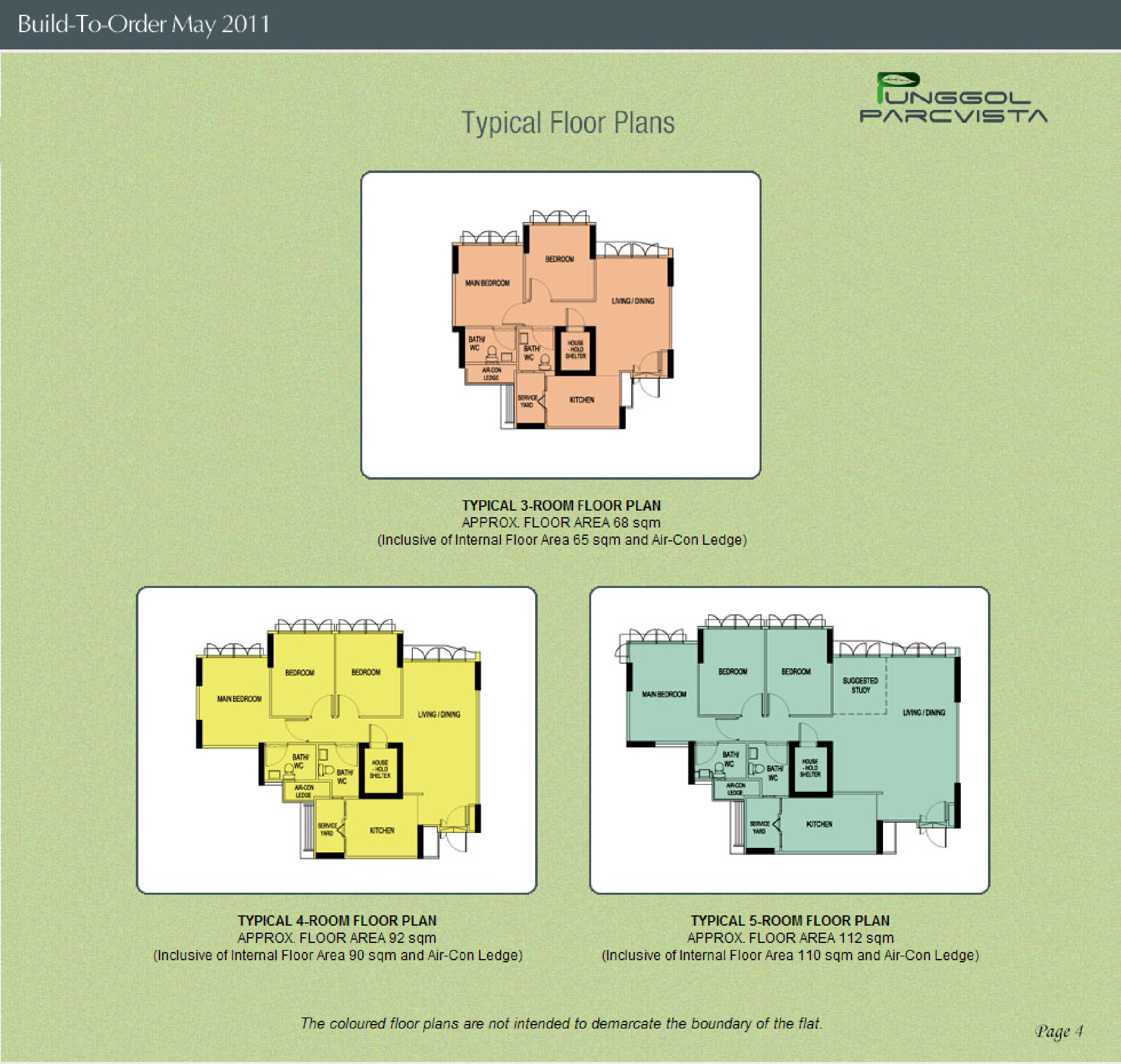
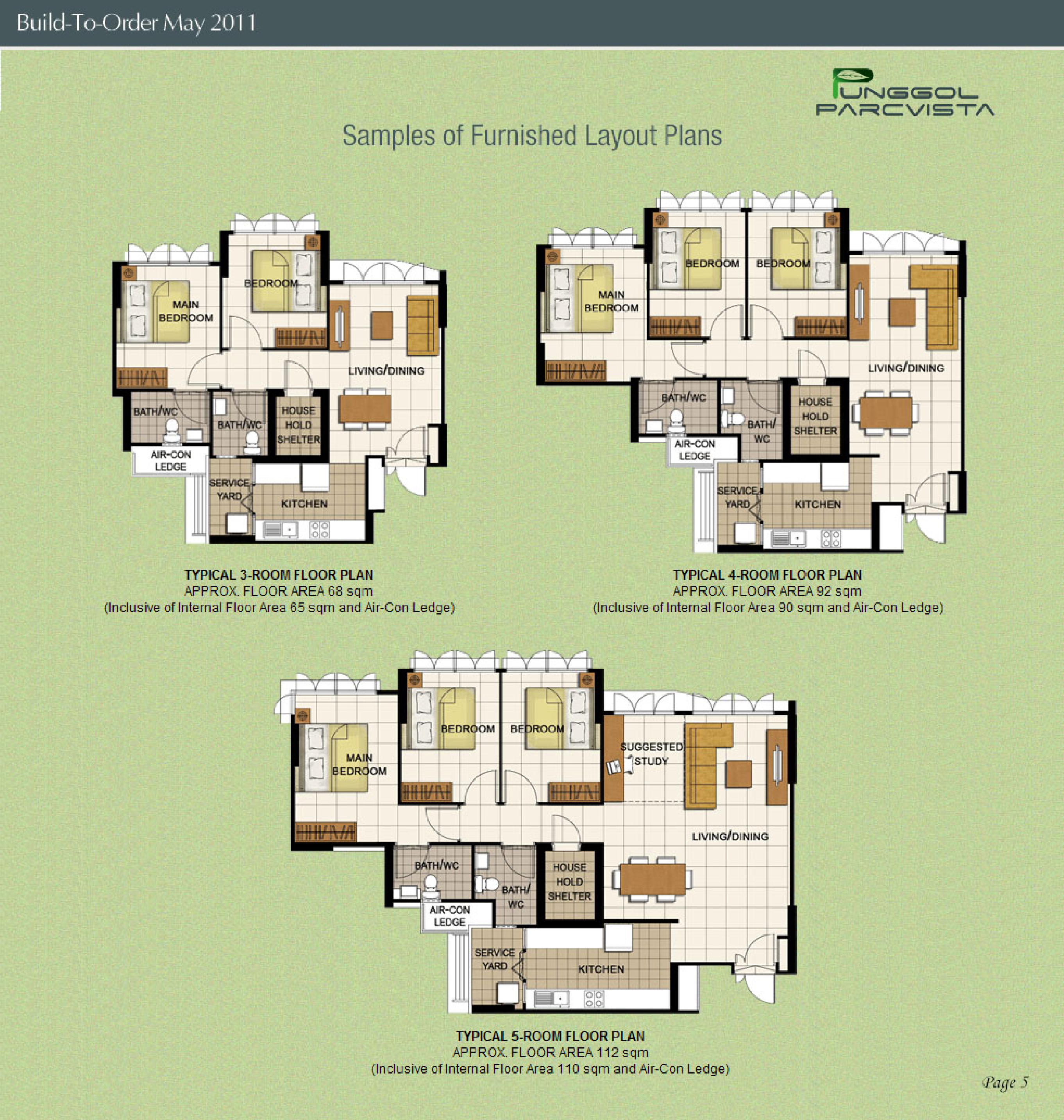
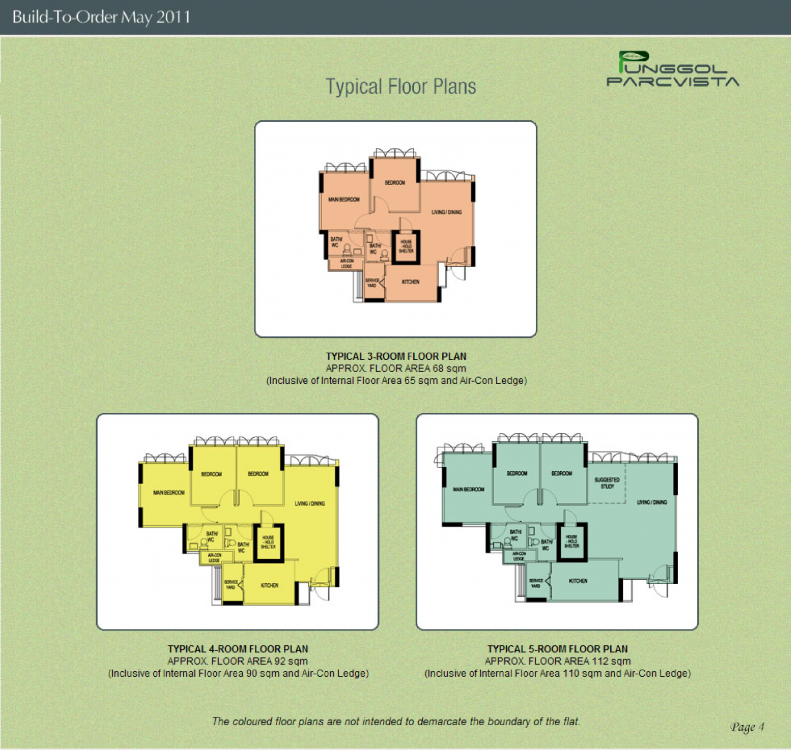
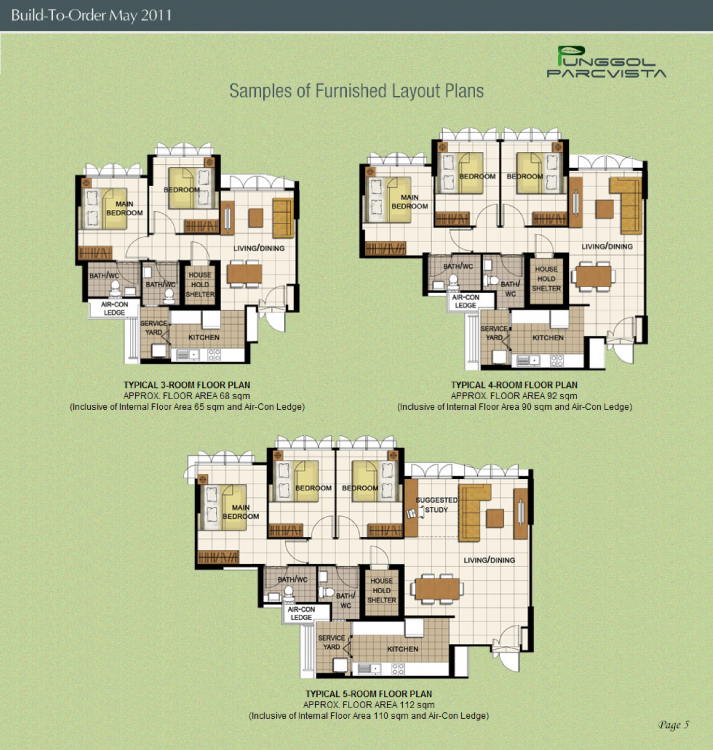
 HDB Punggol Parcvista BTO launched in May 2011 site plan and floor plans punggol-parcvista.pdf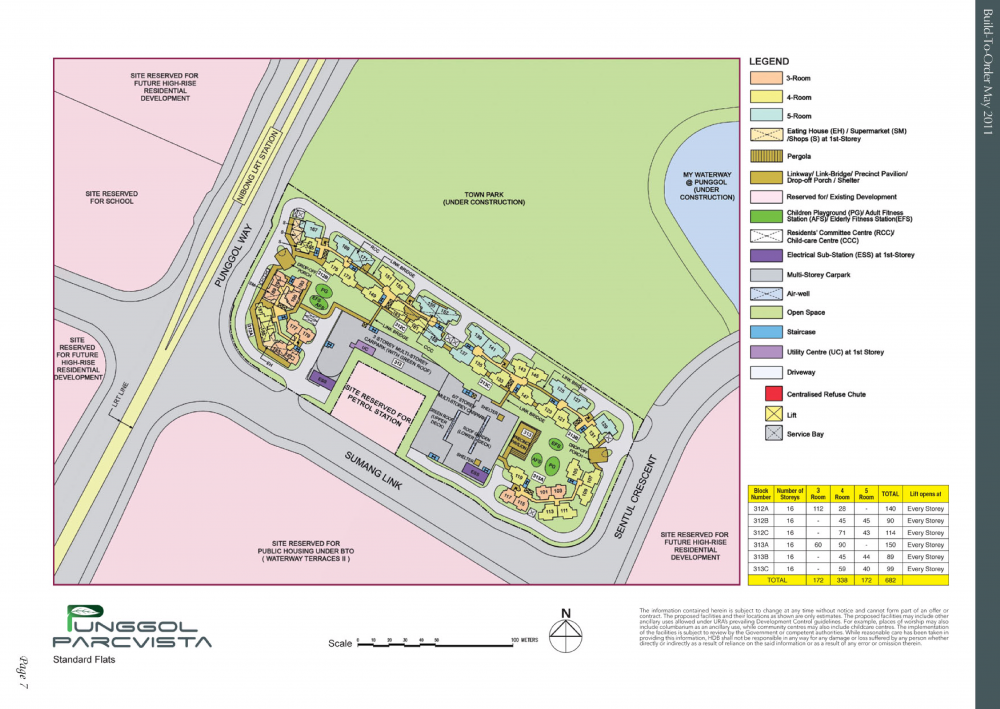
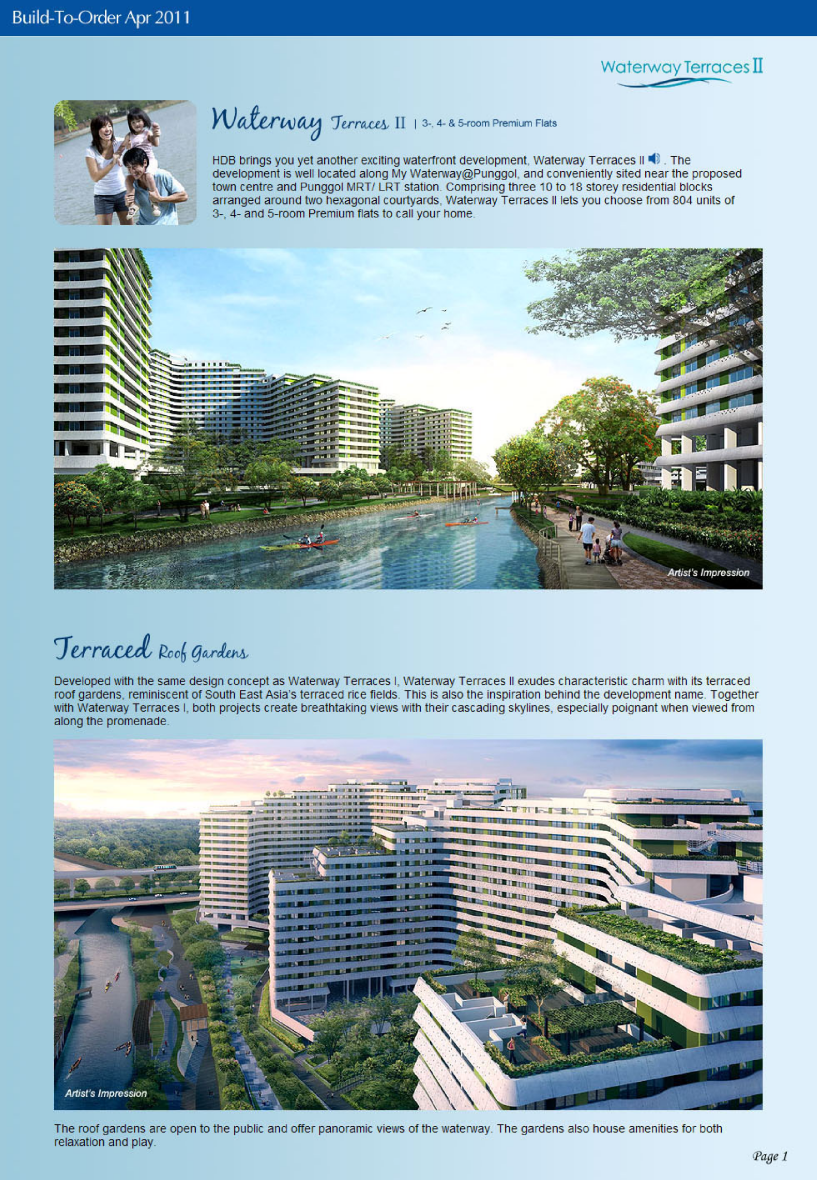
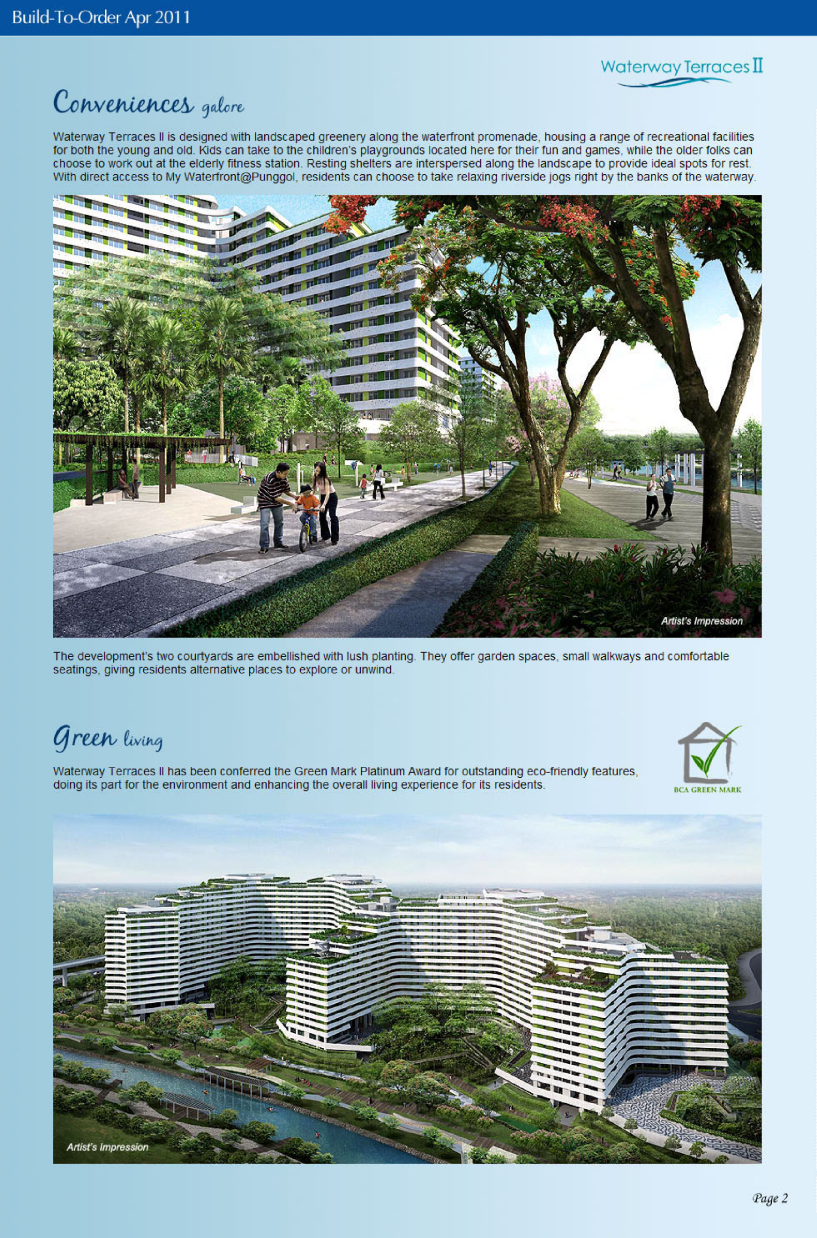
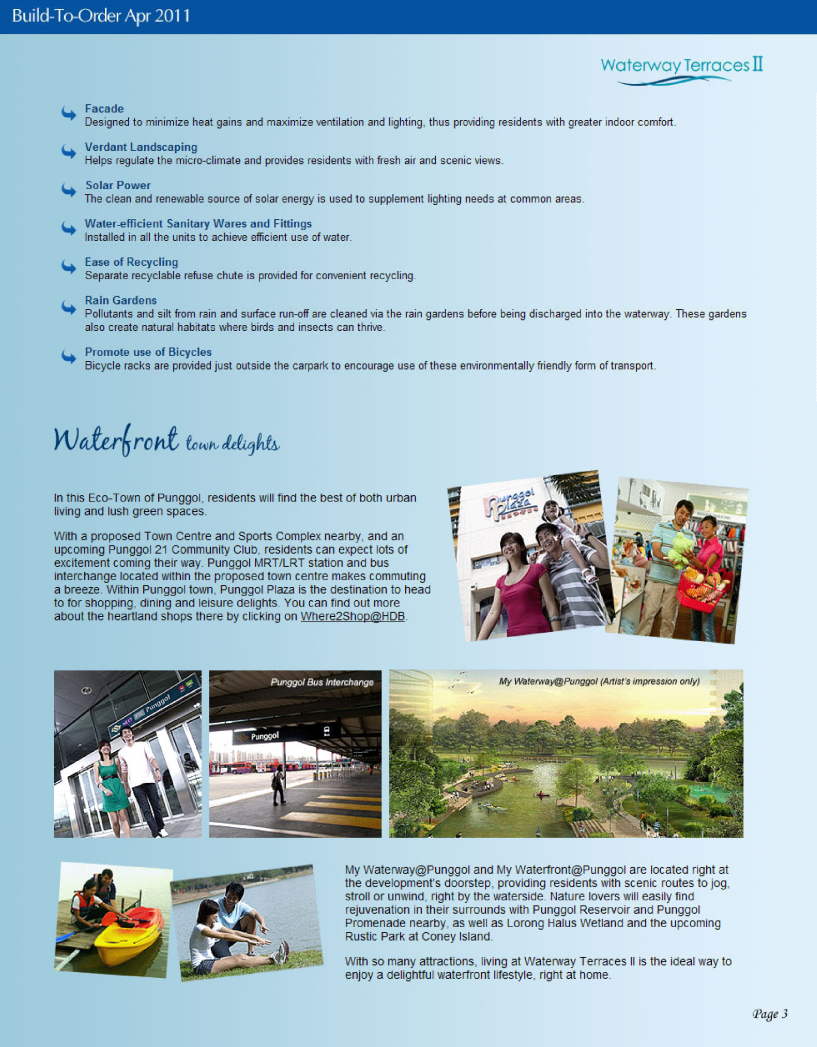
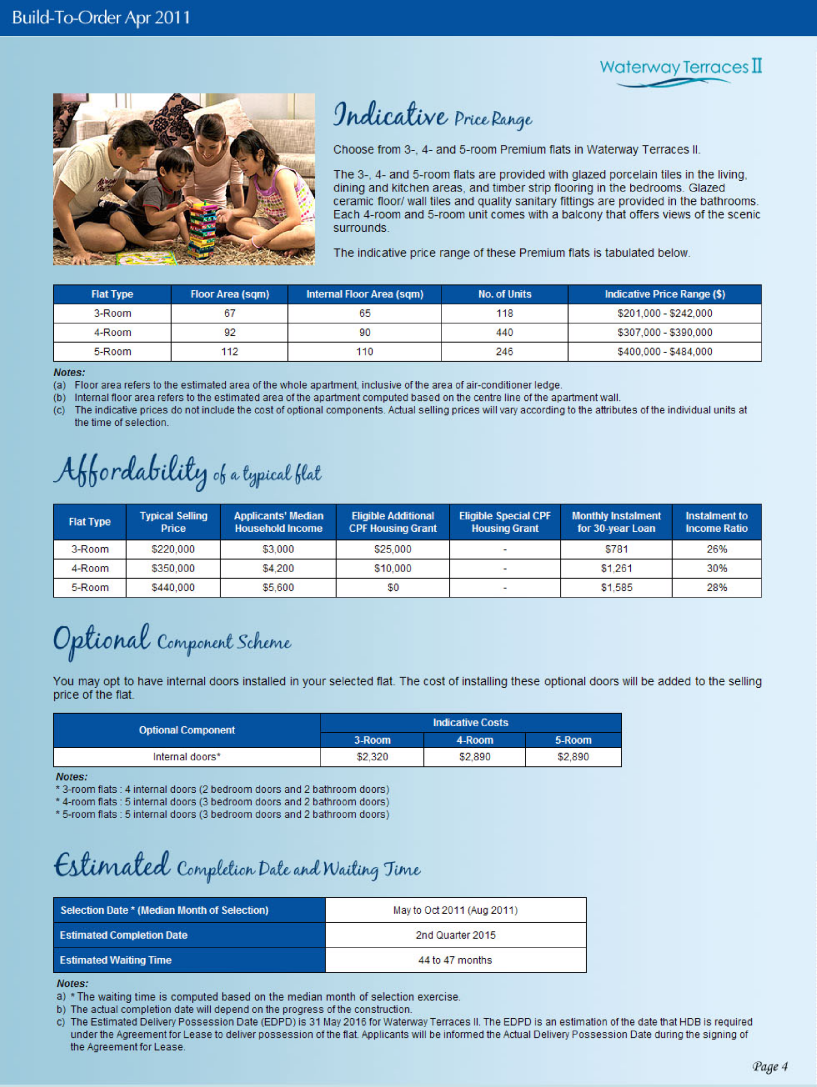
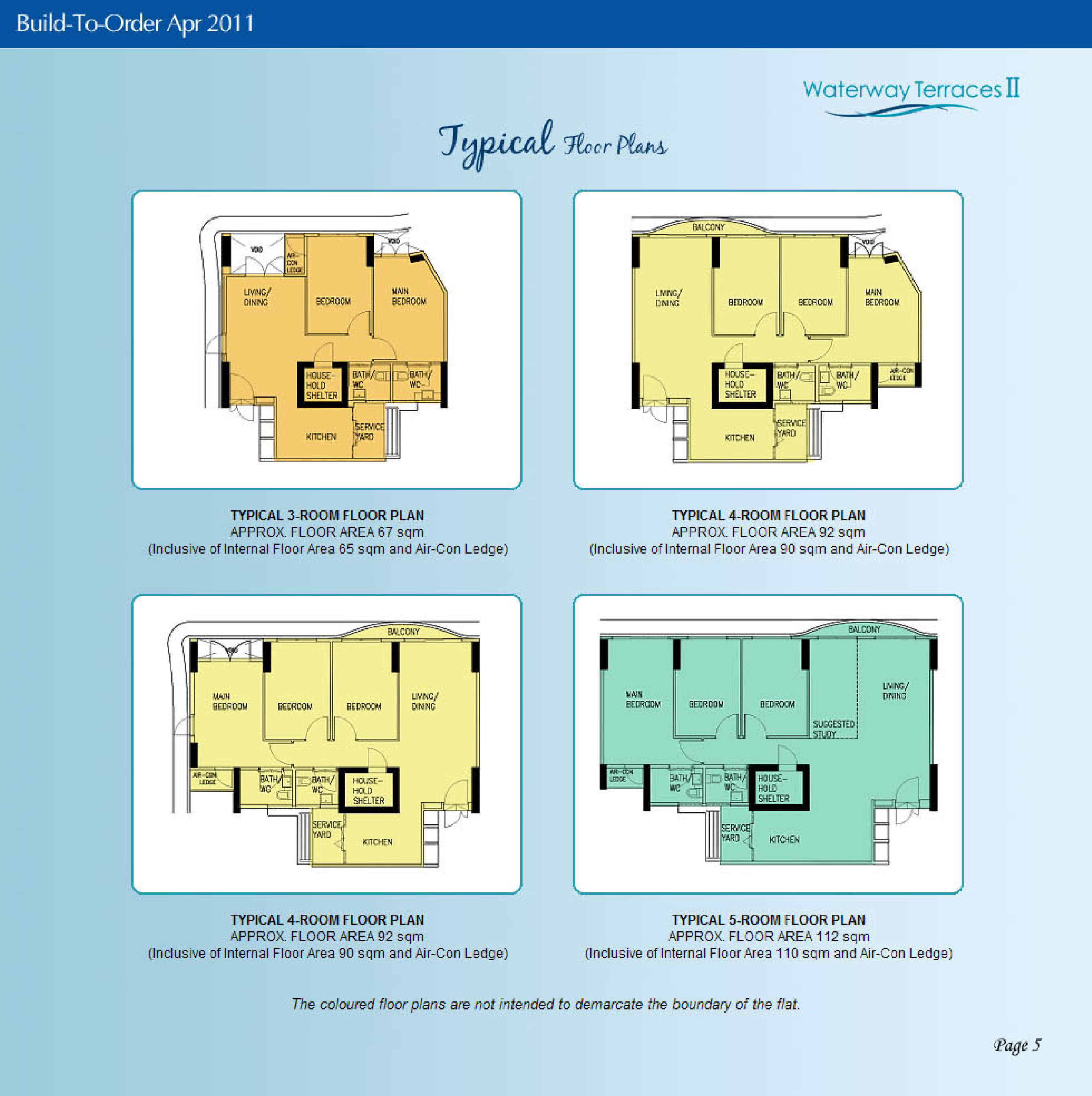
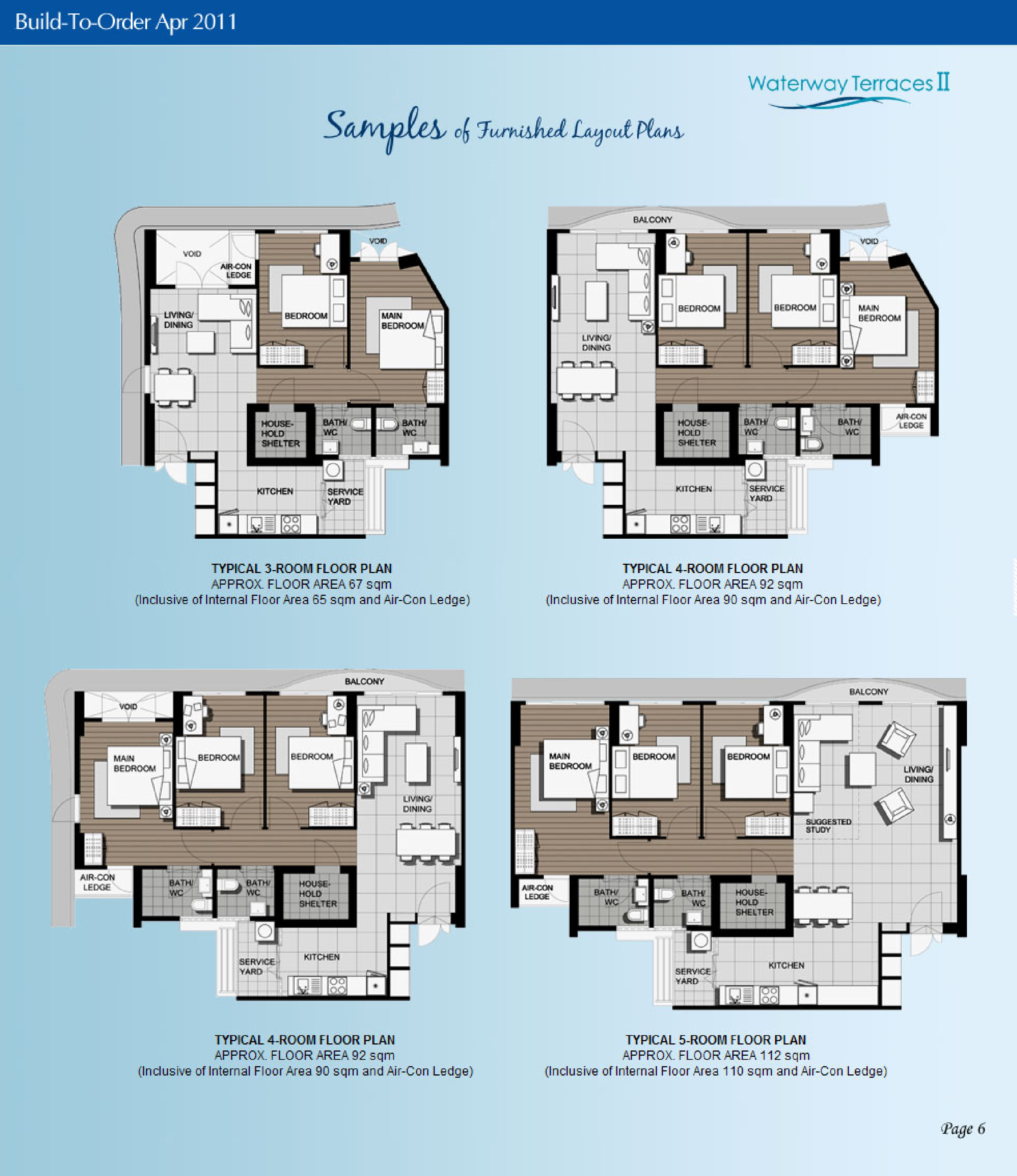
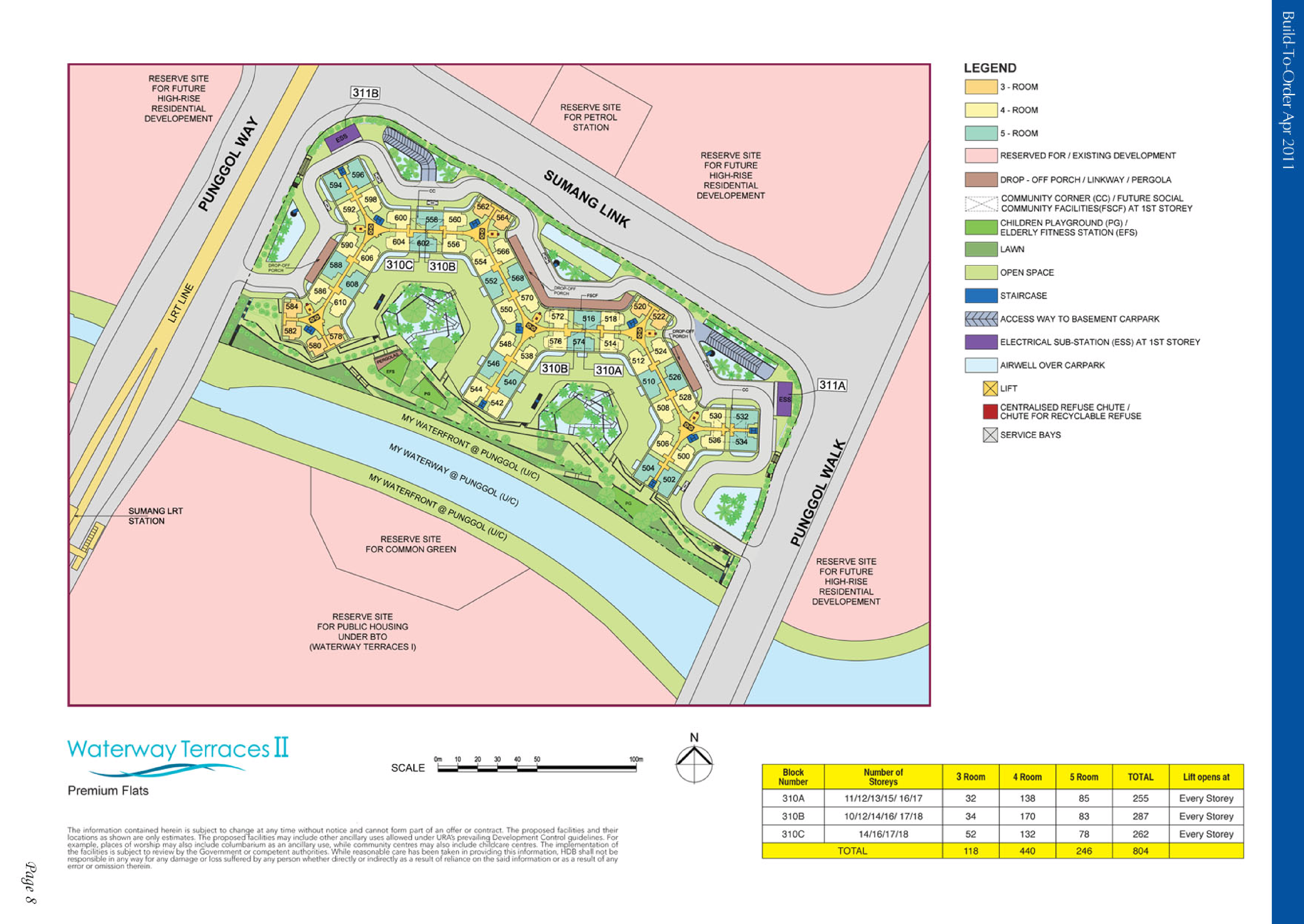
 HDB Waterway Terraces II BTO launched in April 2011 site plan and floor plans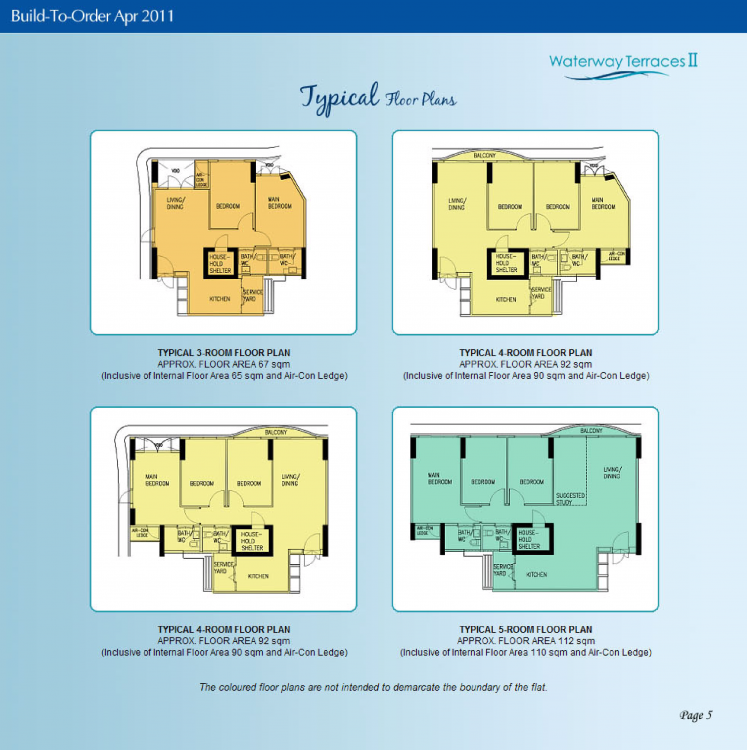
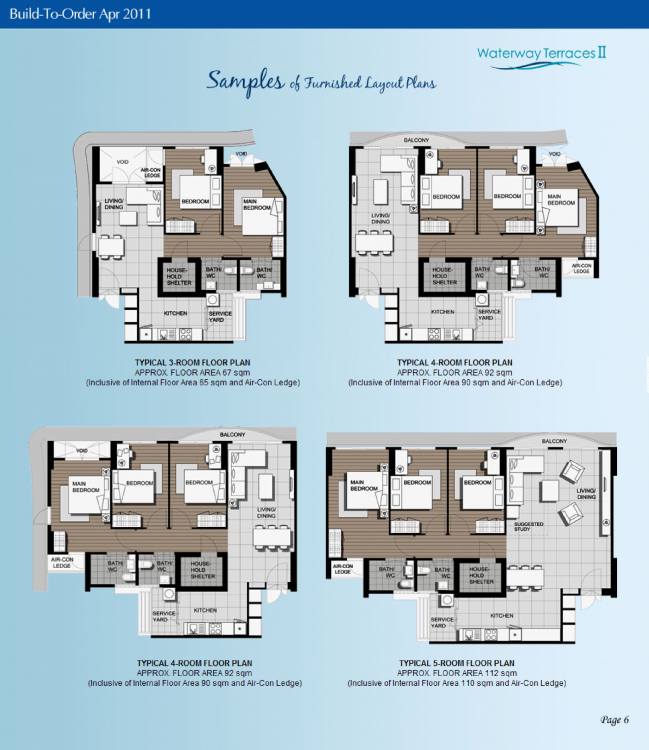
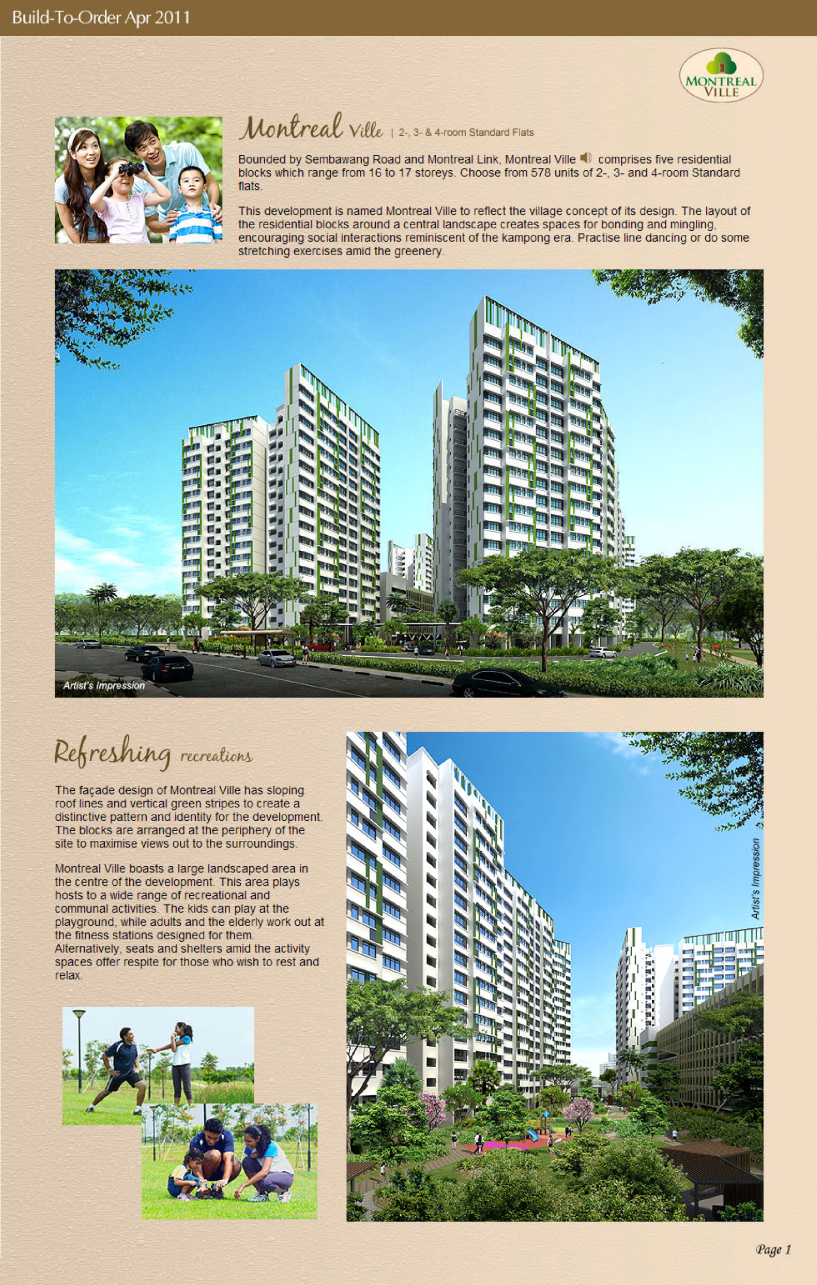
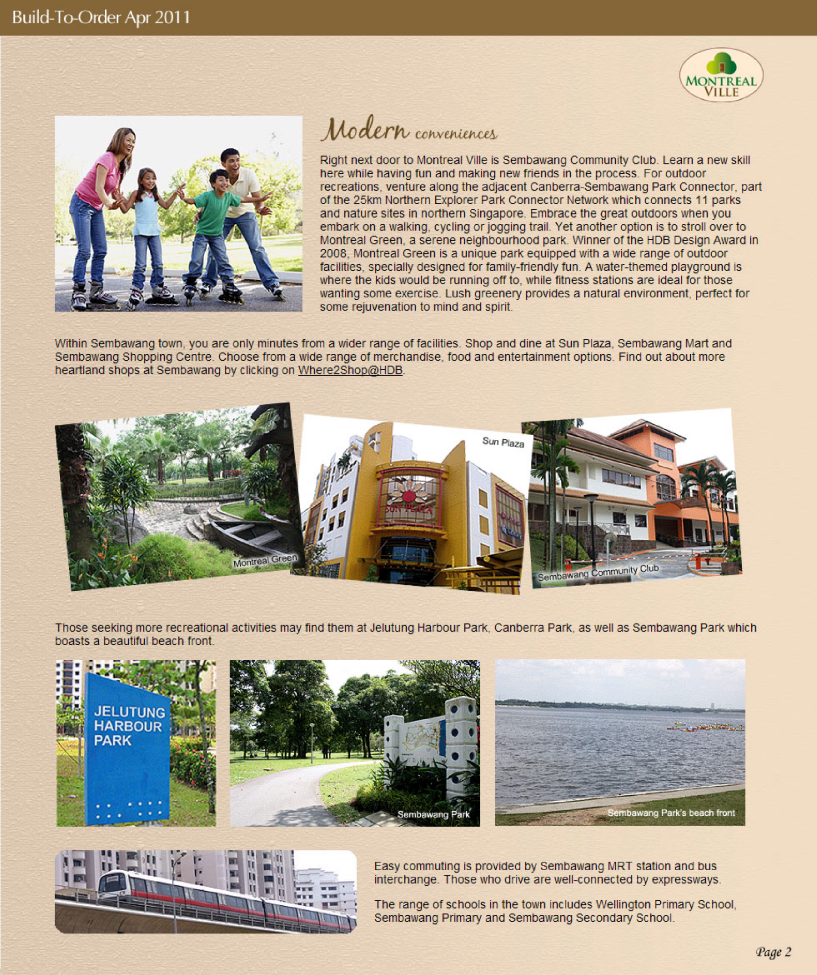
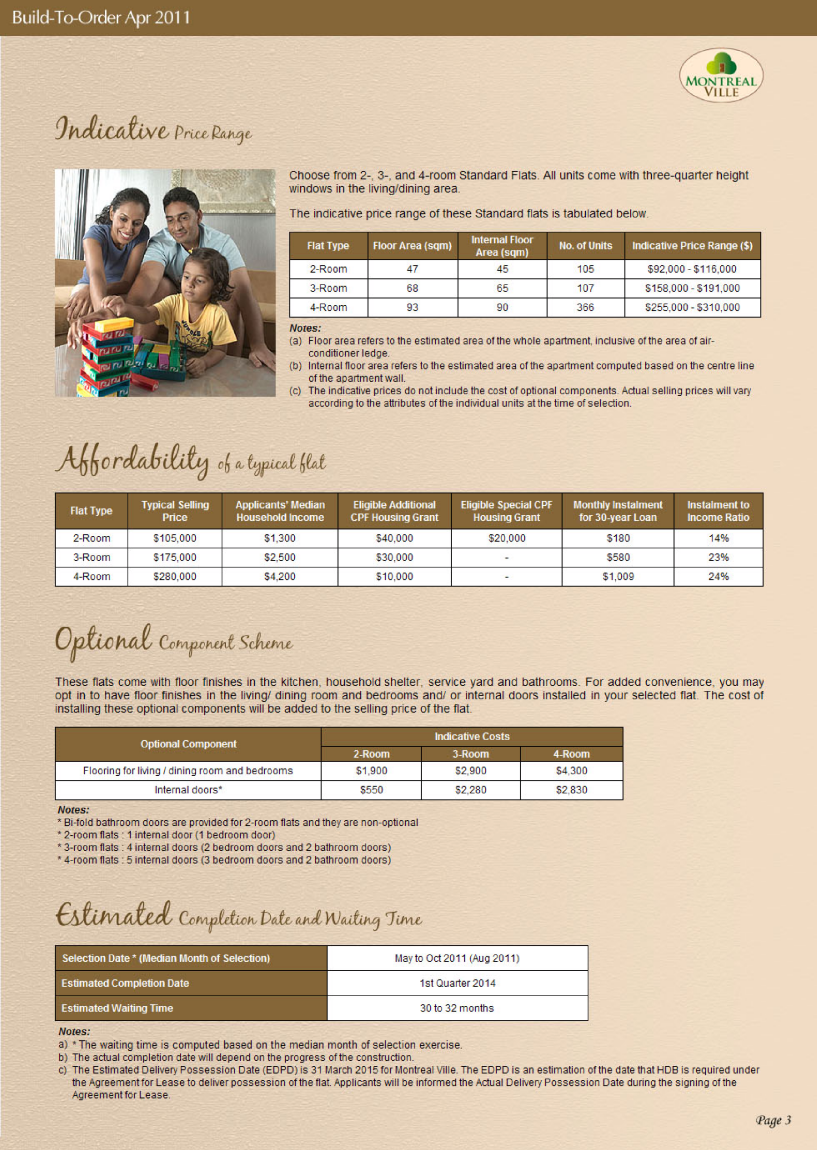
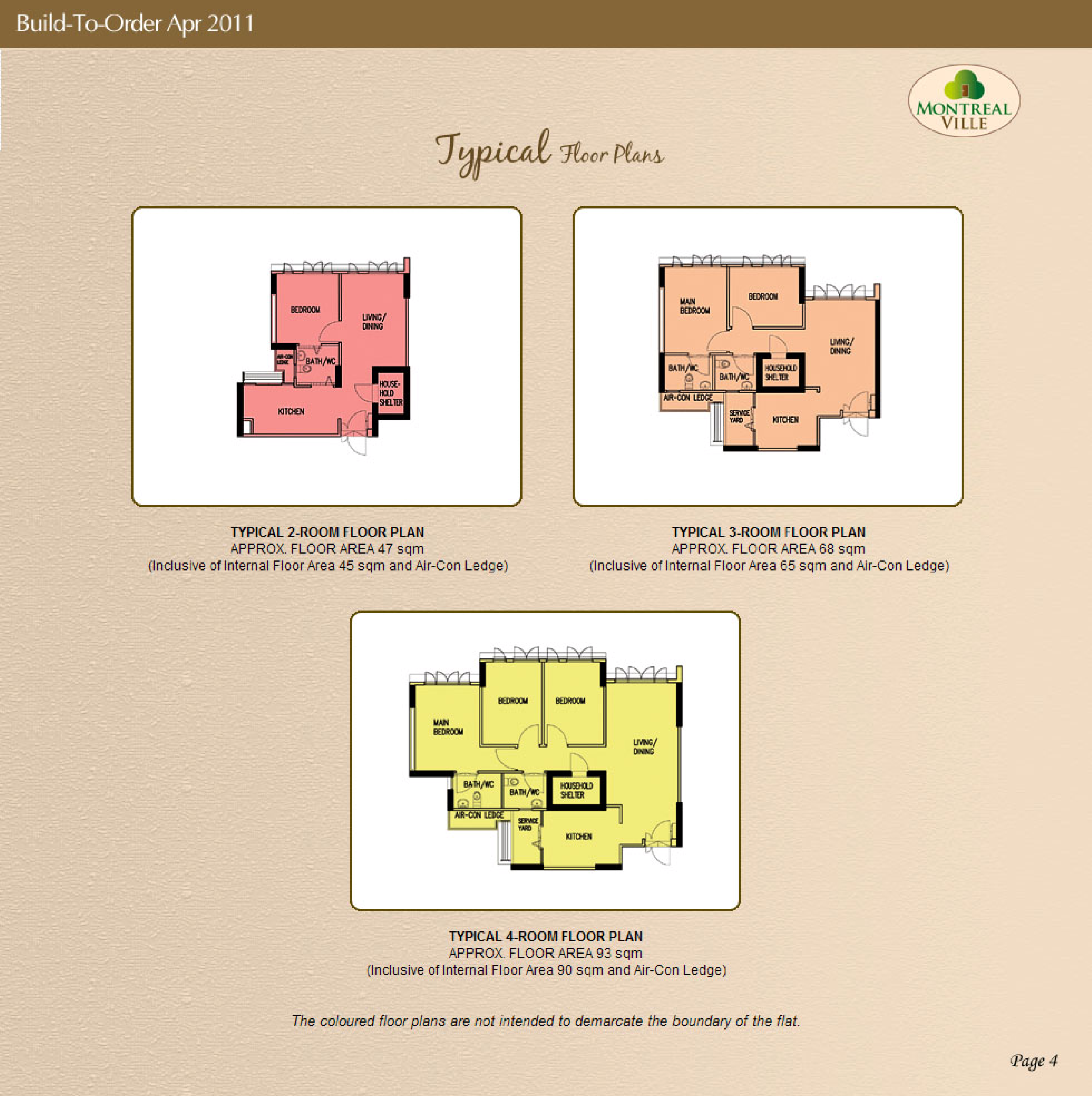
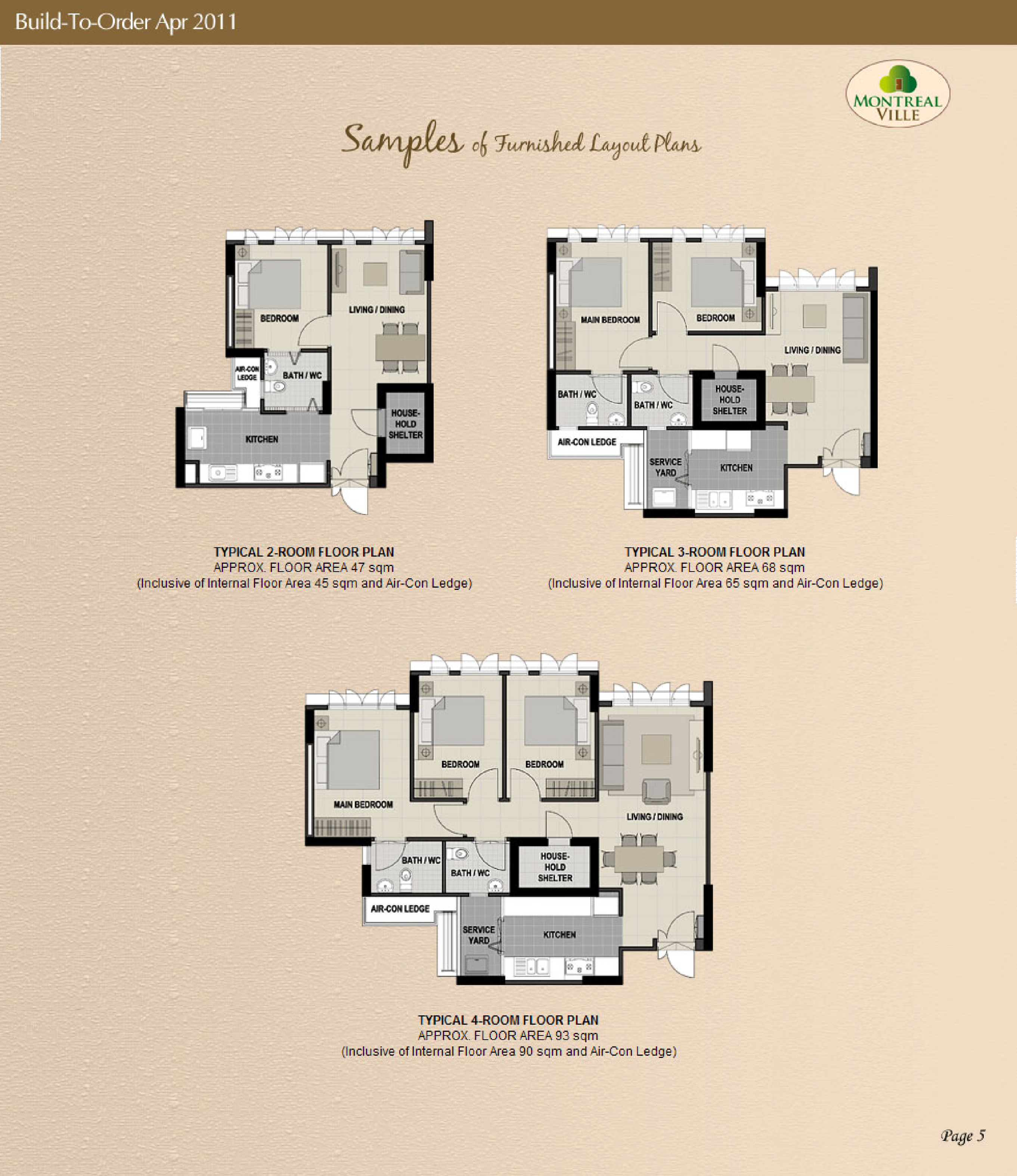
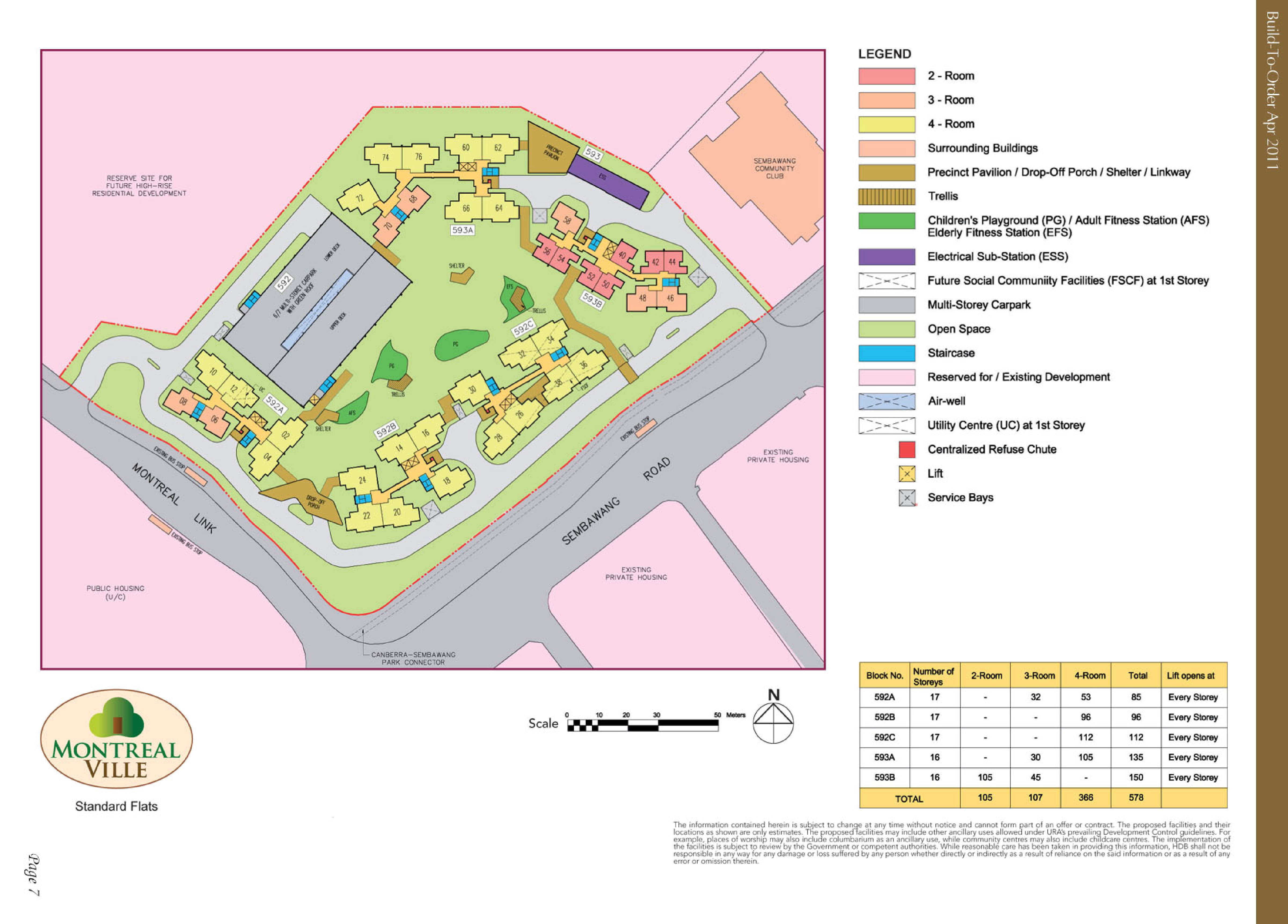
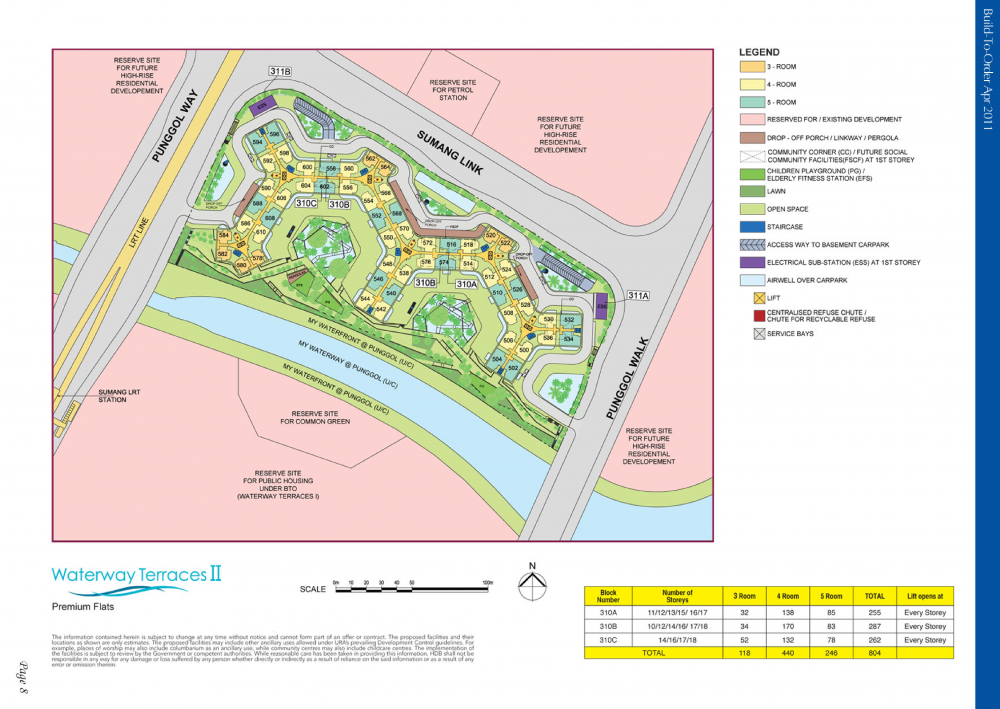 HDB Montreal Ville BTO launched in April 2011 site plan and floor plans montreal-ville.pdf Lease Commencement Date: Year 2014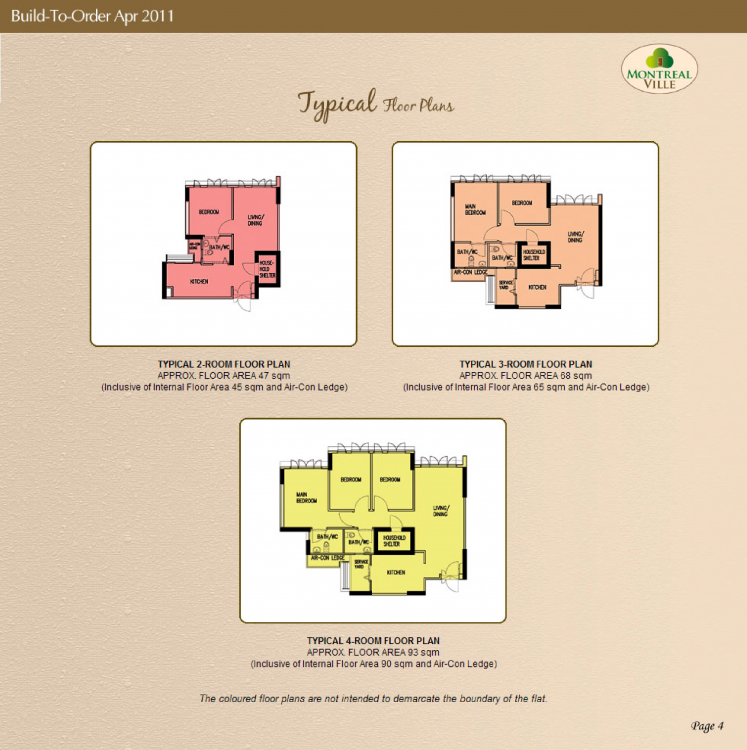
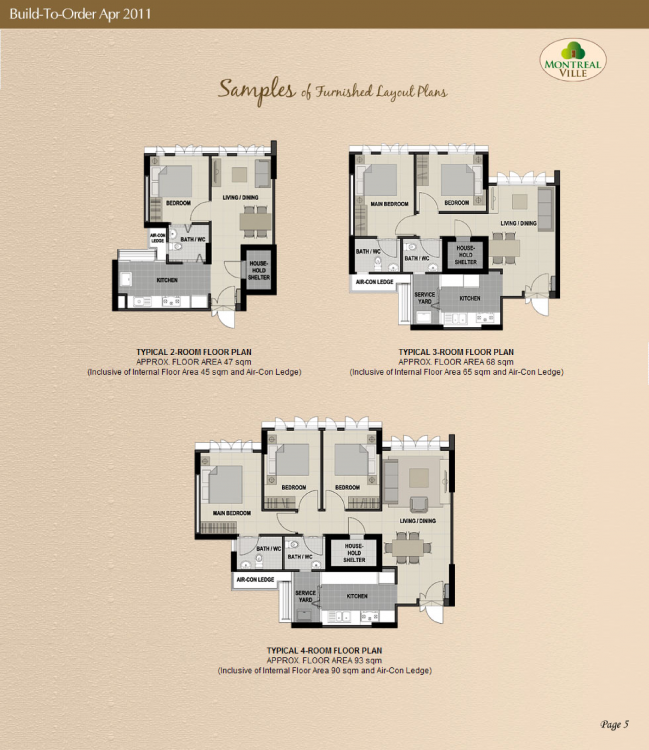
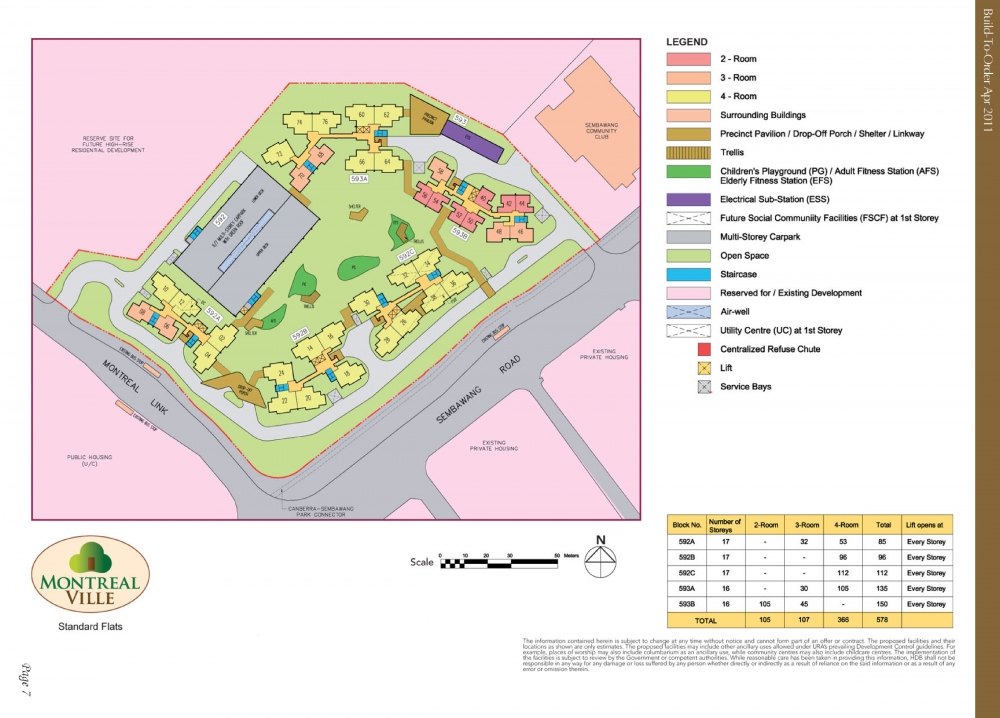
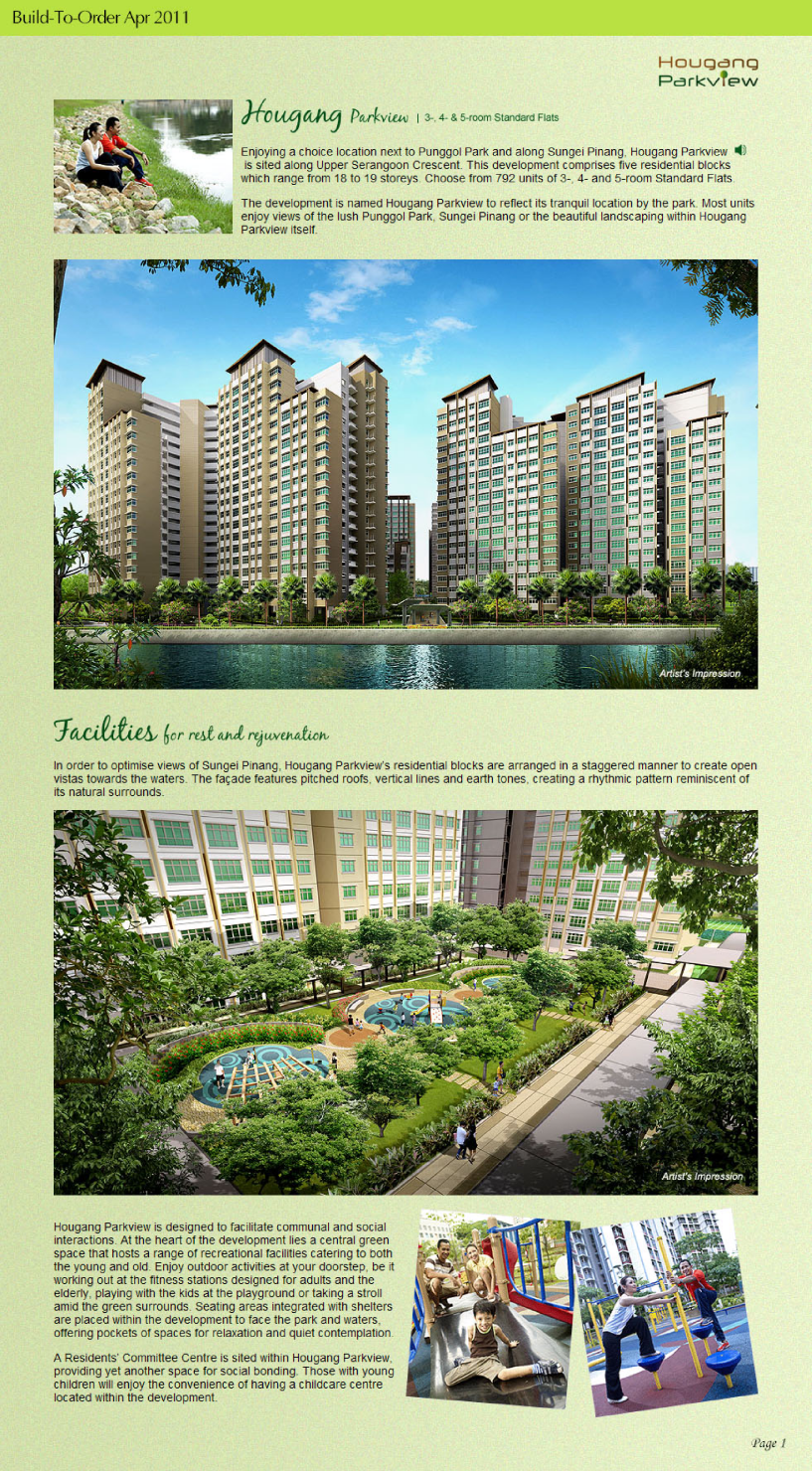
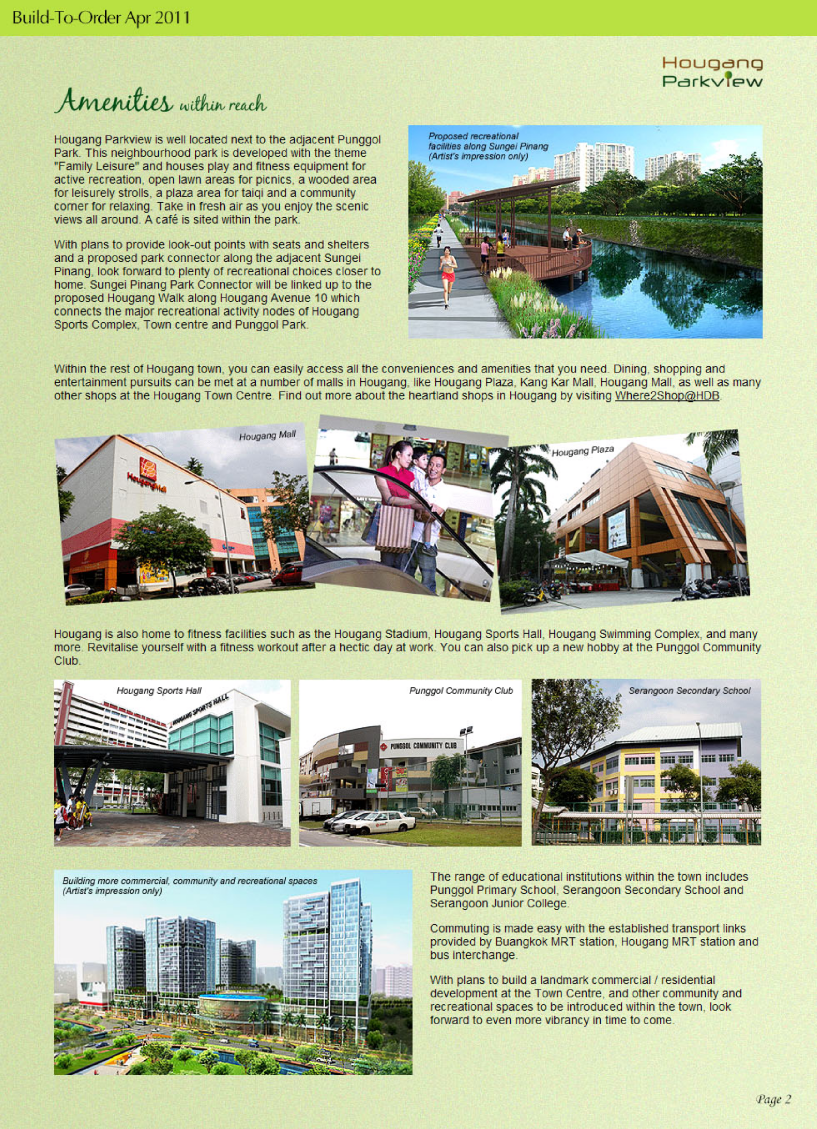
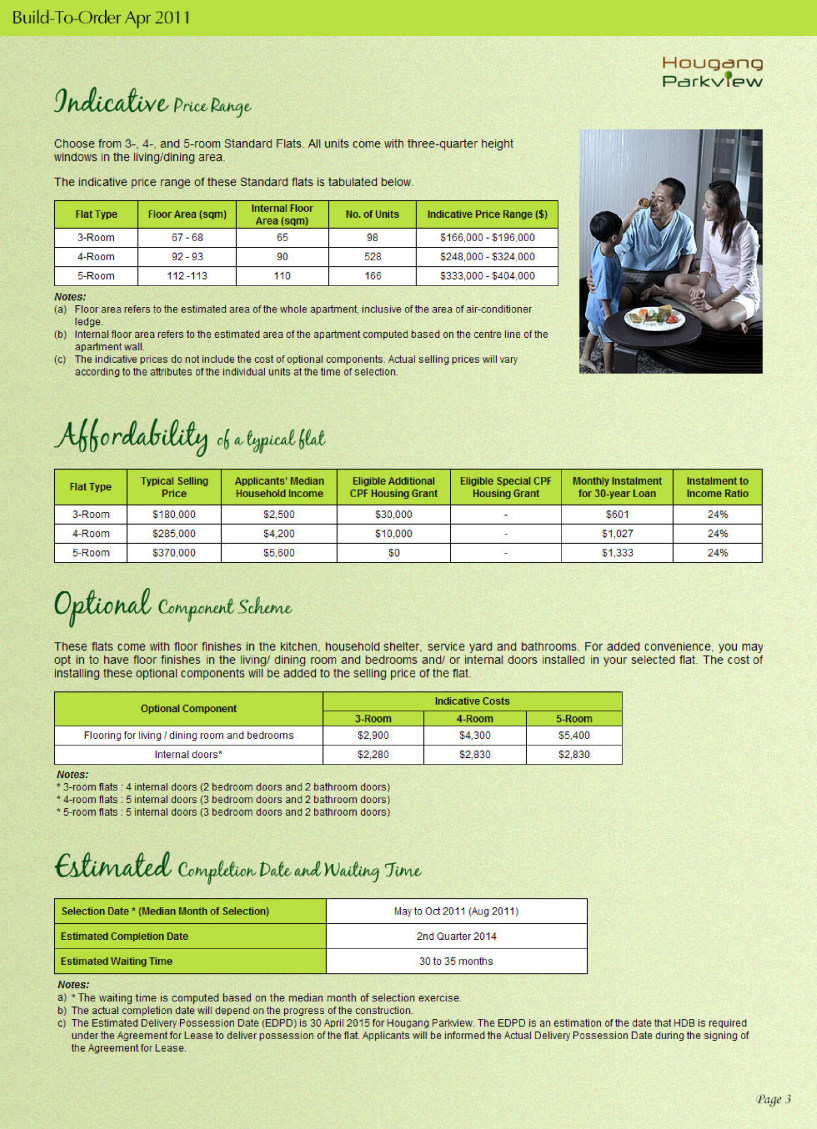
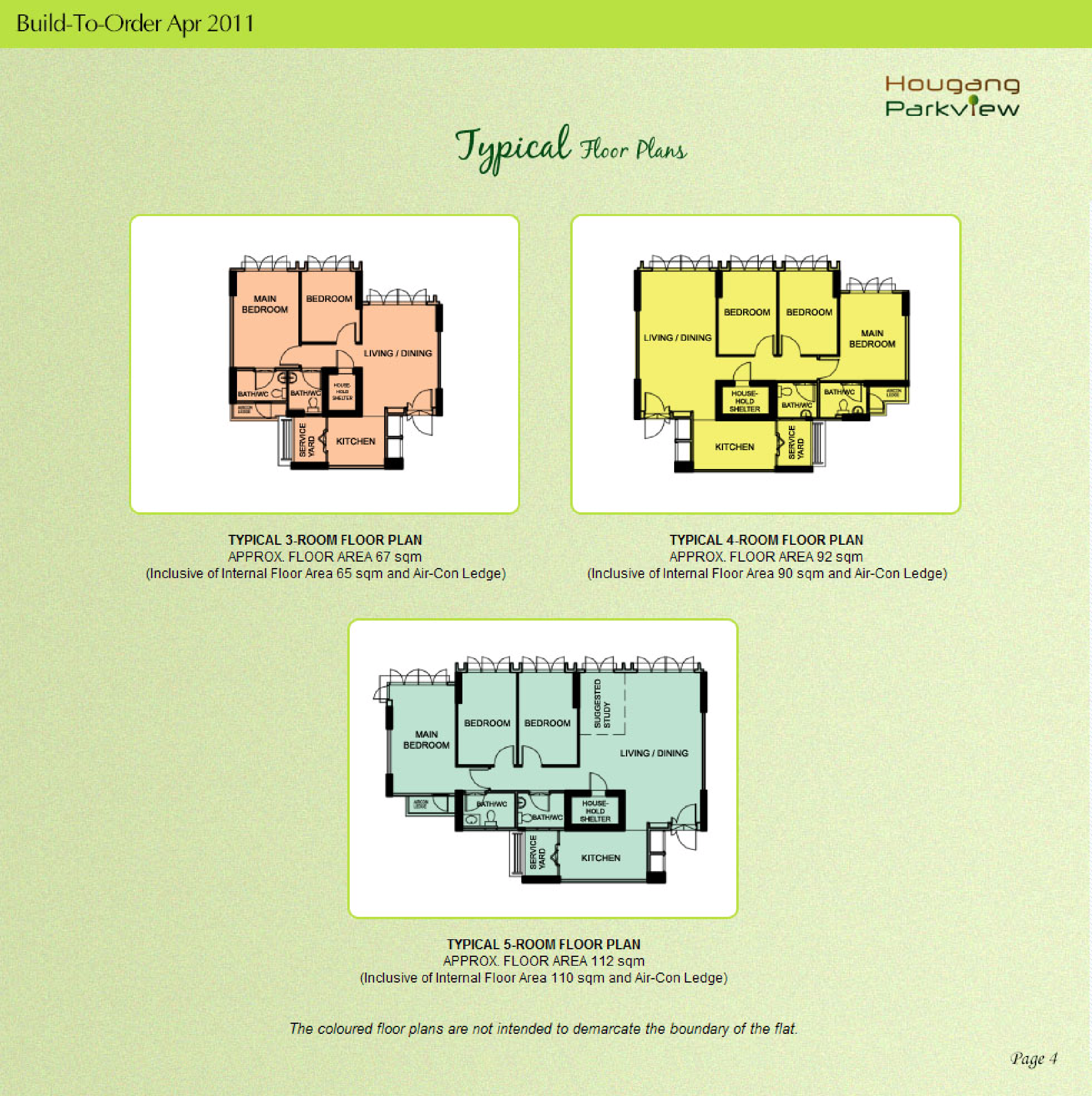
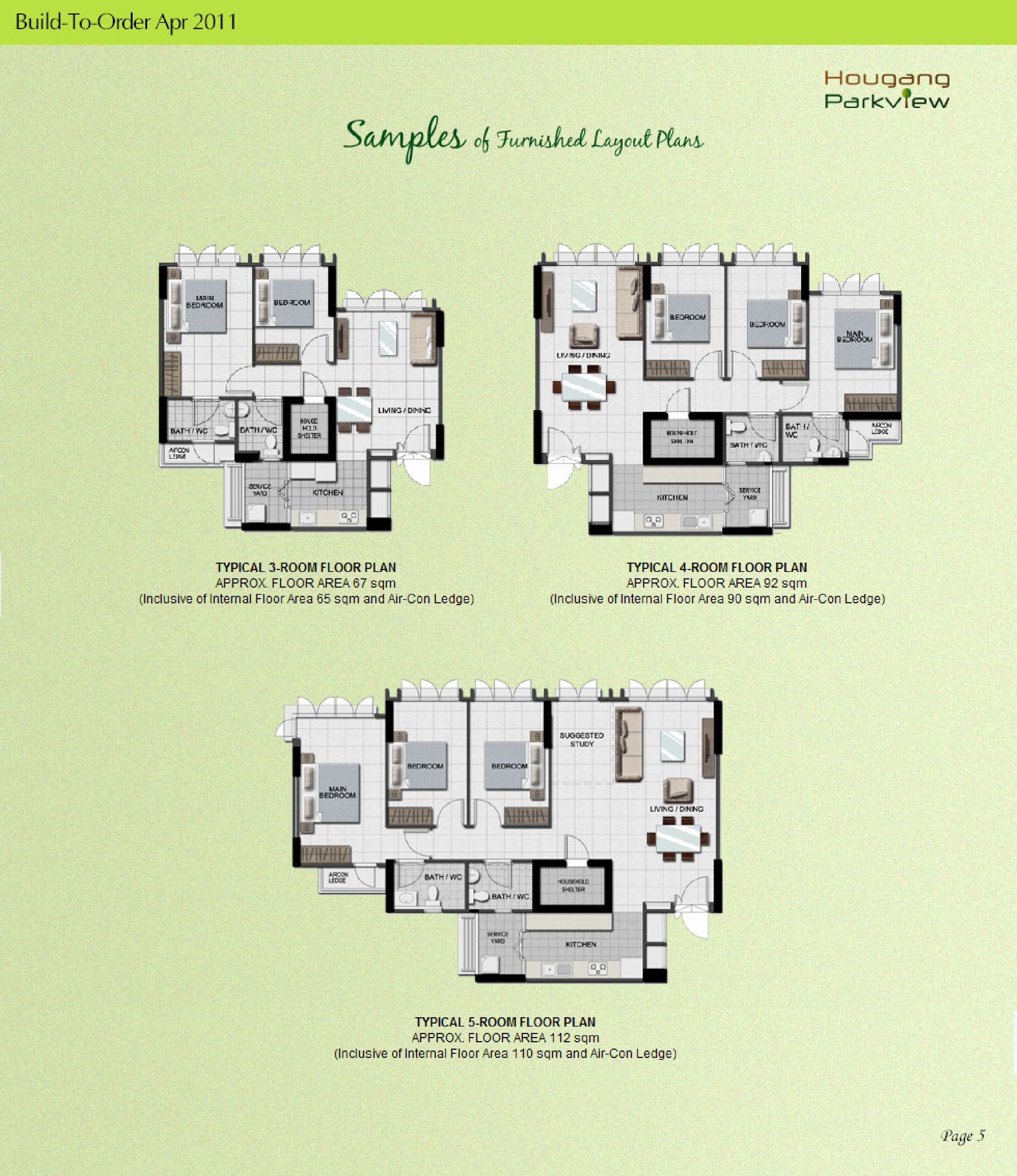
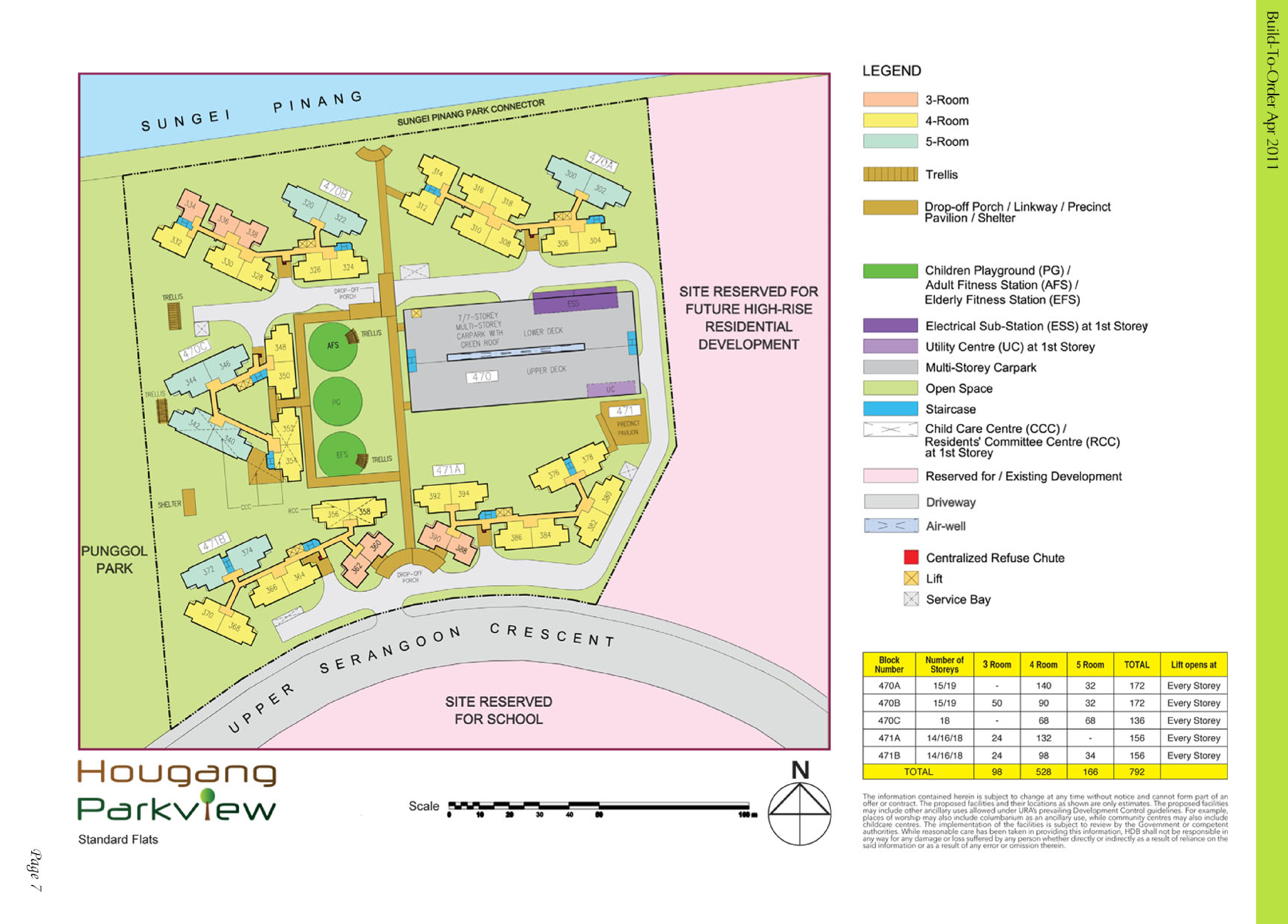
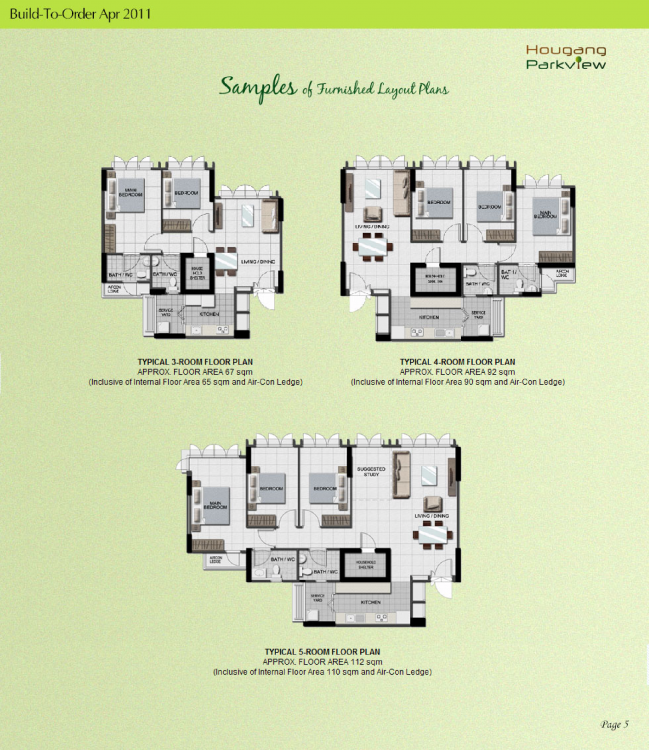
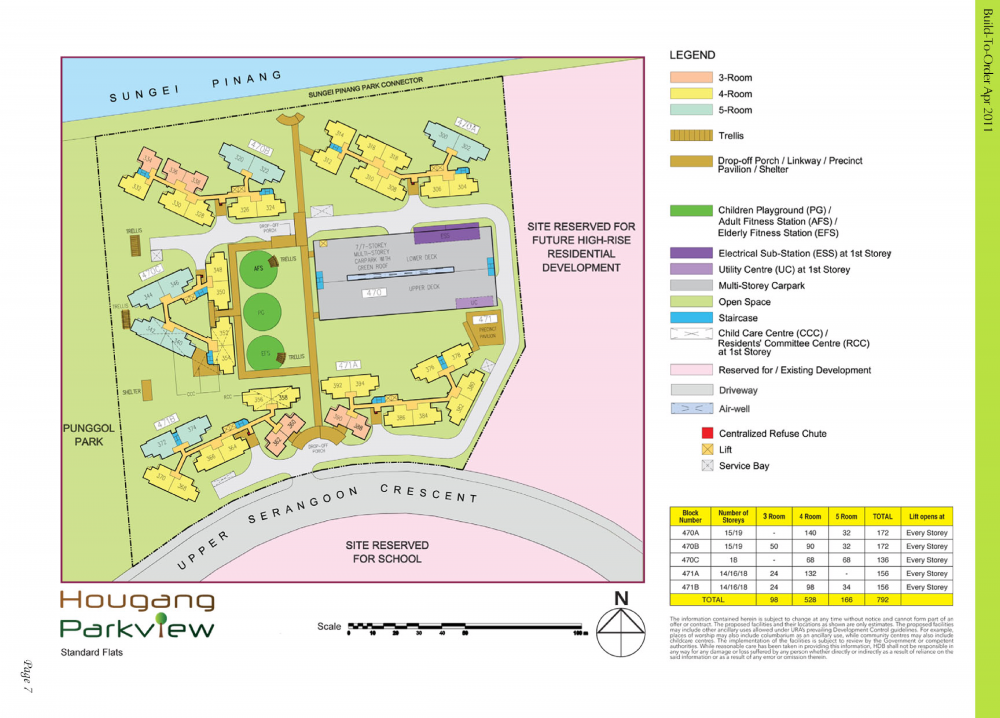
 HDB Hougang Parkview BTO launched in April 2011 site plan and floor plans hougang-parkview.pdf Lease Commencement Date : Year 2014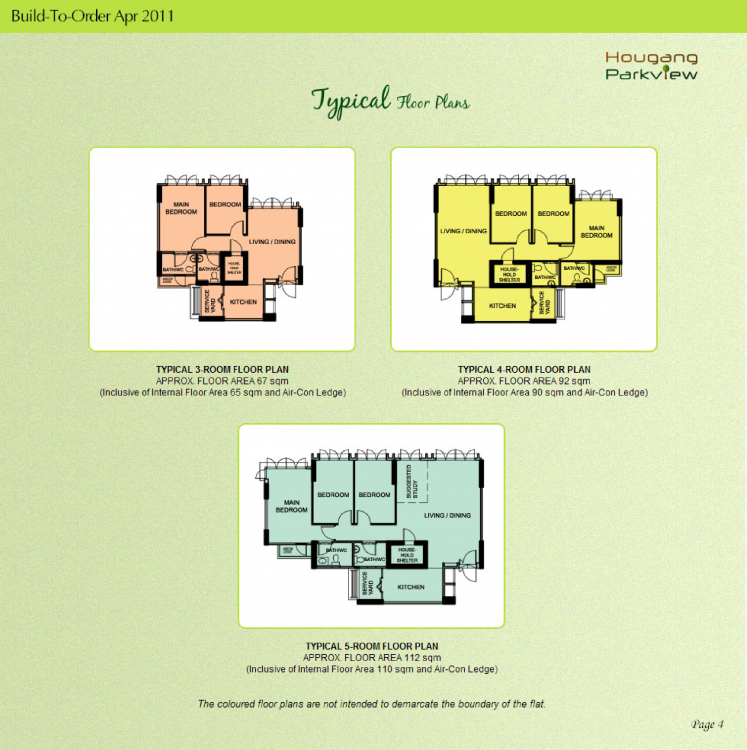
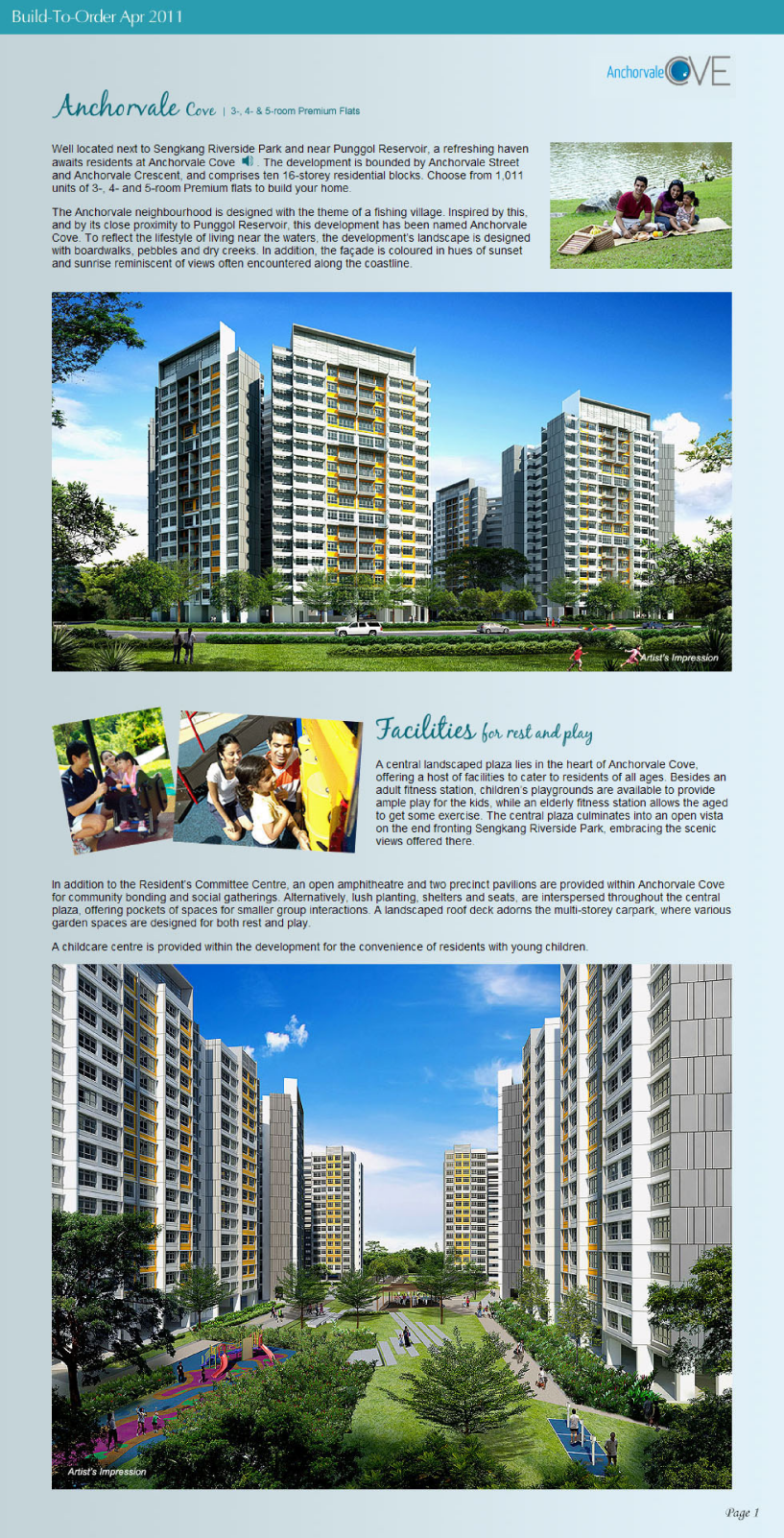
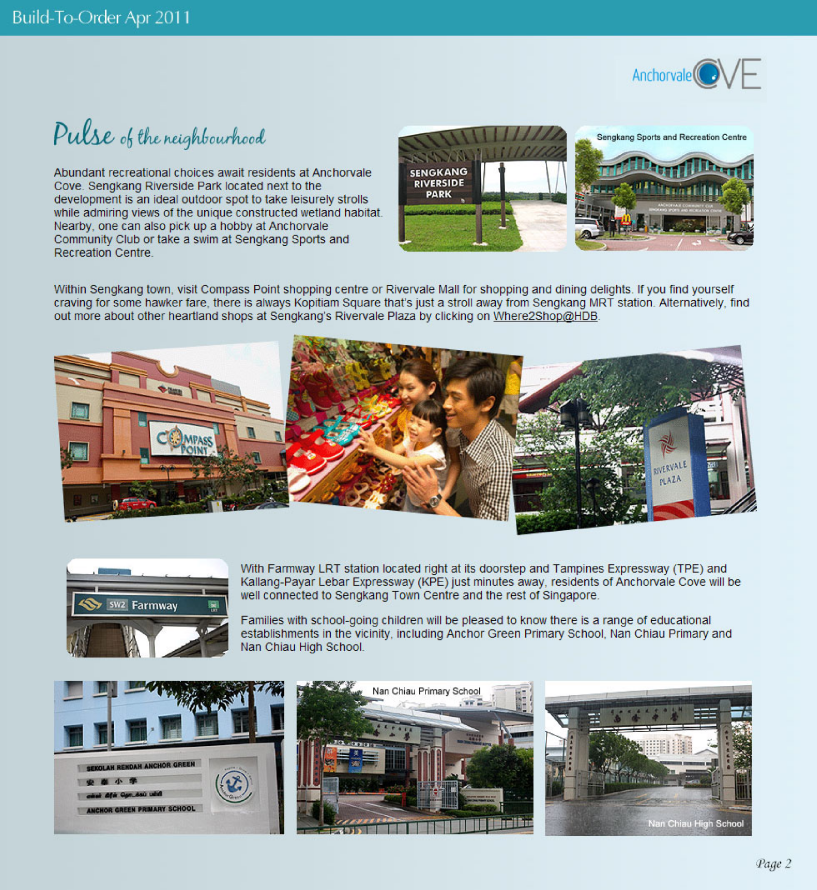
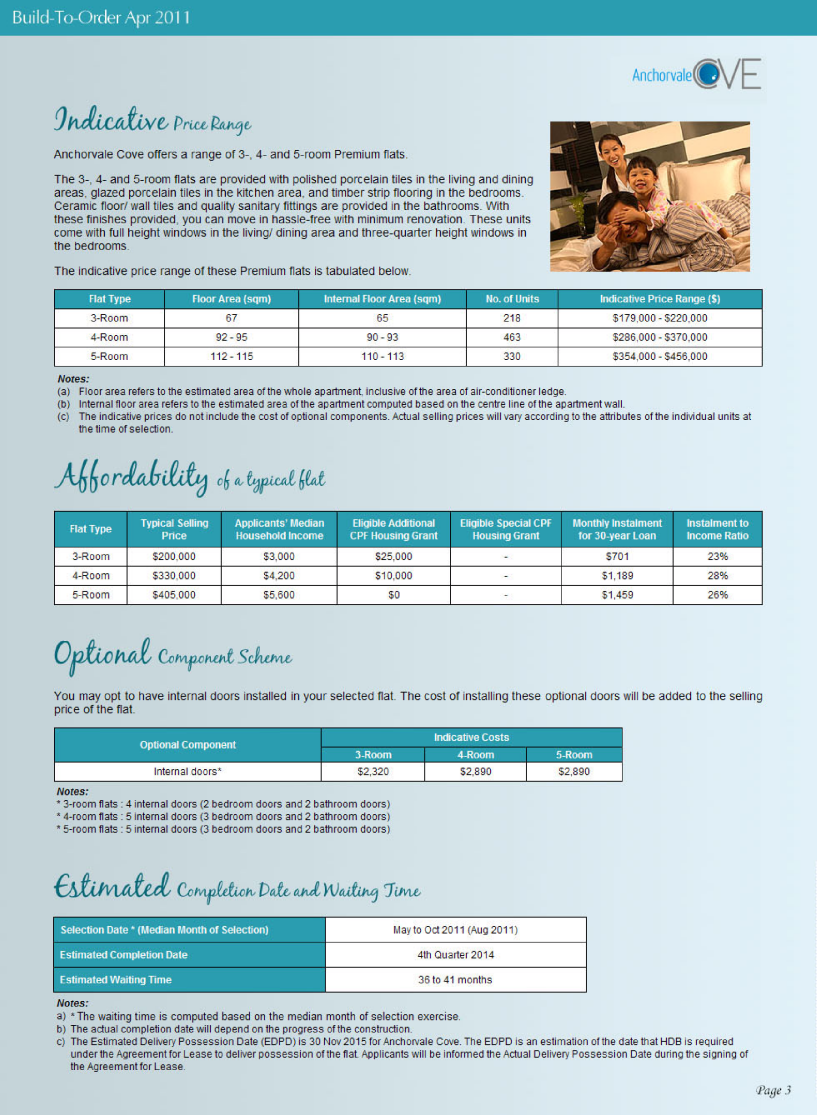
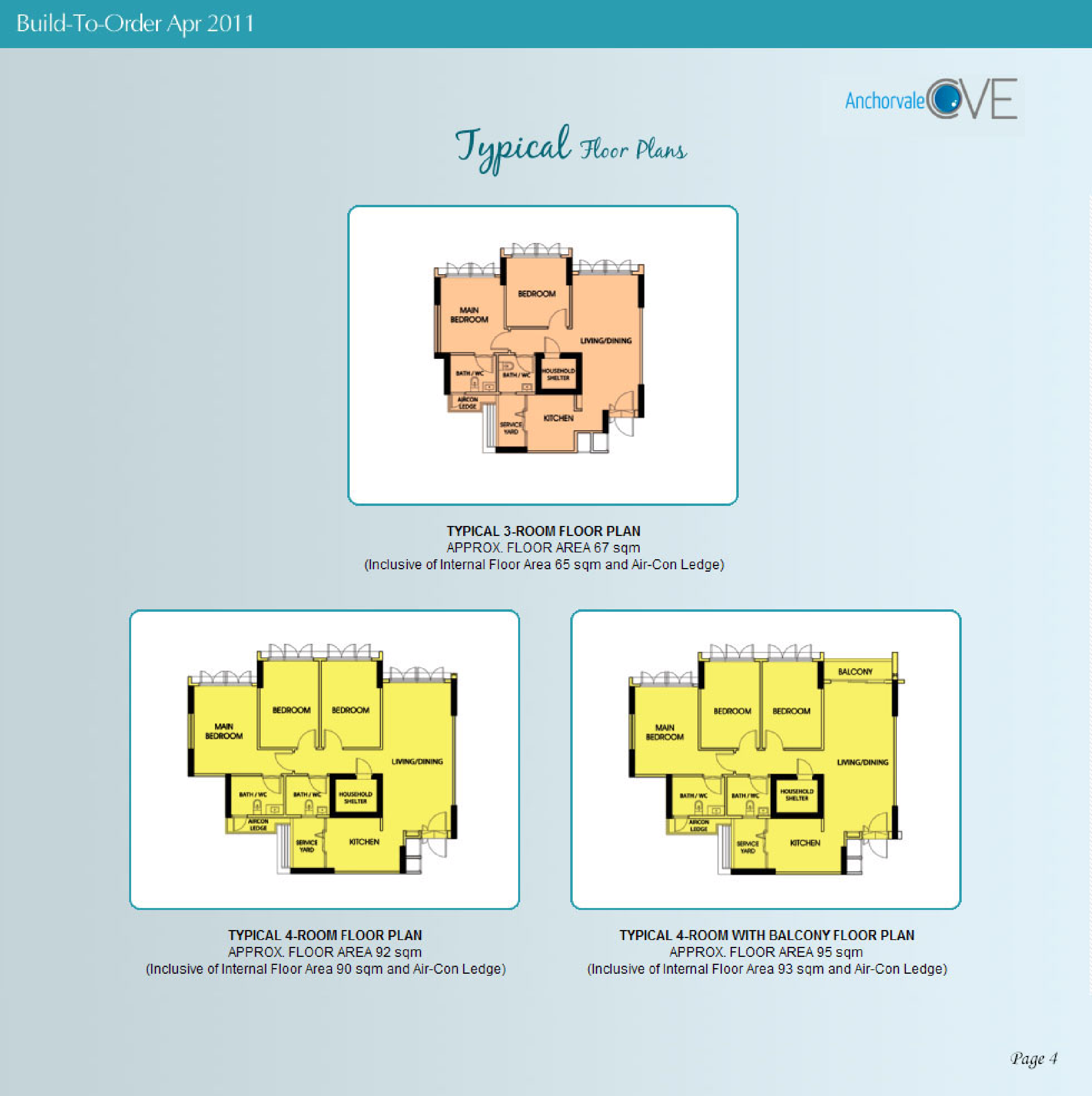
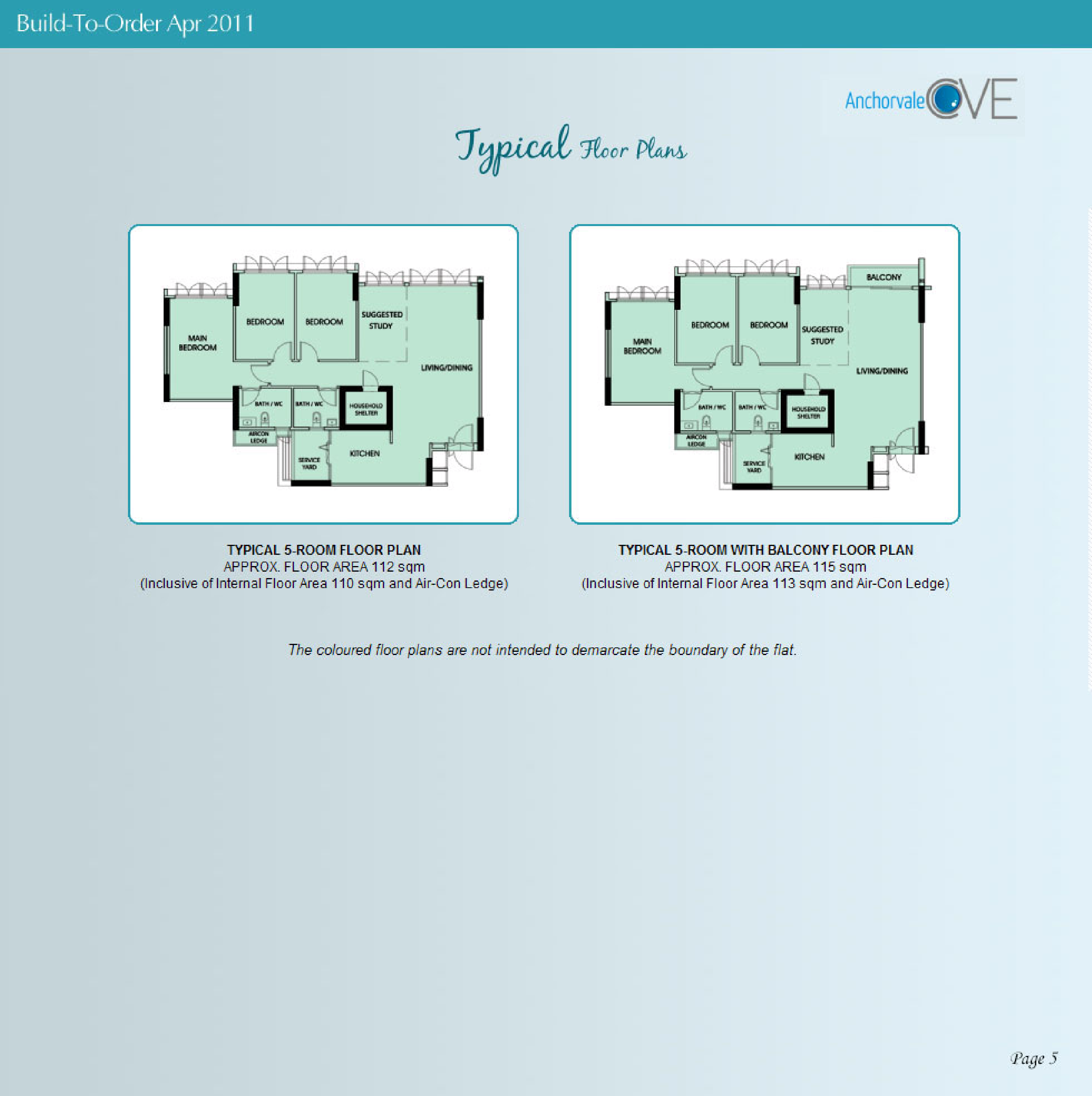
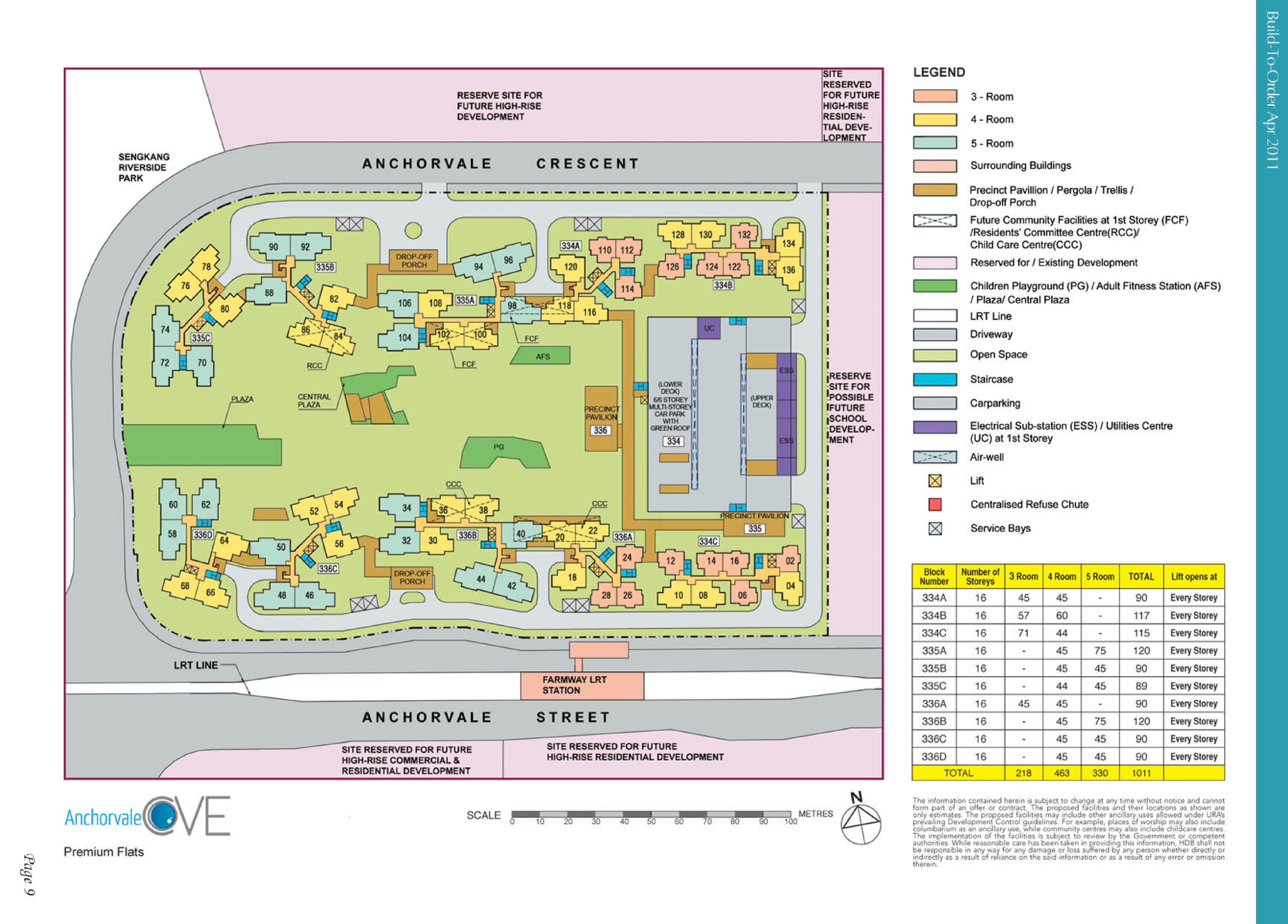
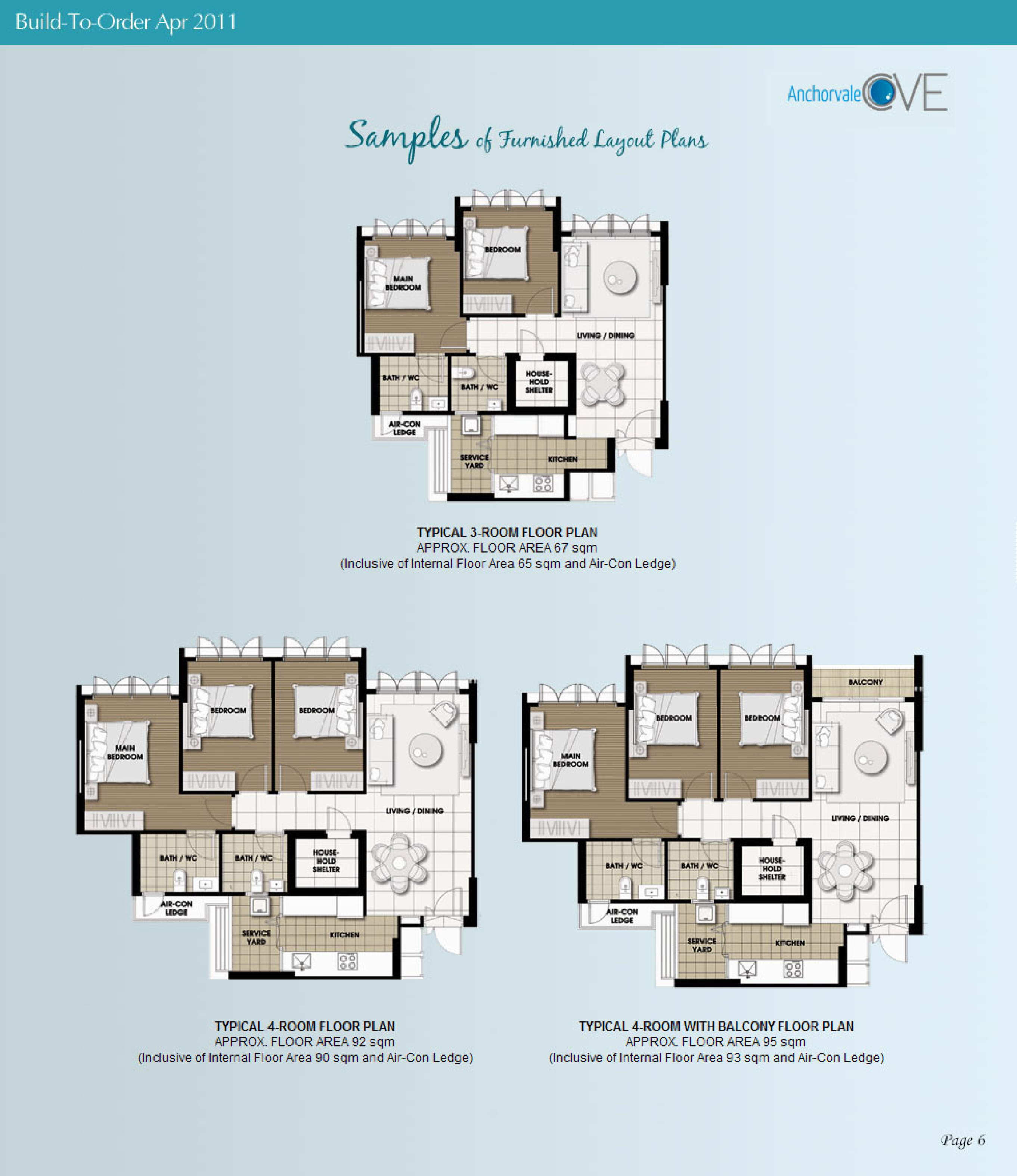
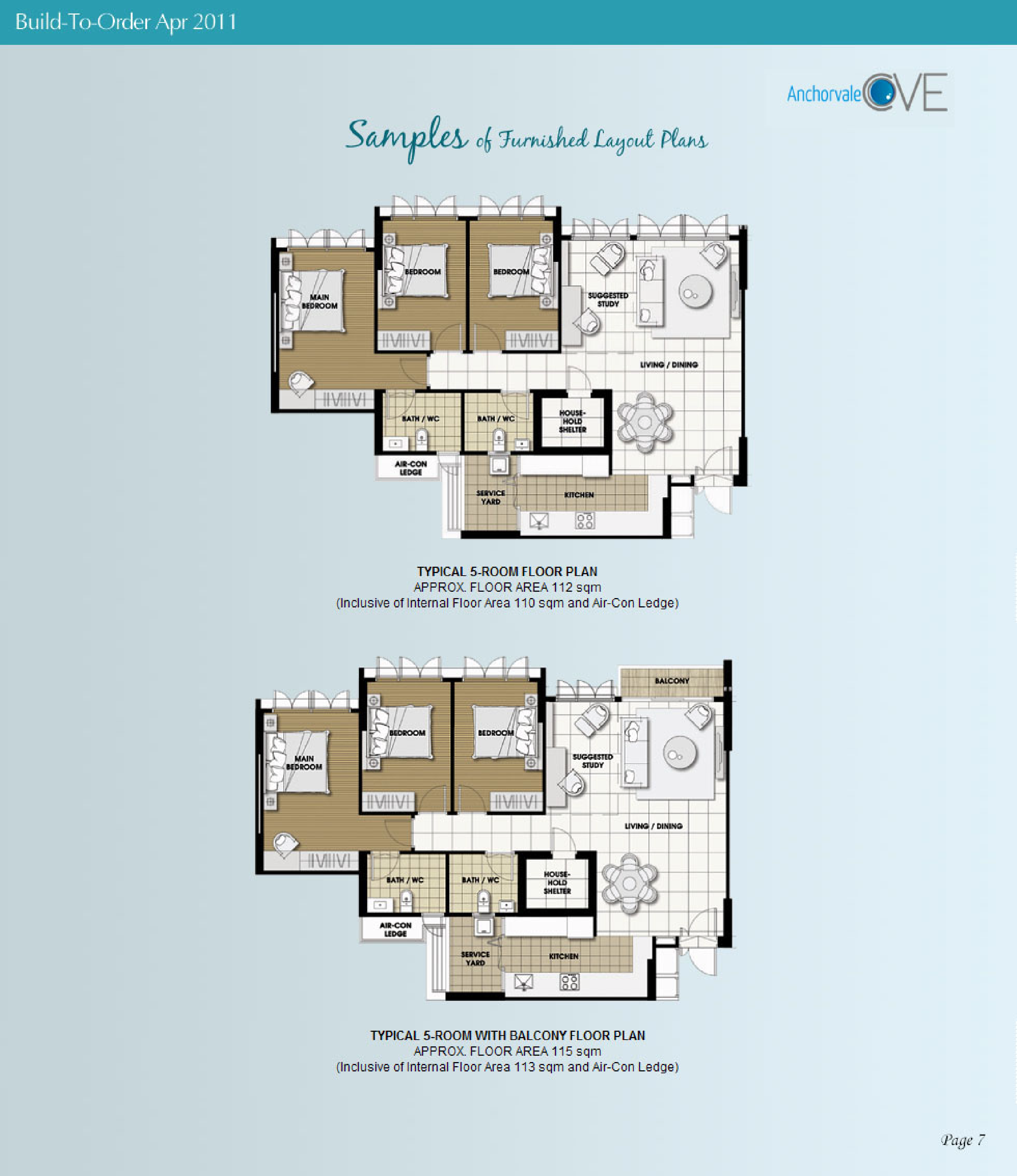
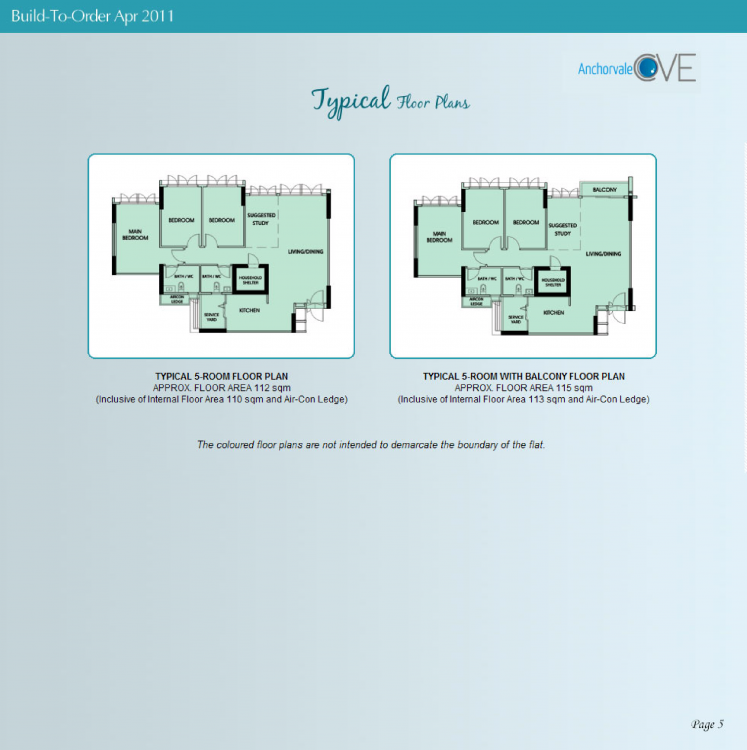
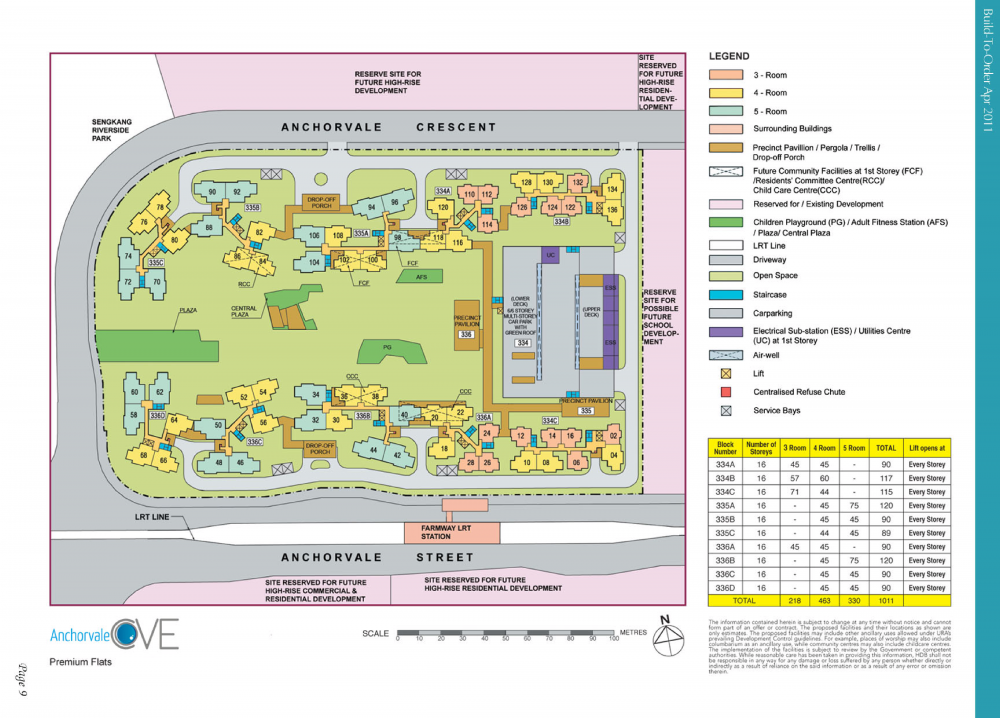
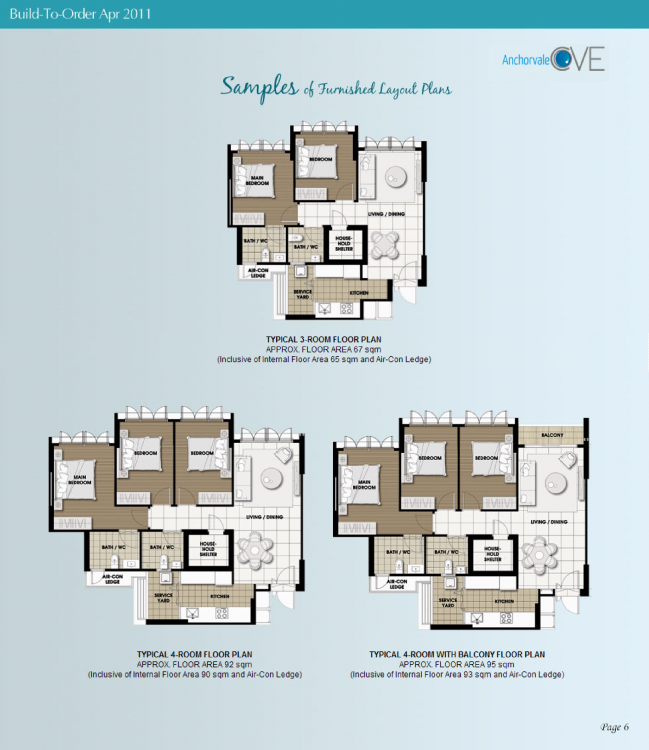
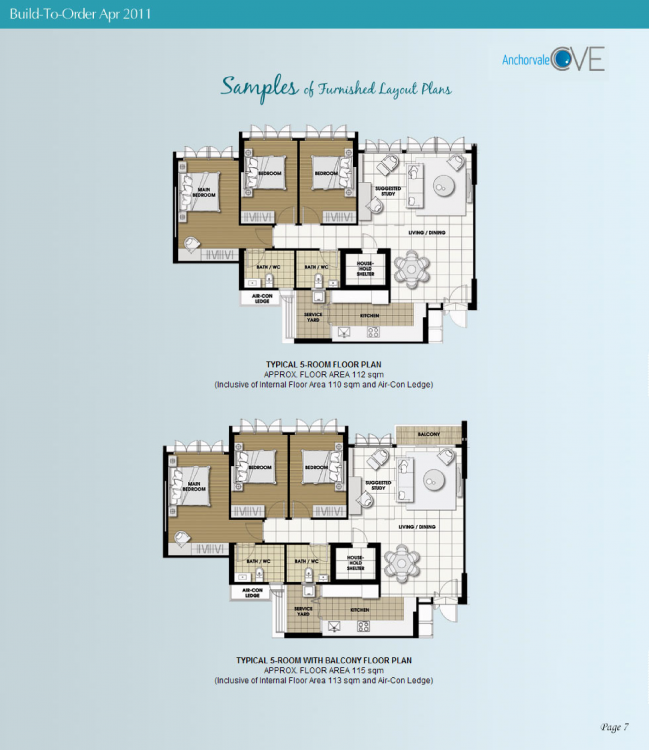
 HDB Anchorvale Cove BTO launched in April 2011 site plan and floor plans: anchorvale-cove.pdf Lease Commencement Date in Year 2014 under Period 8 Flying Stars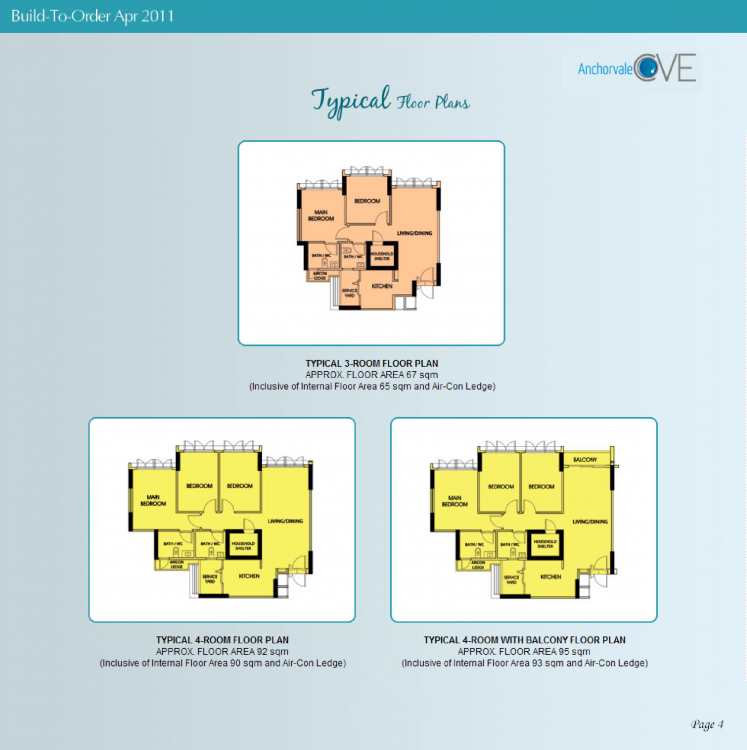
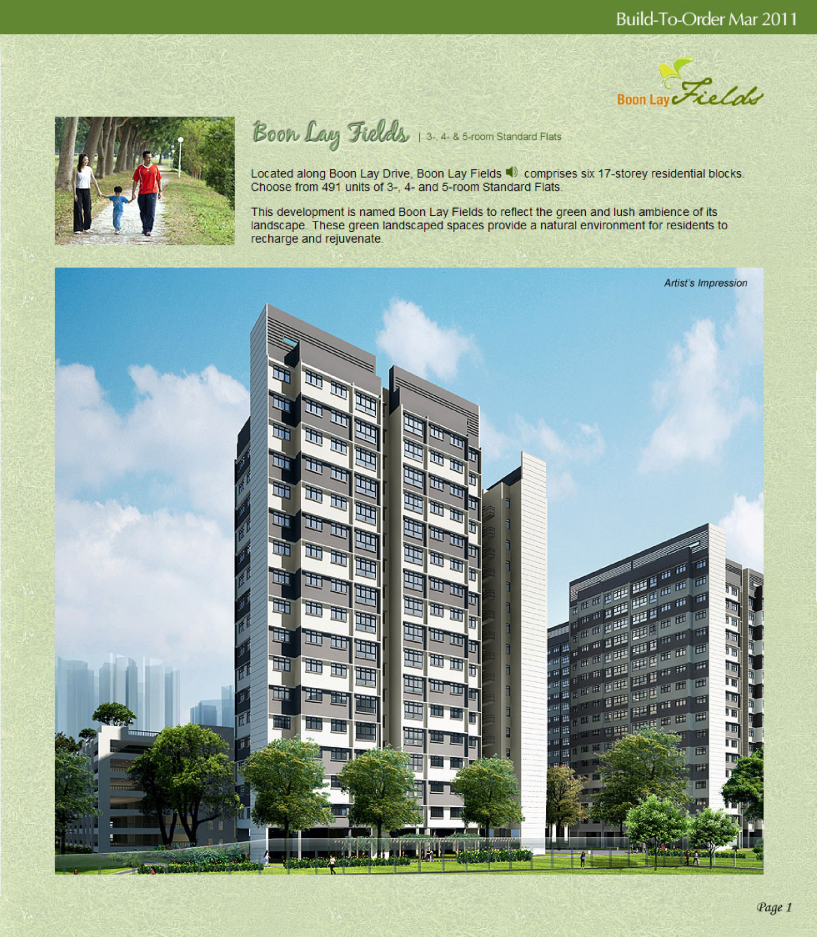
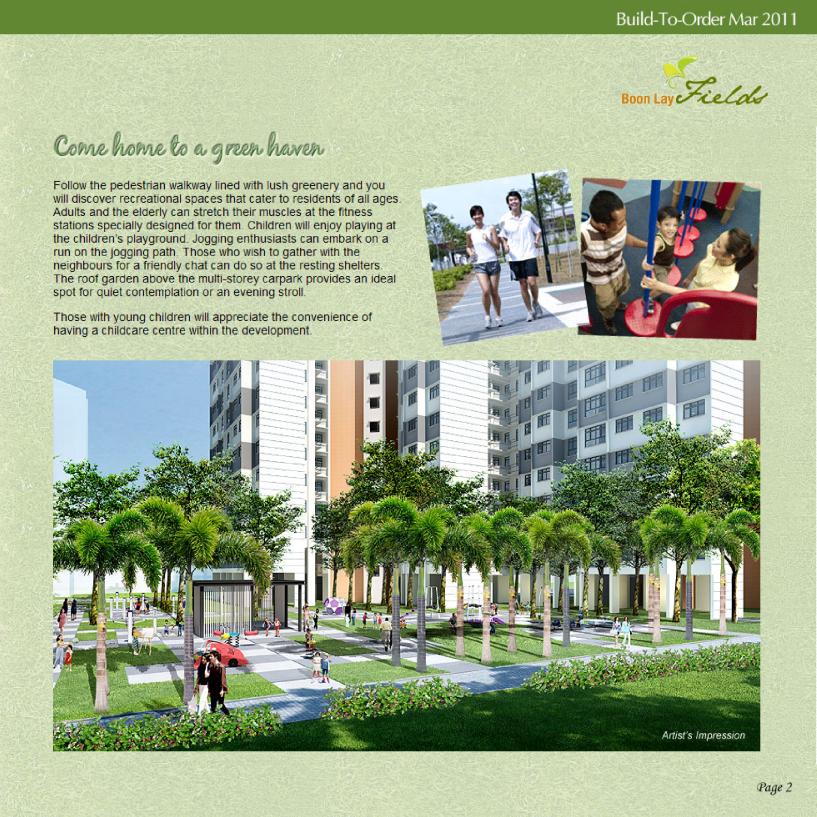
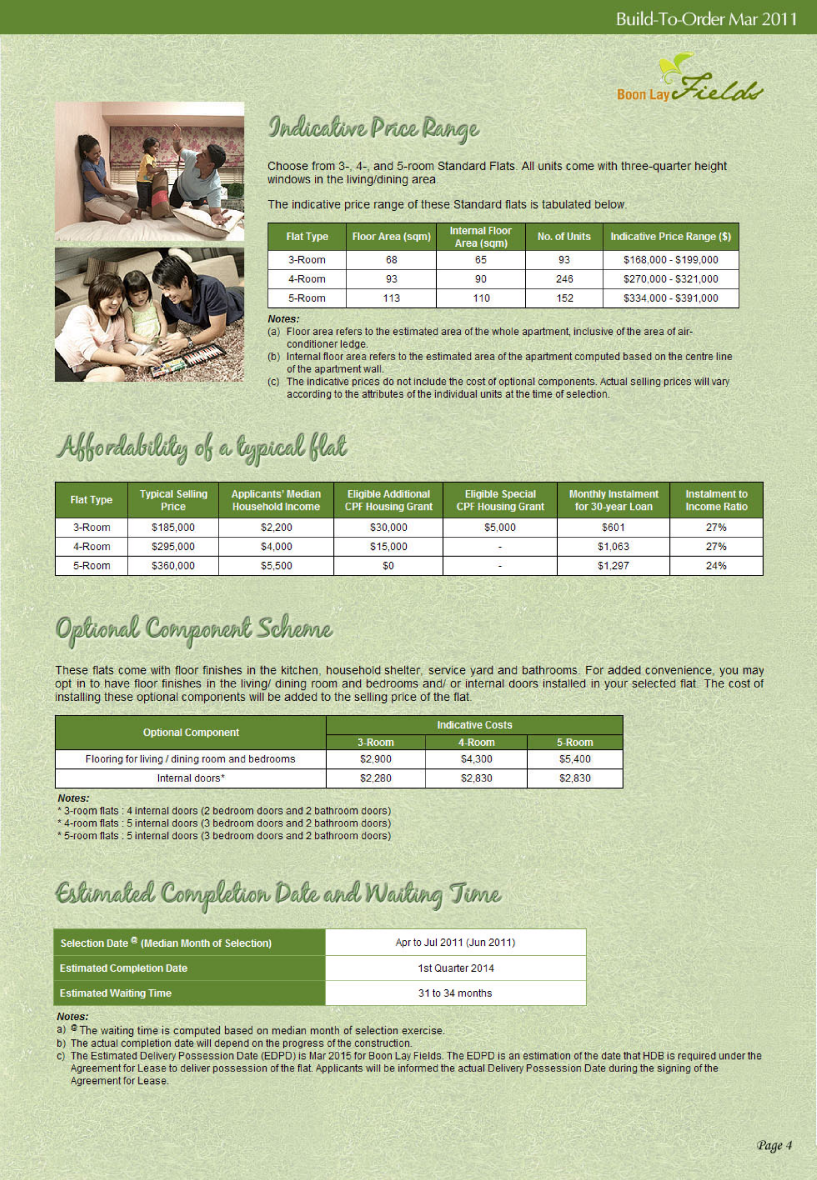
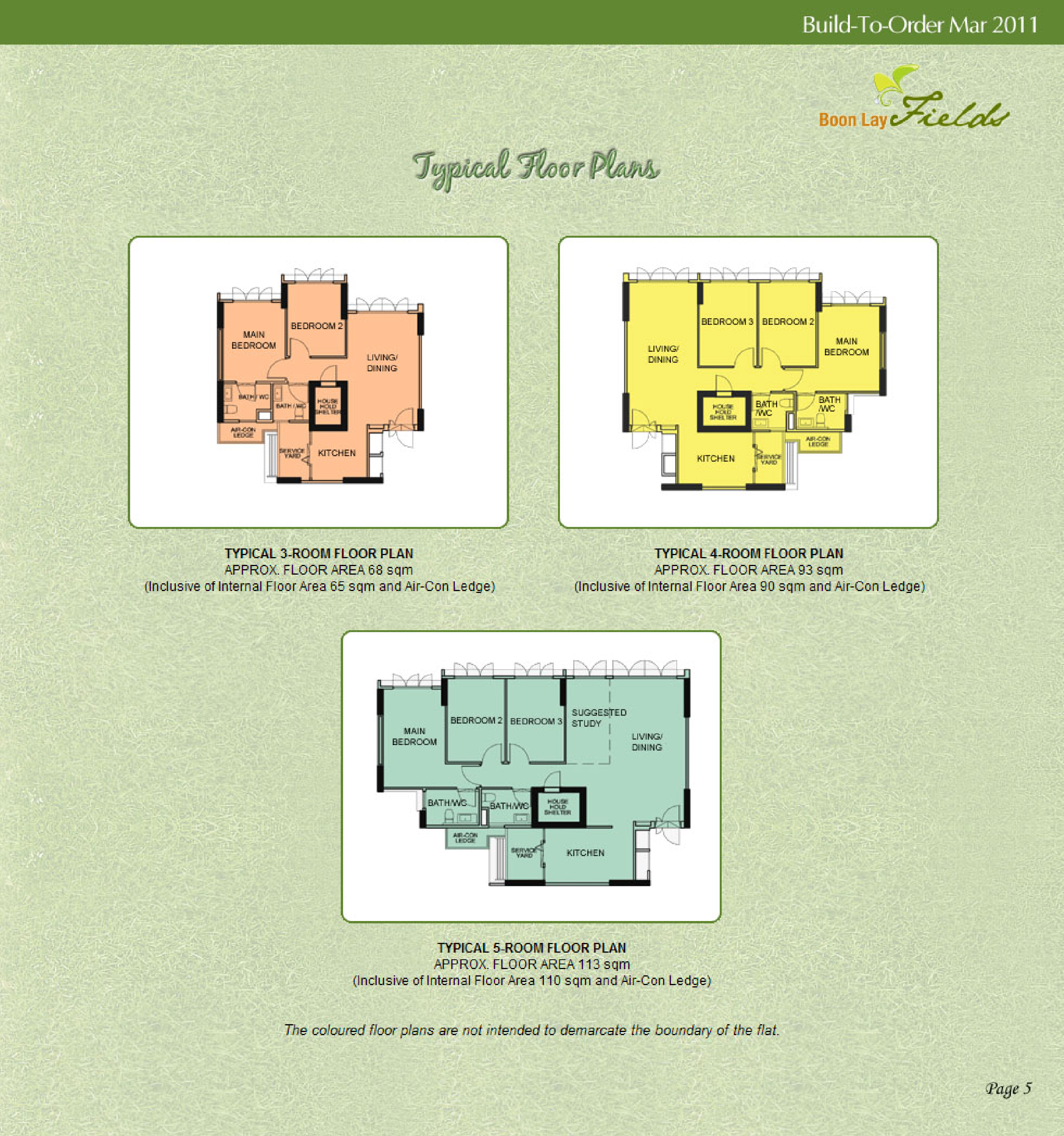
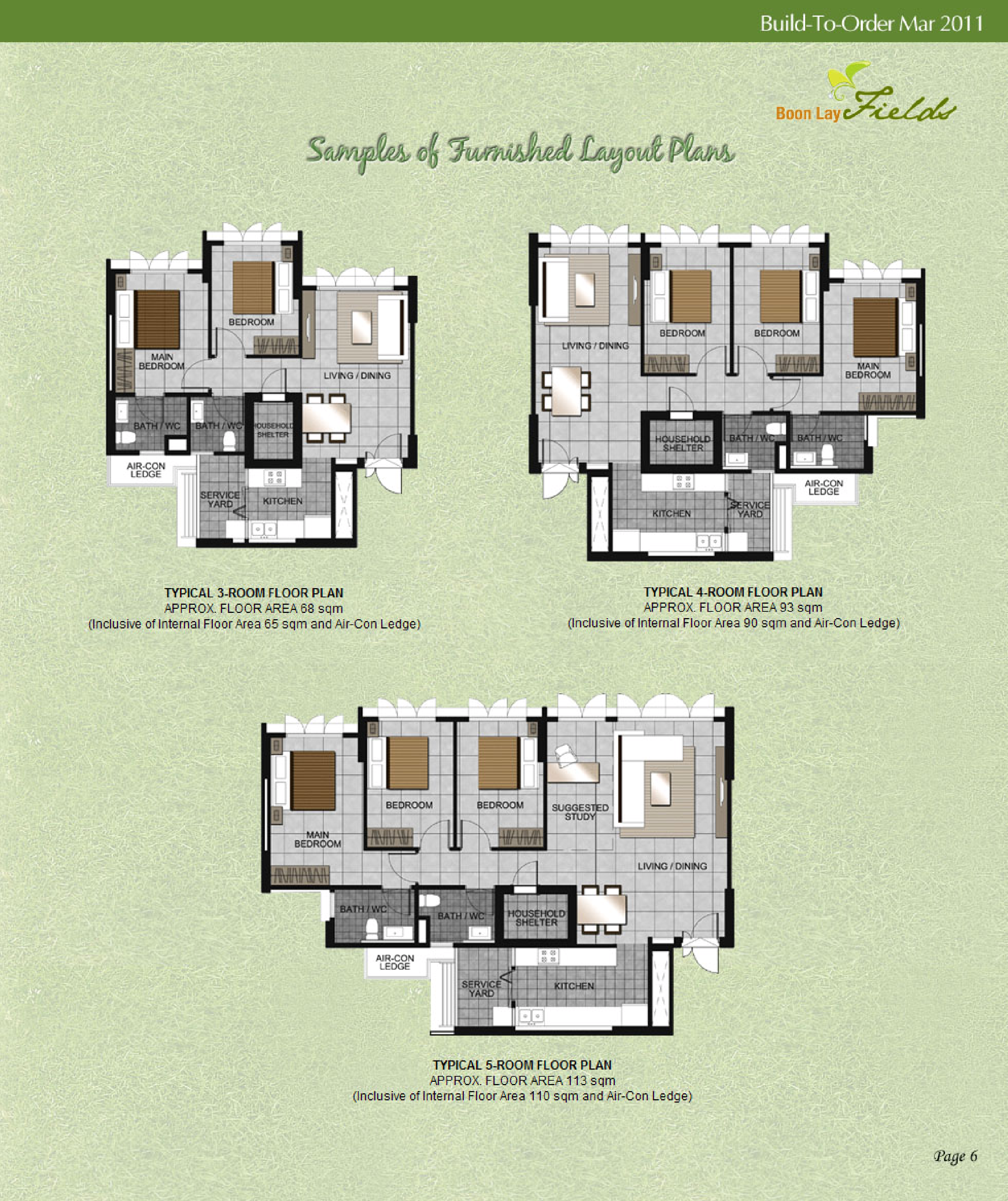
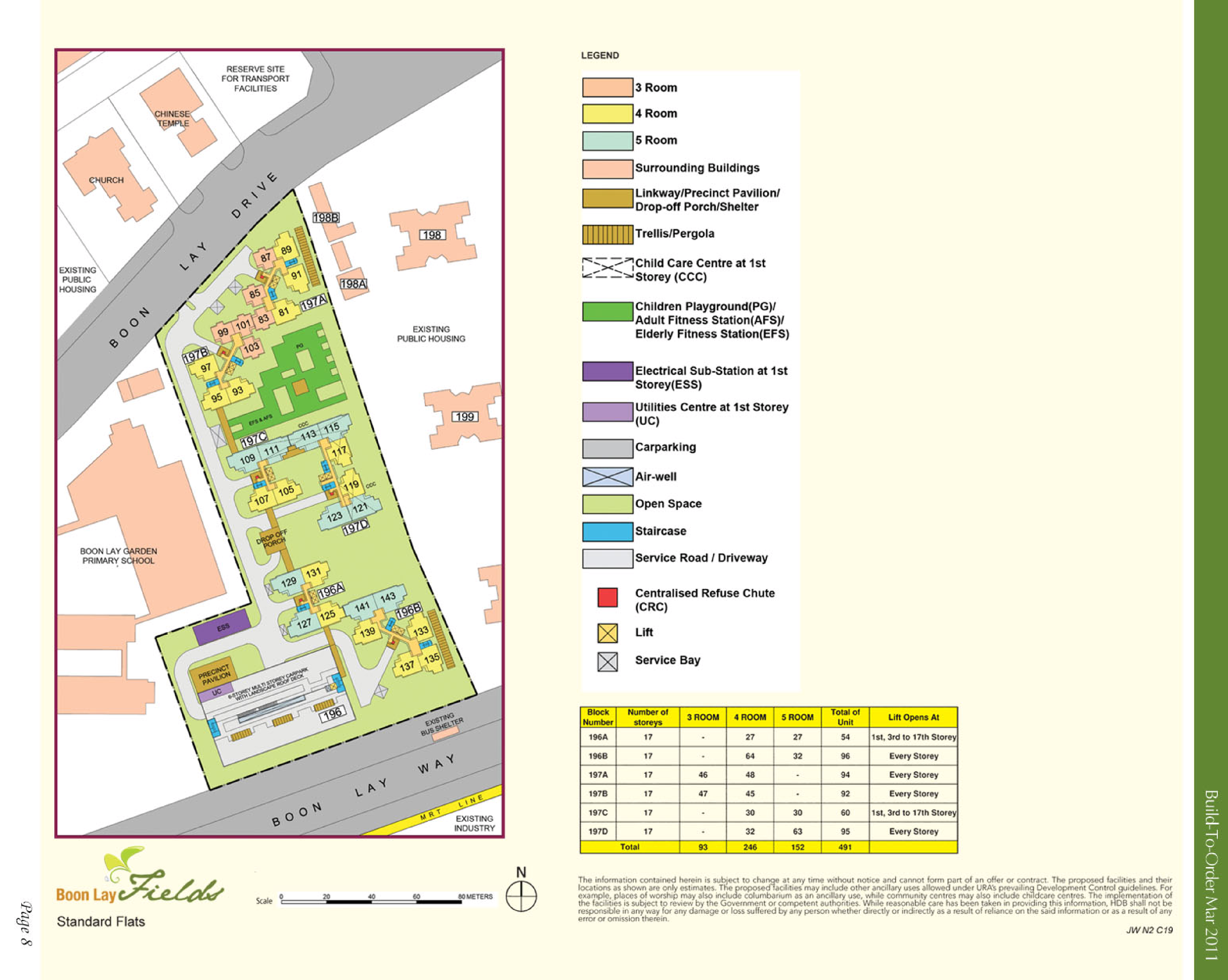
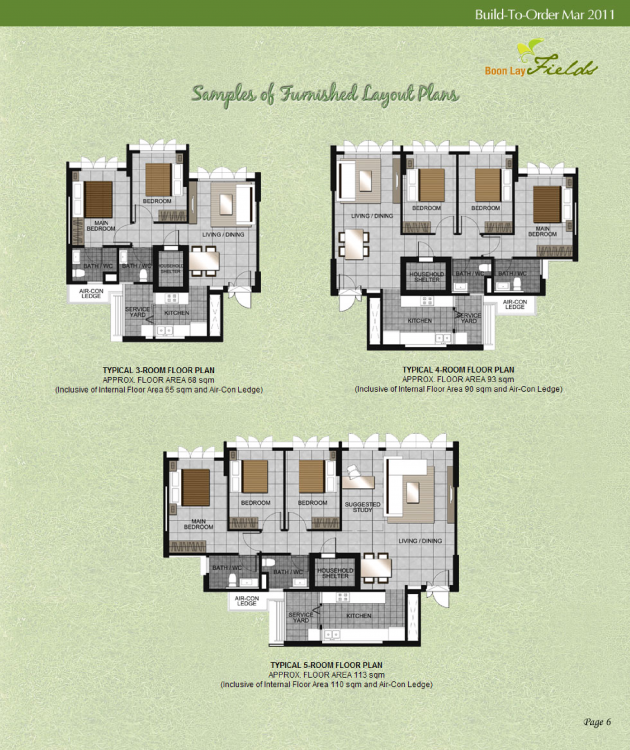
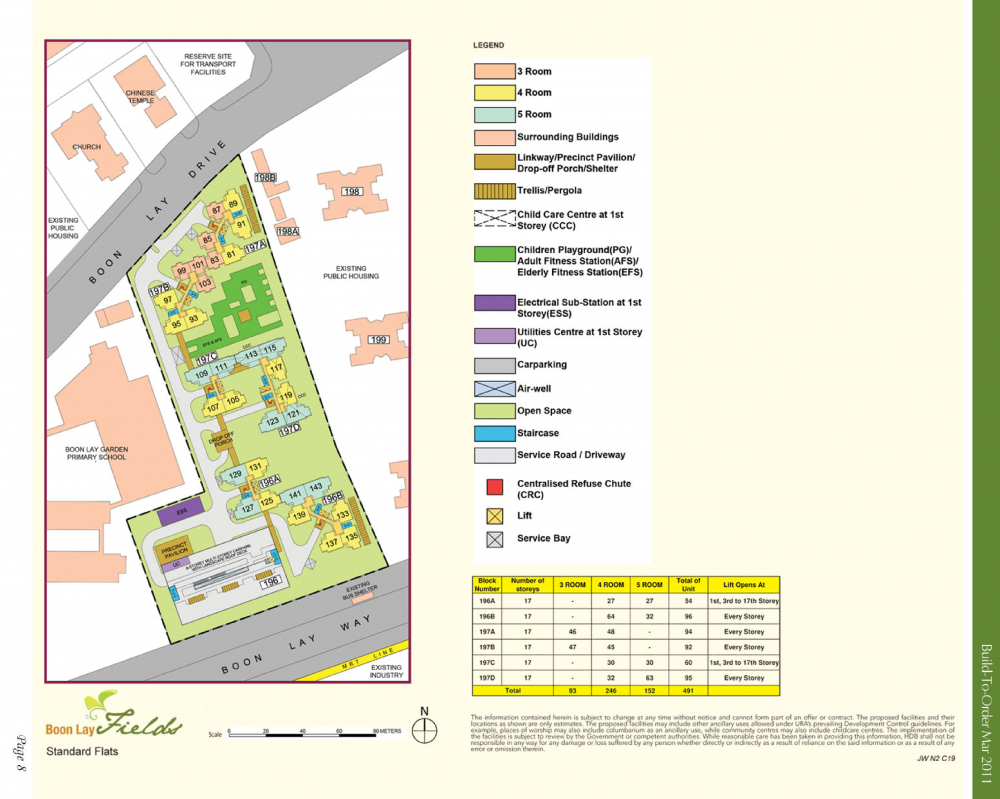
 HDB Boon Lay Fields BTO launched in March 2011 site plan and floor plans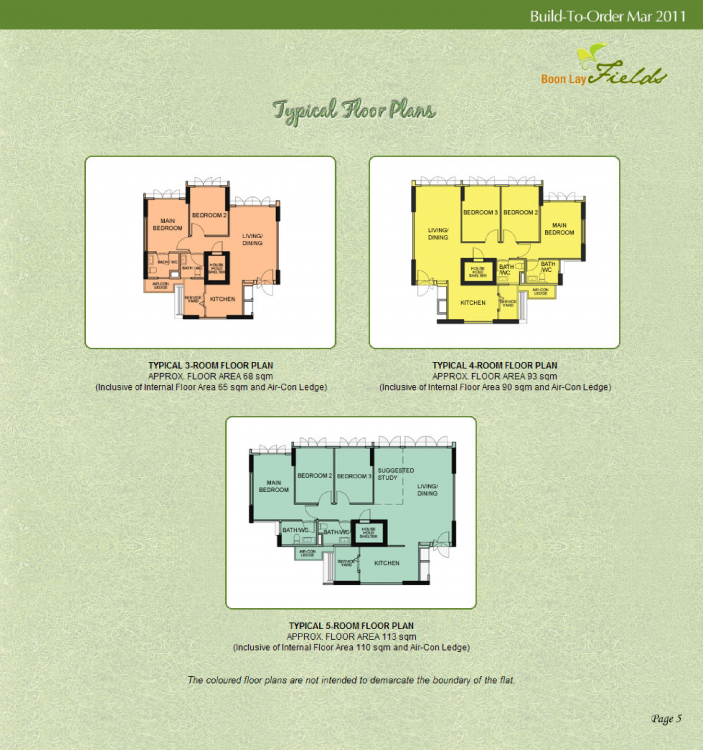
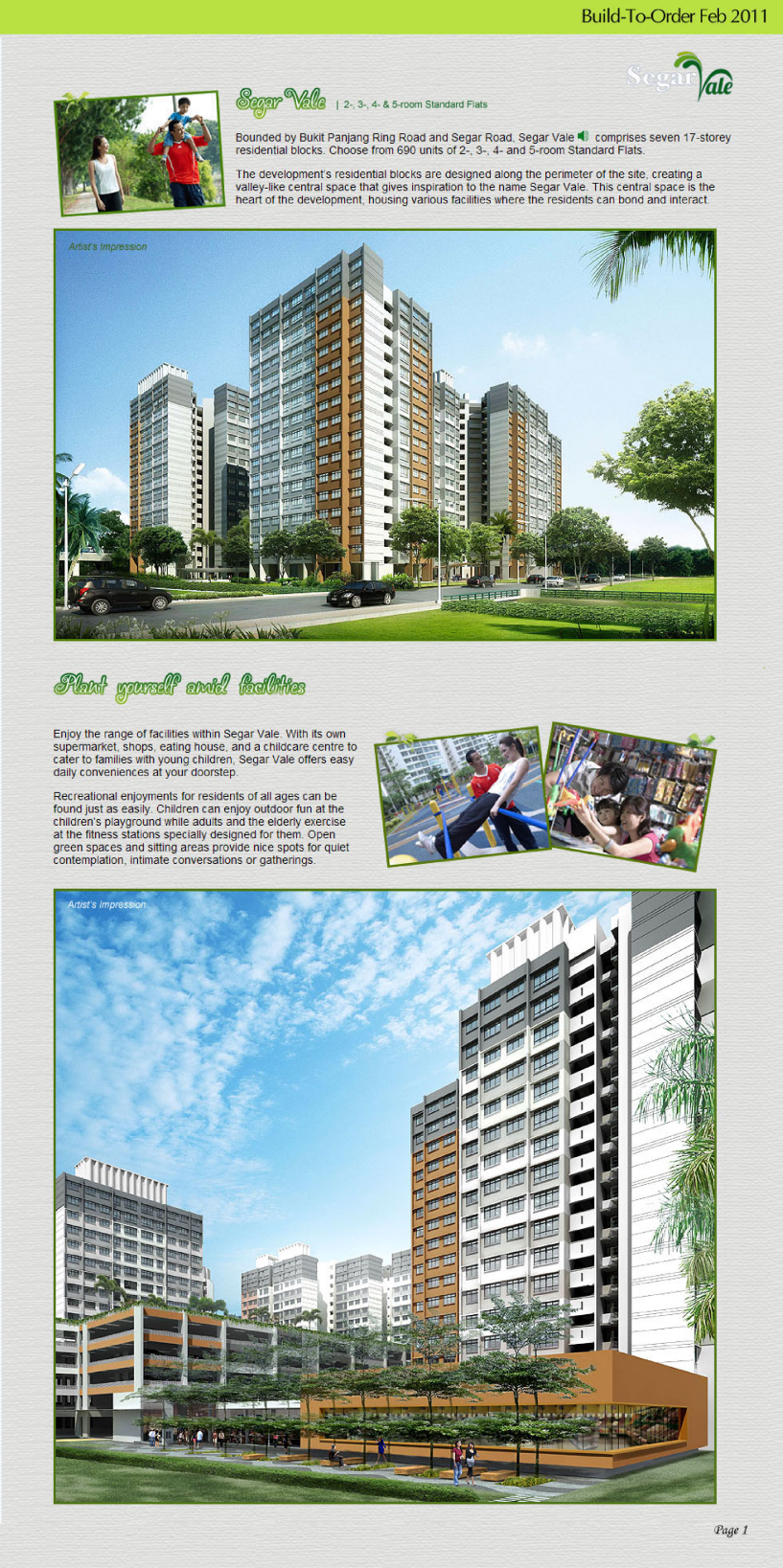
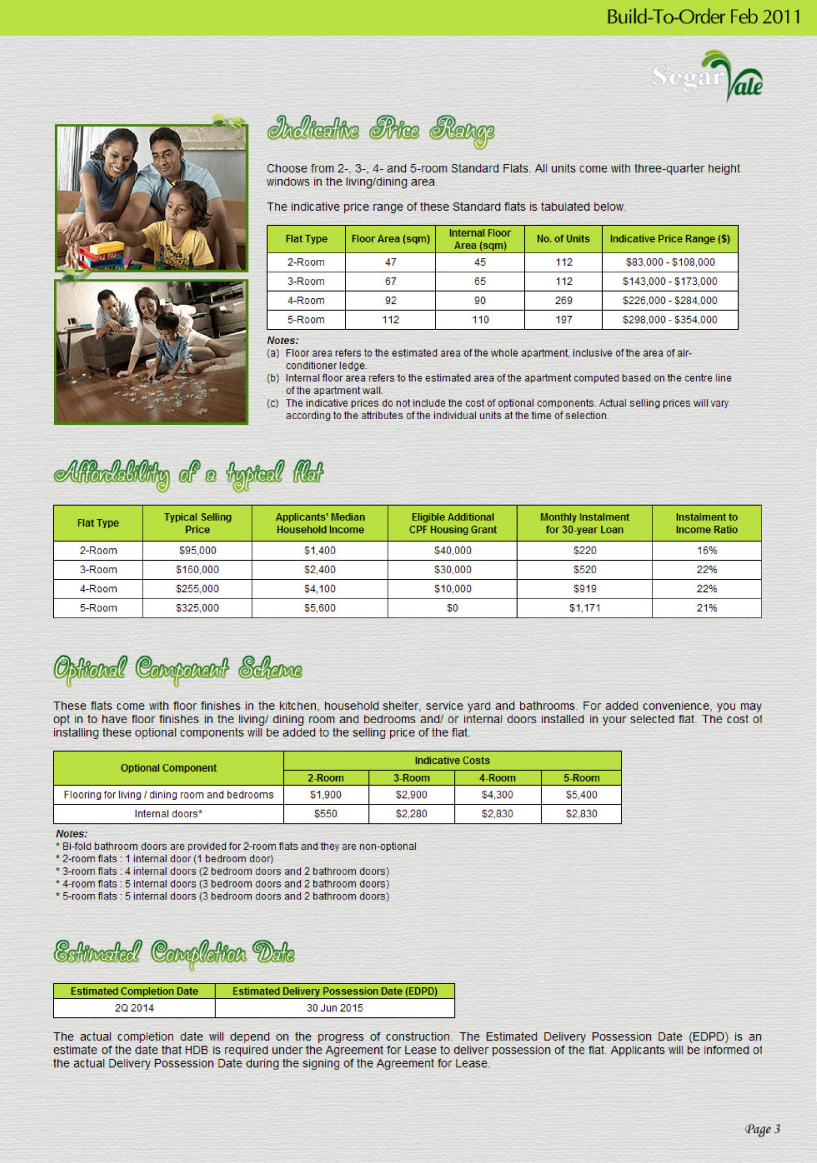
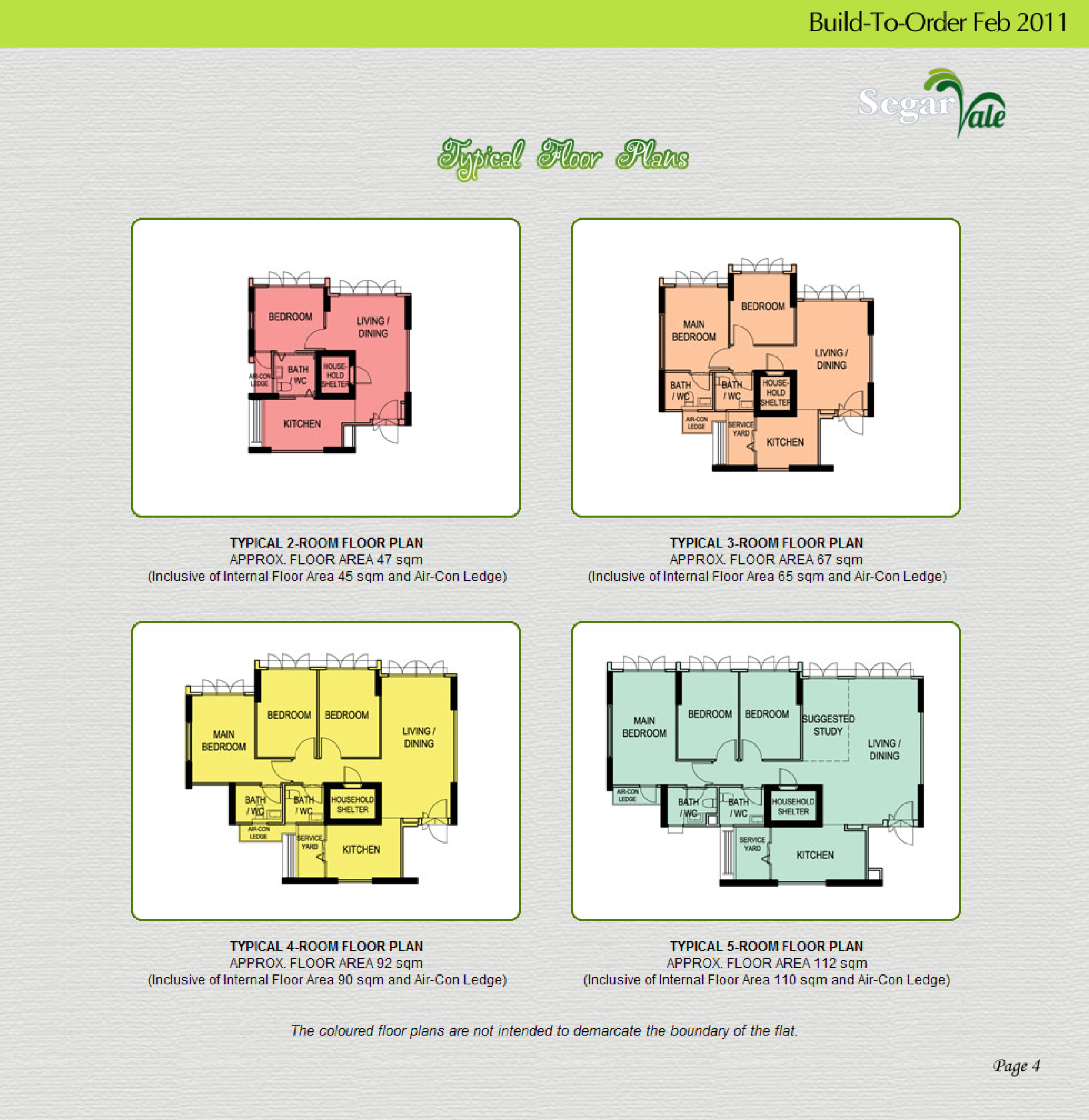
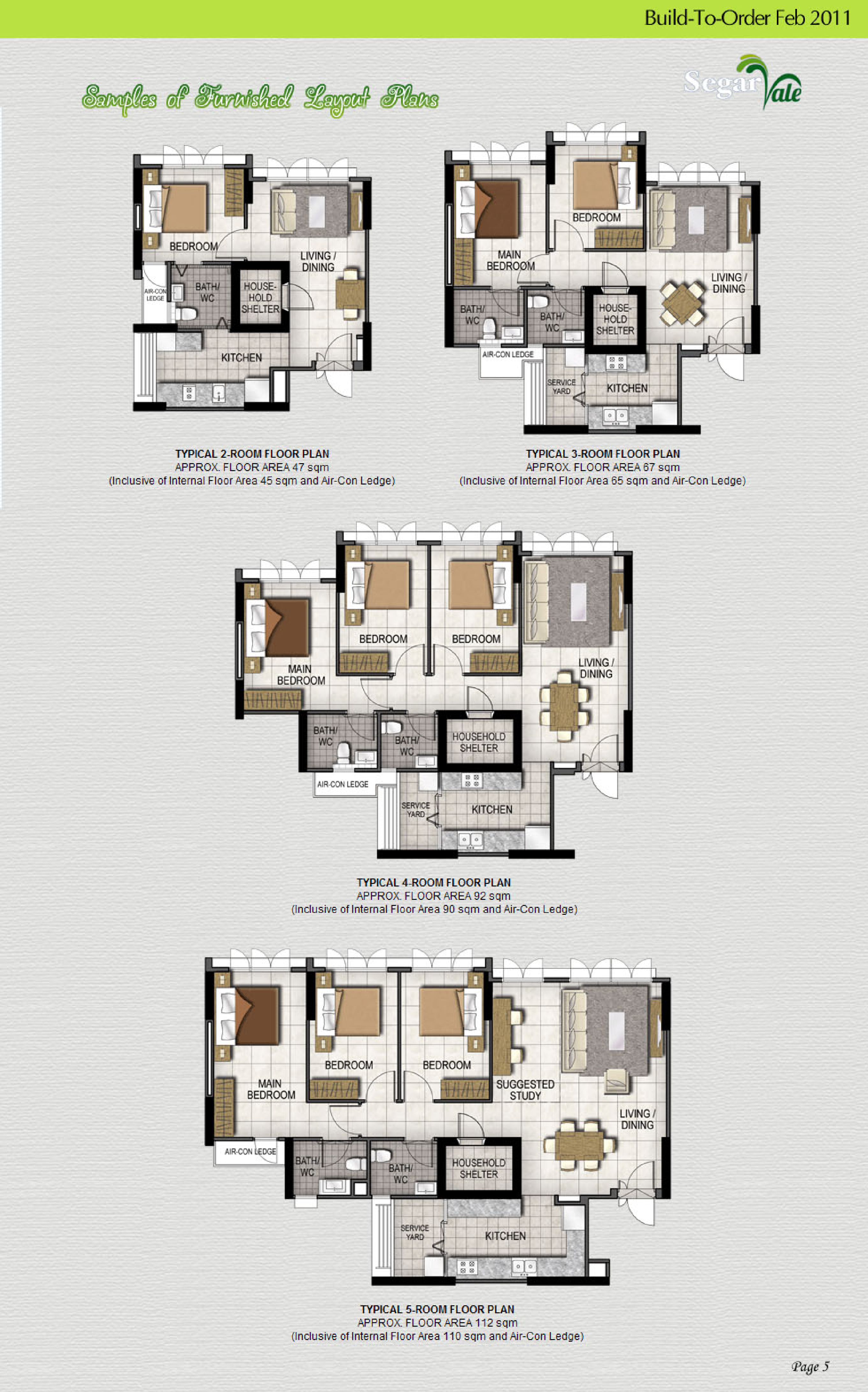
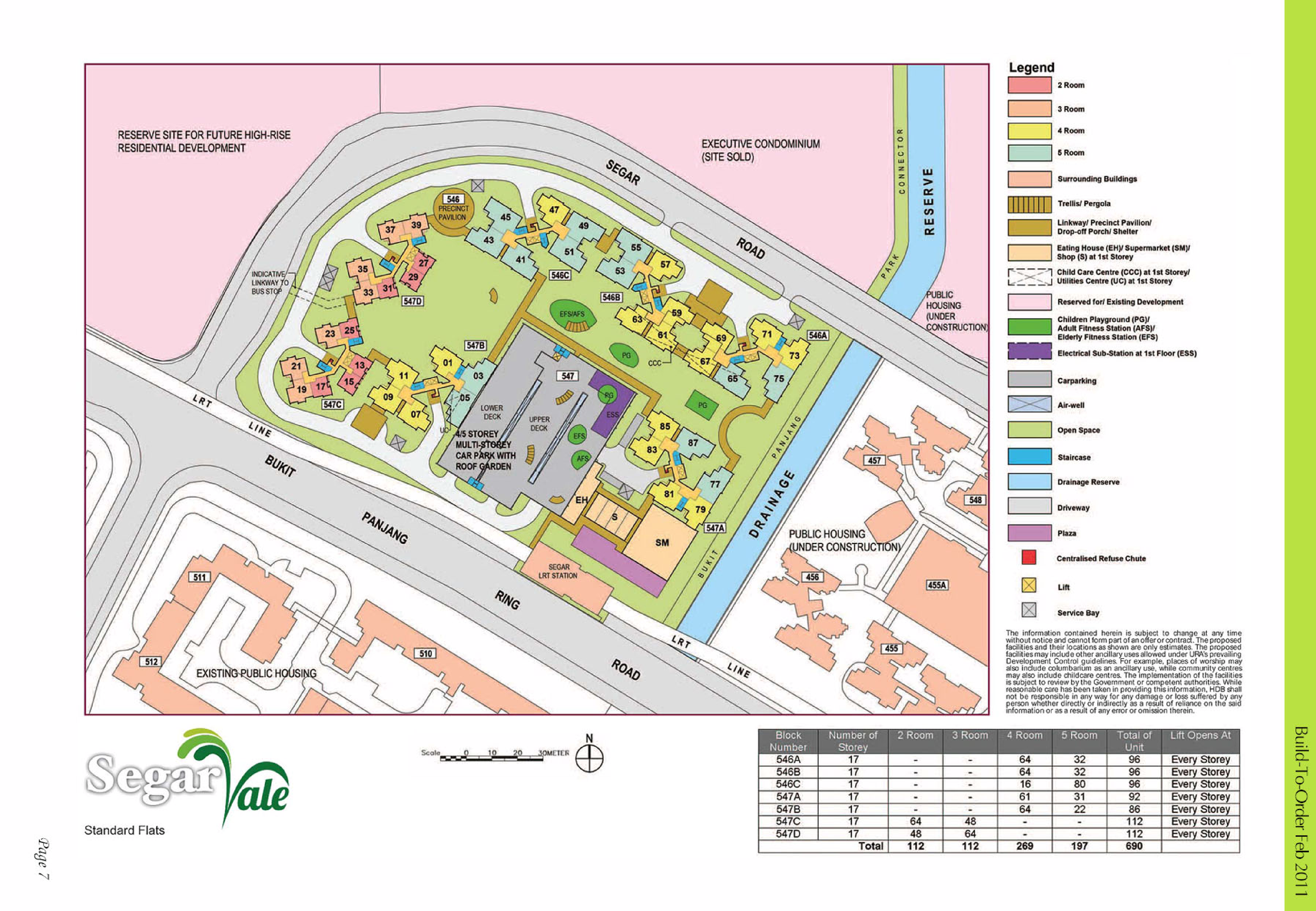
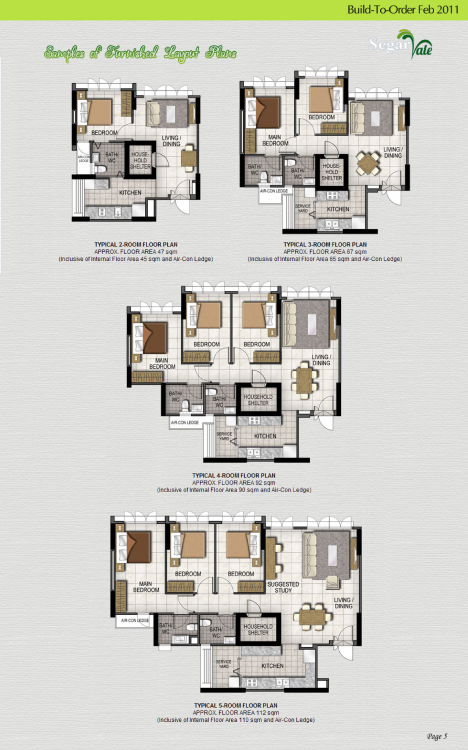
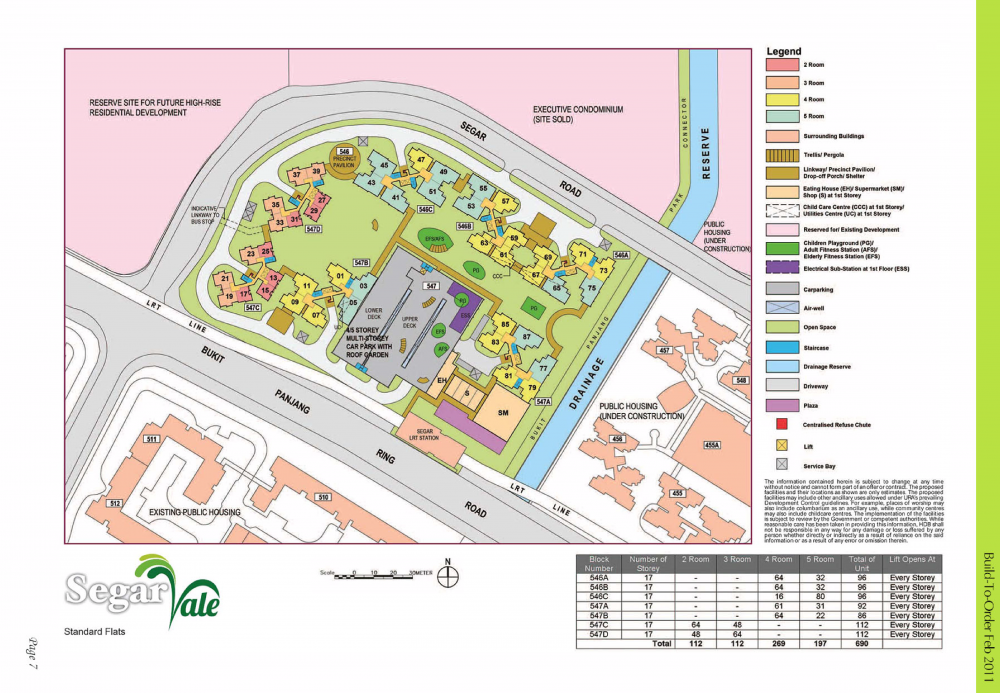
 HDB Segar Vista BTO launched in February 2011 site plan and floor plans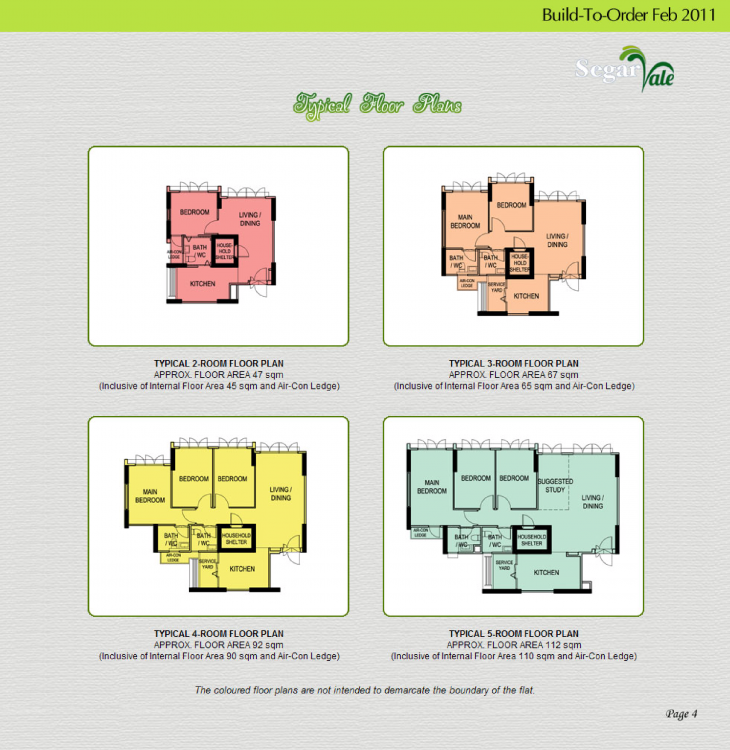
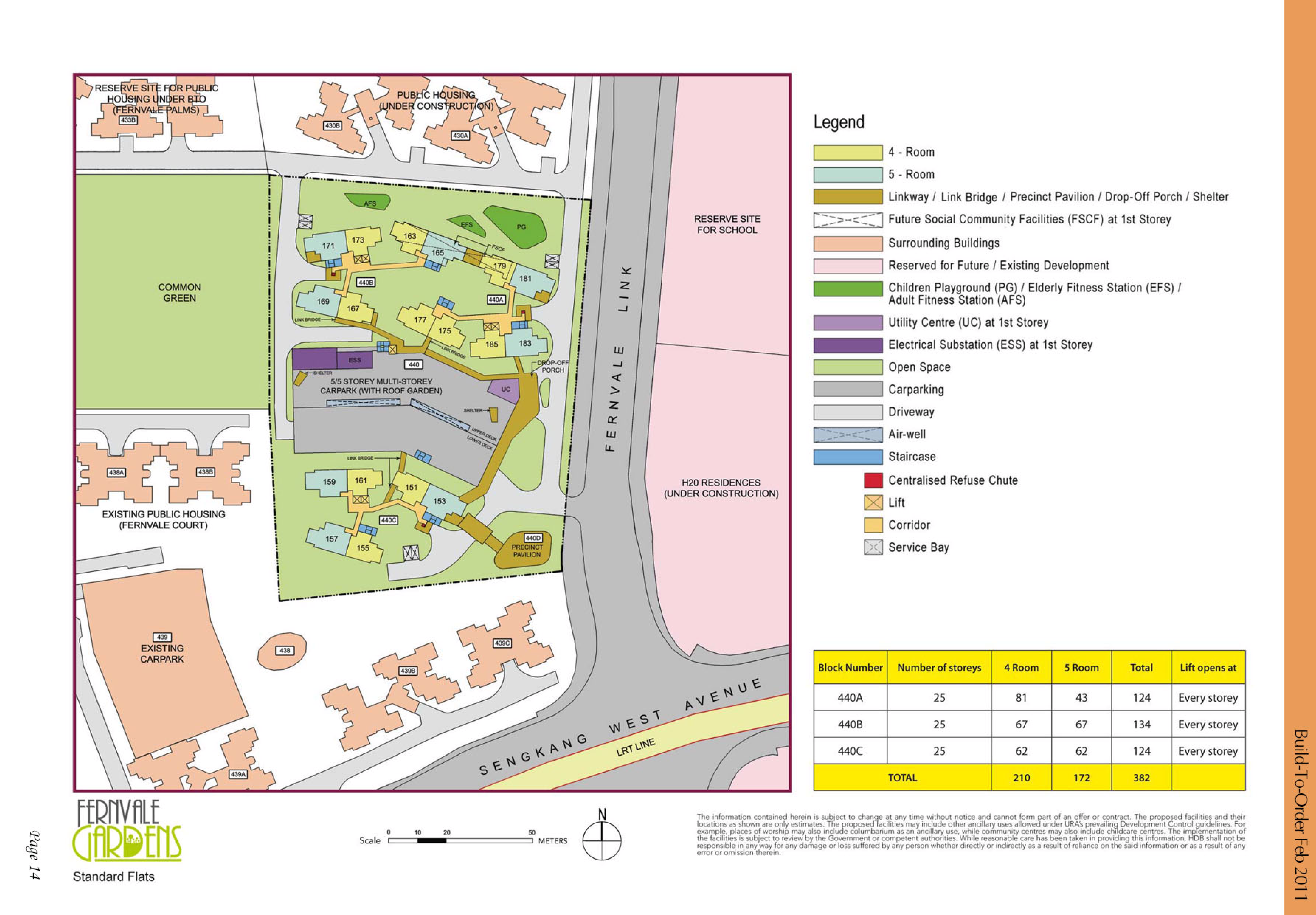
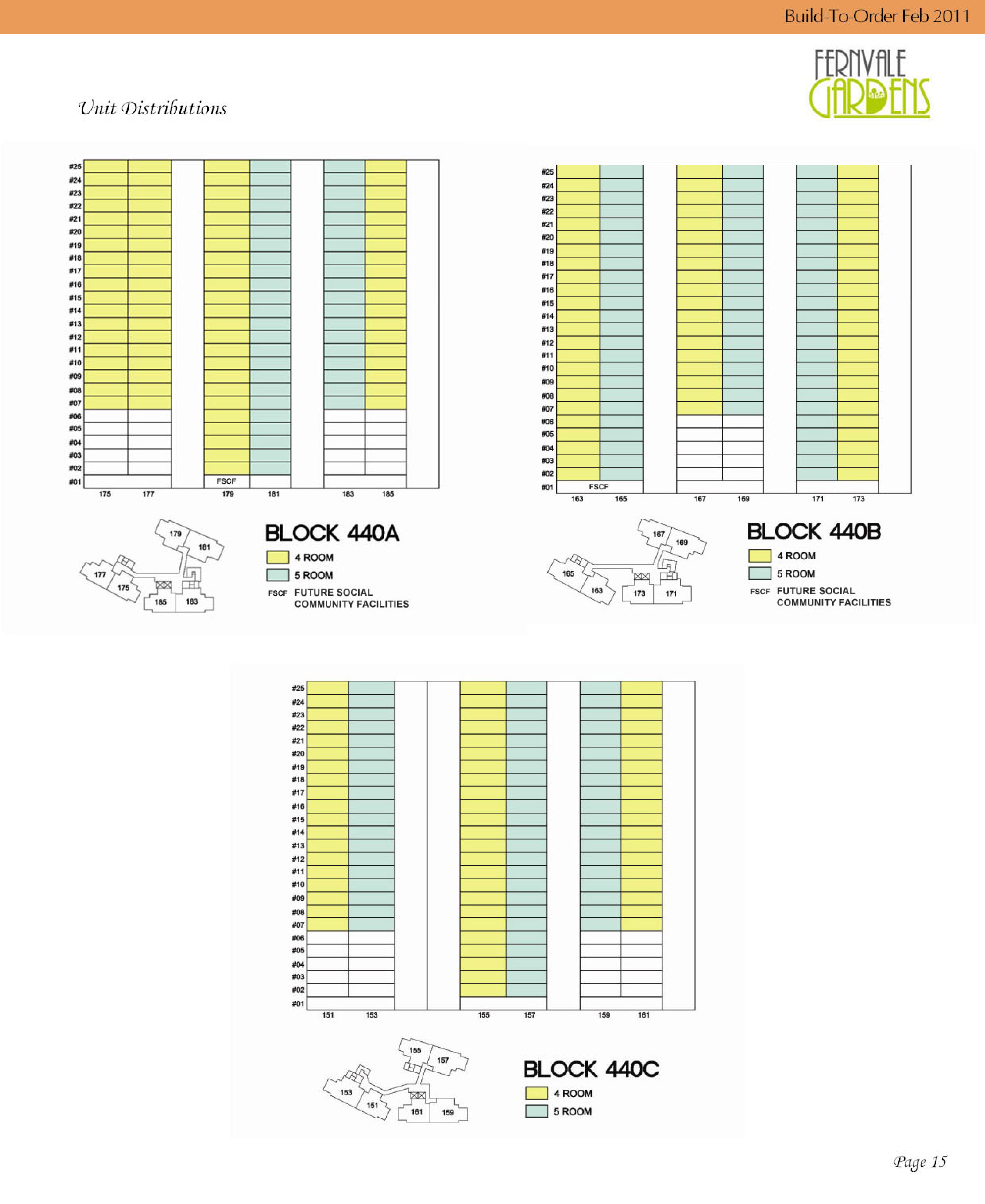
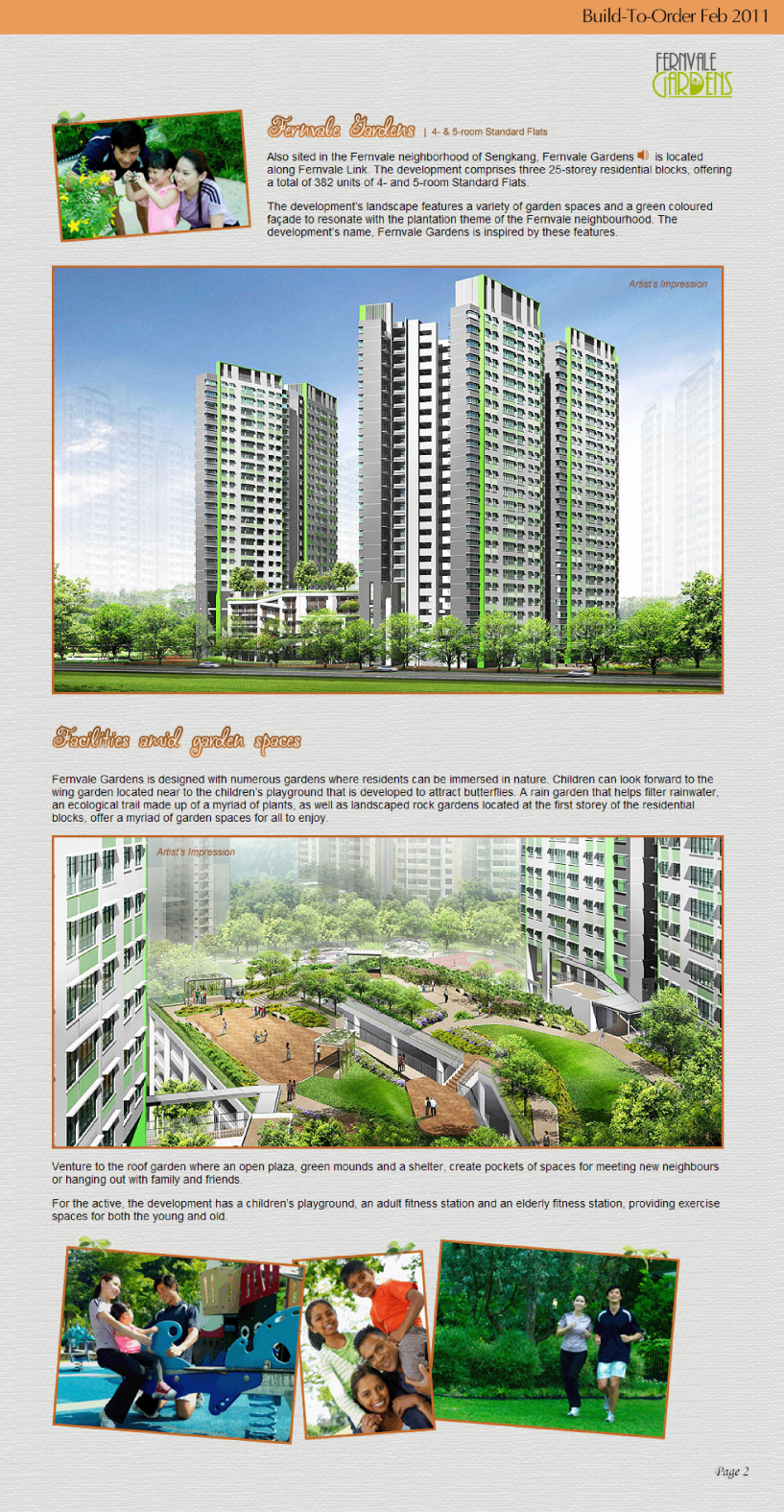
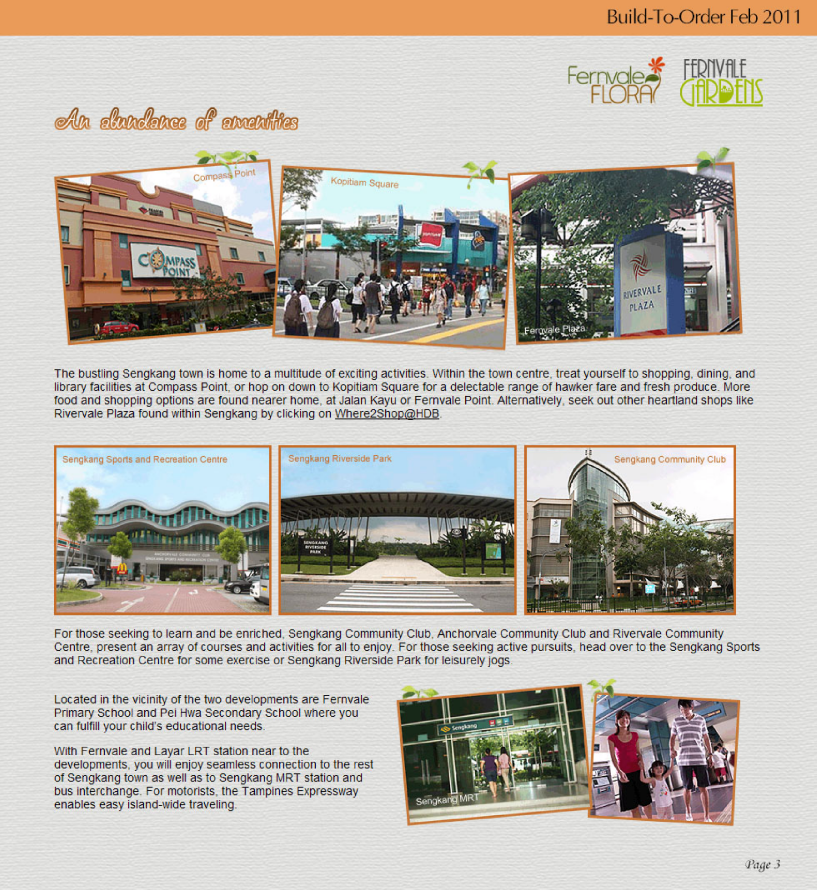
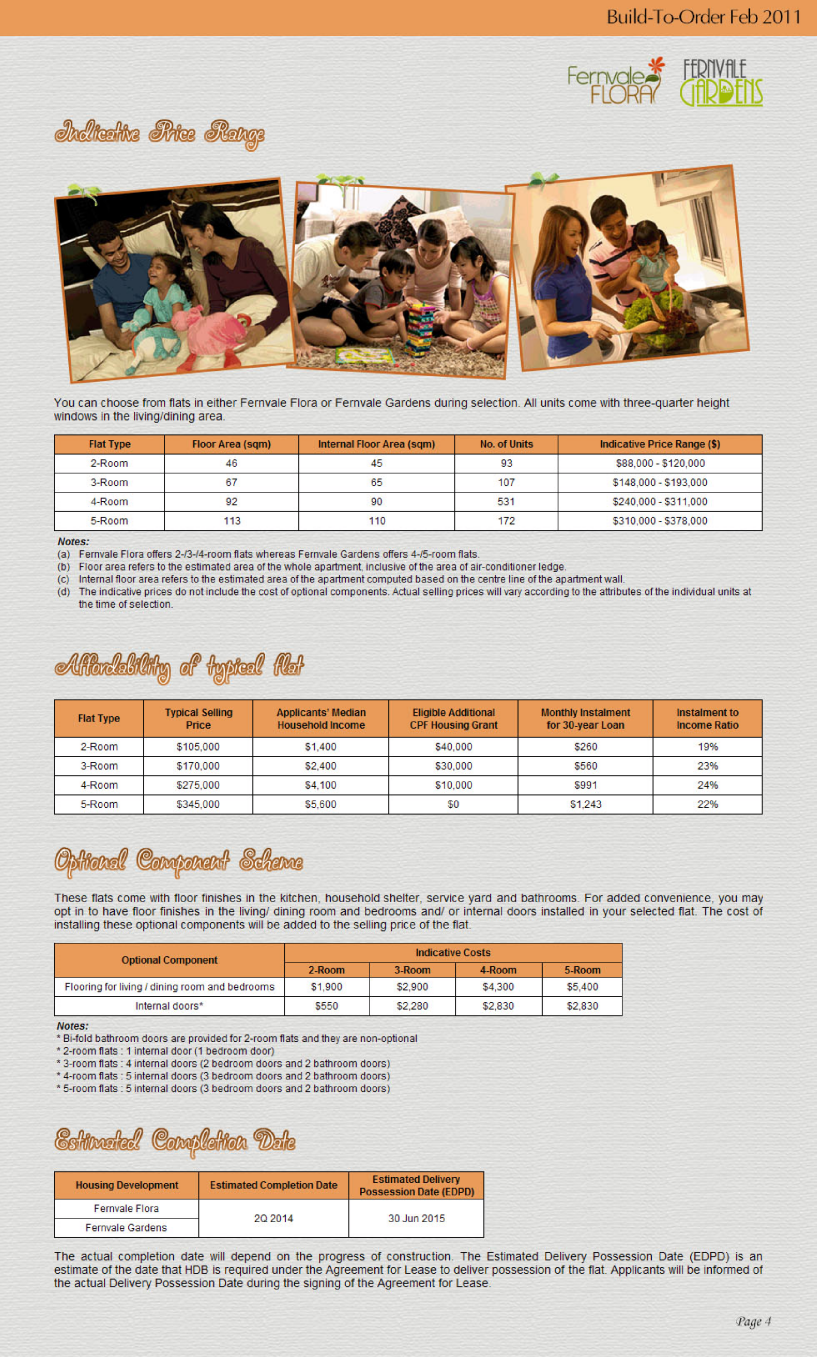
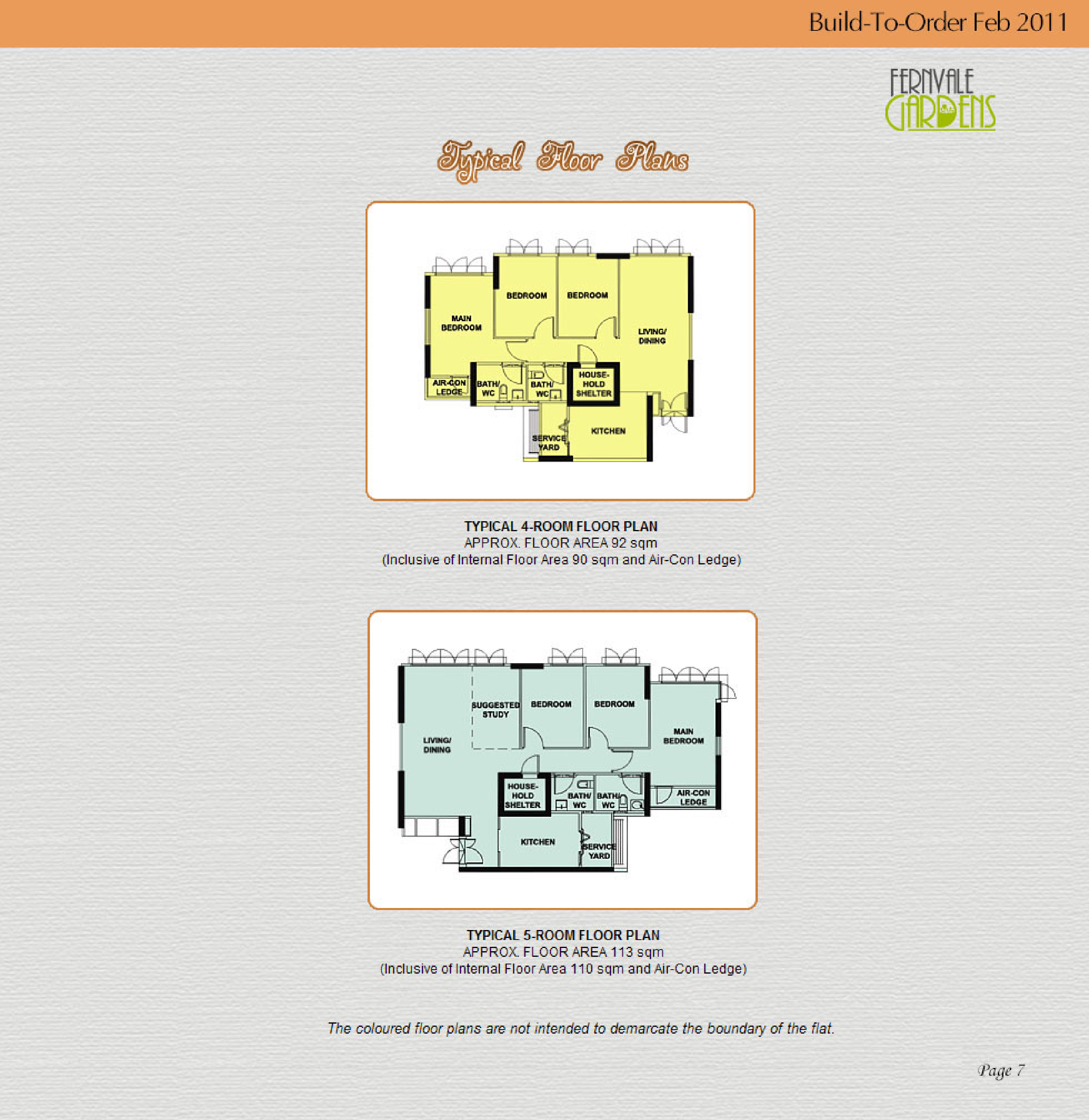
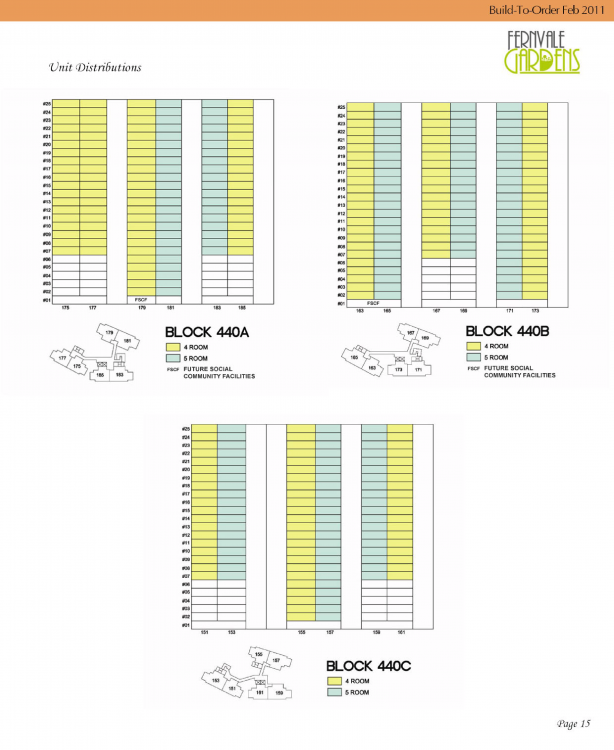
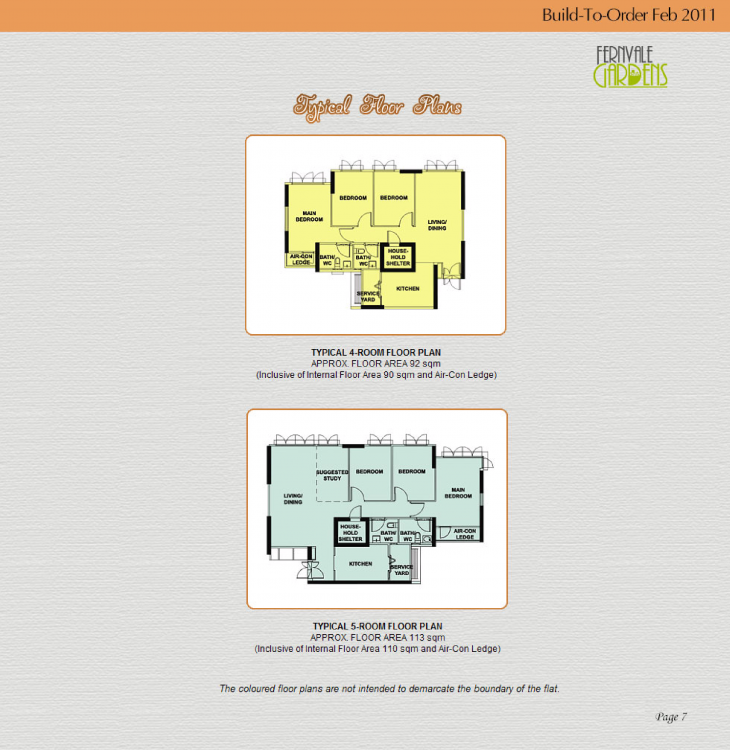
 HDB Fernvale Gardens BTO launched in February 2011 Site Plan and Floor Plans fernvale-gardens.pdf Lease Commencement Date: Year 2014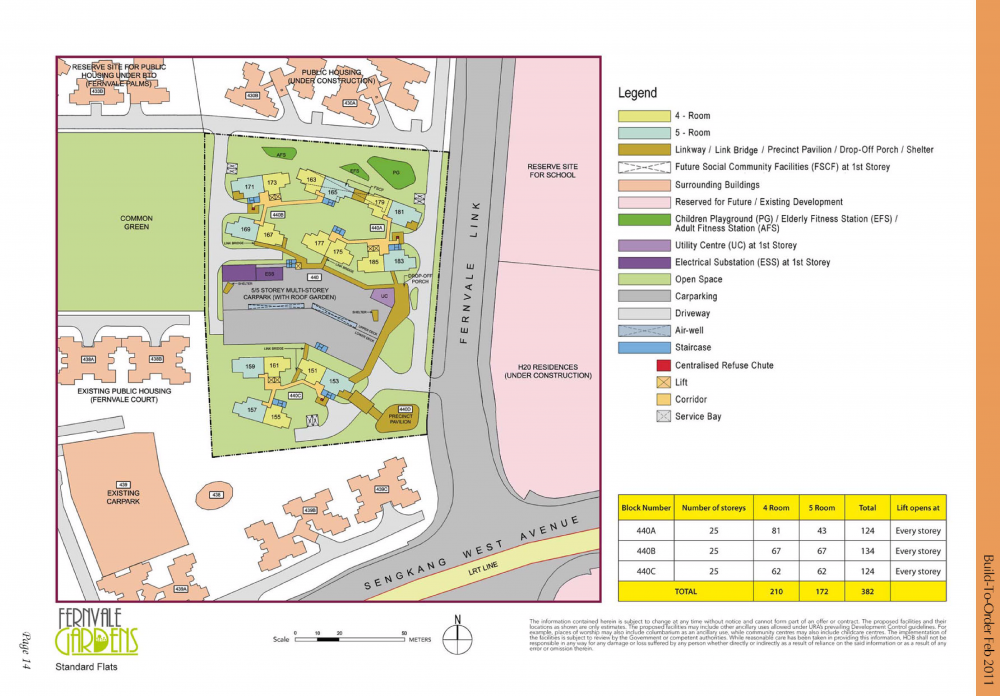
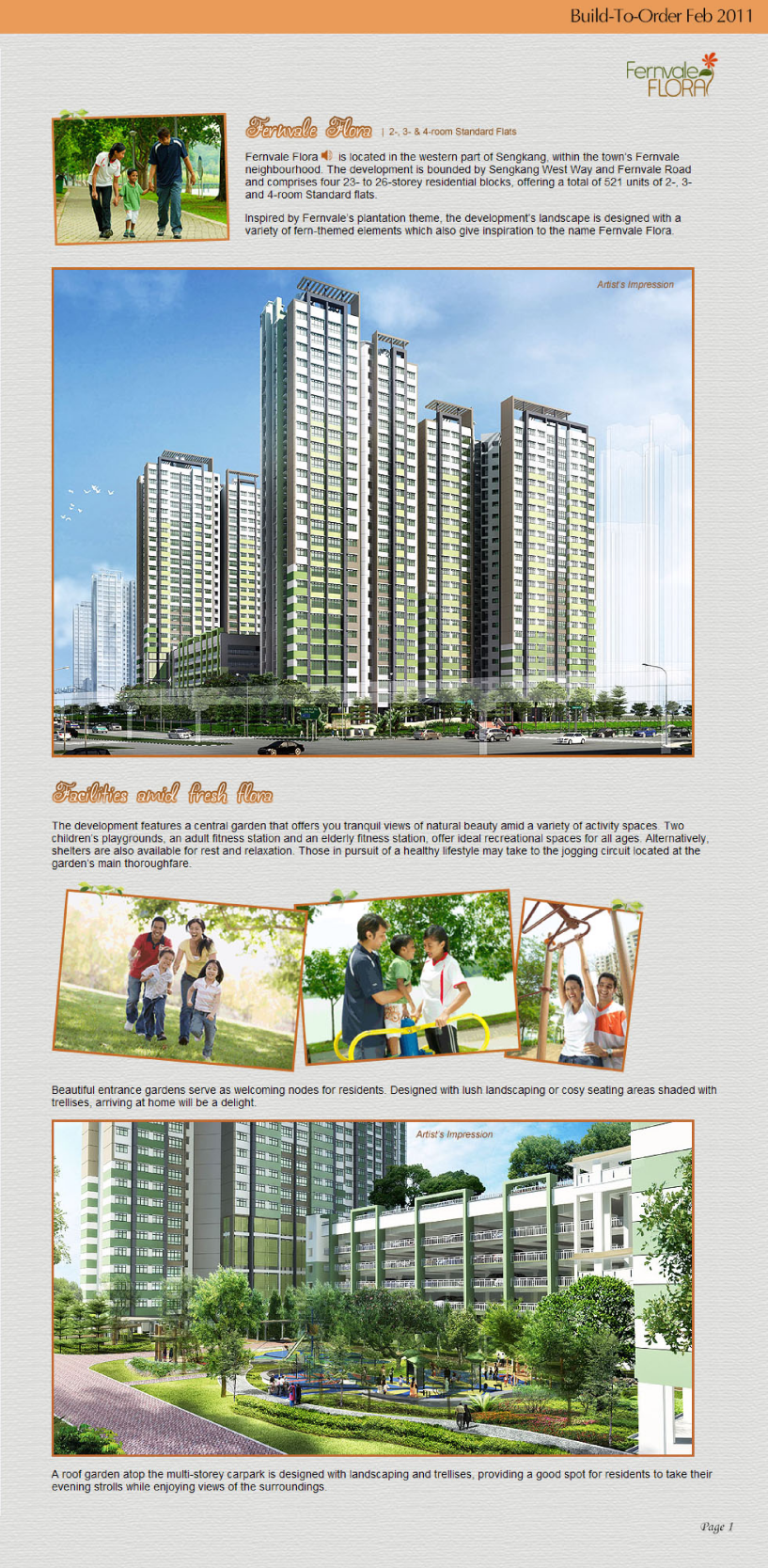
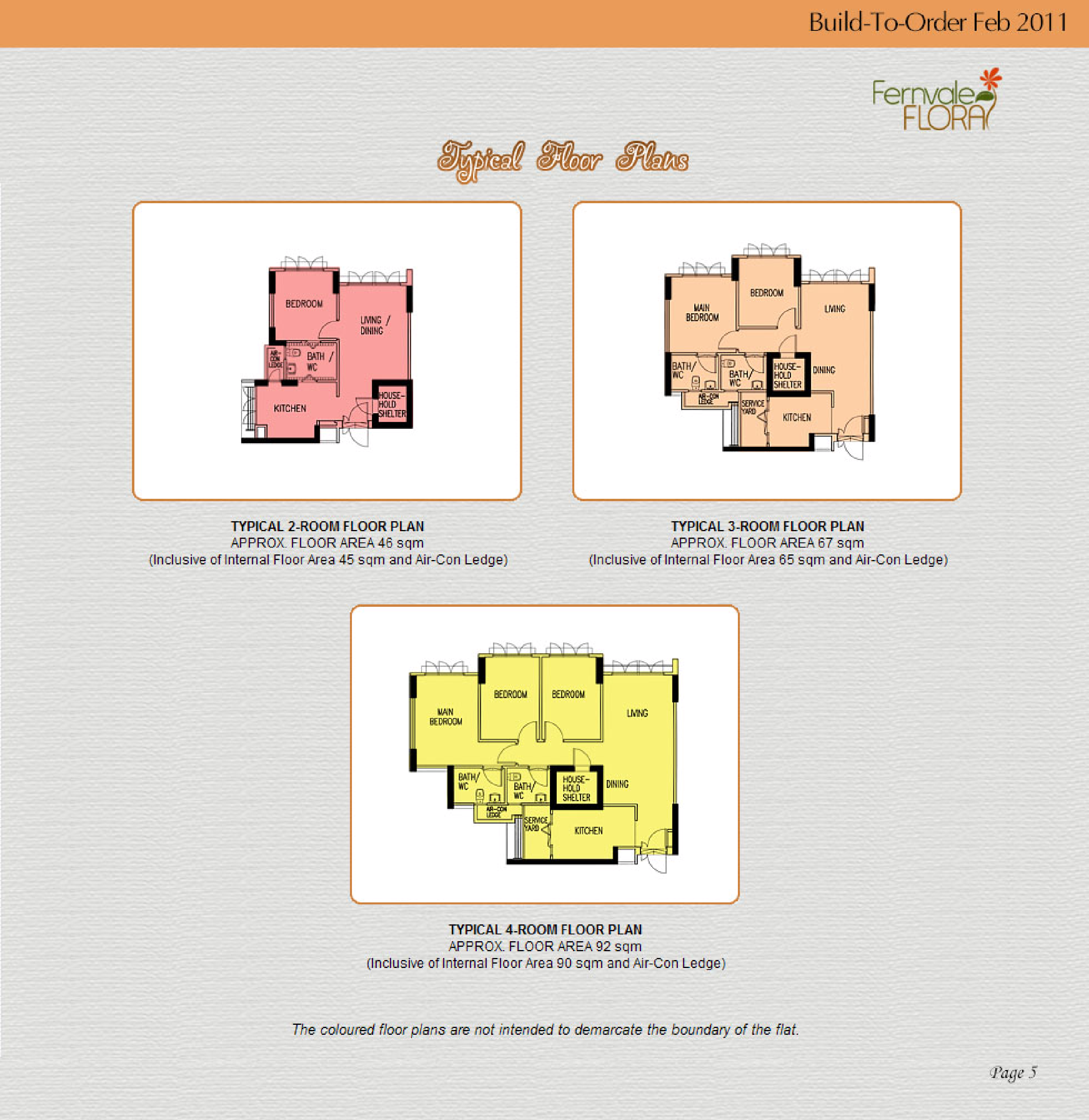
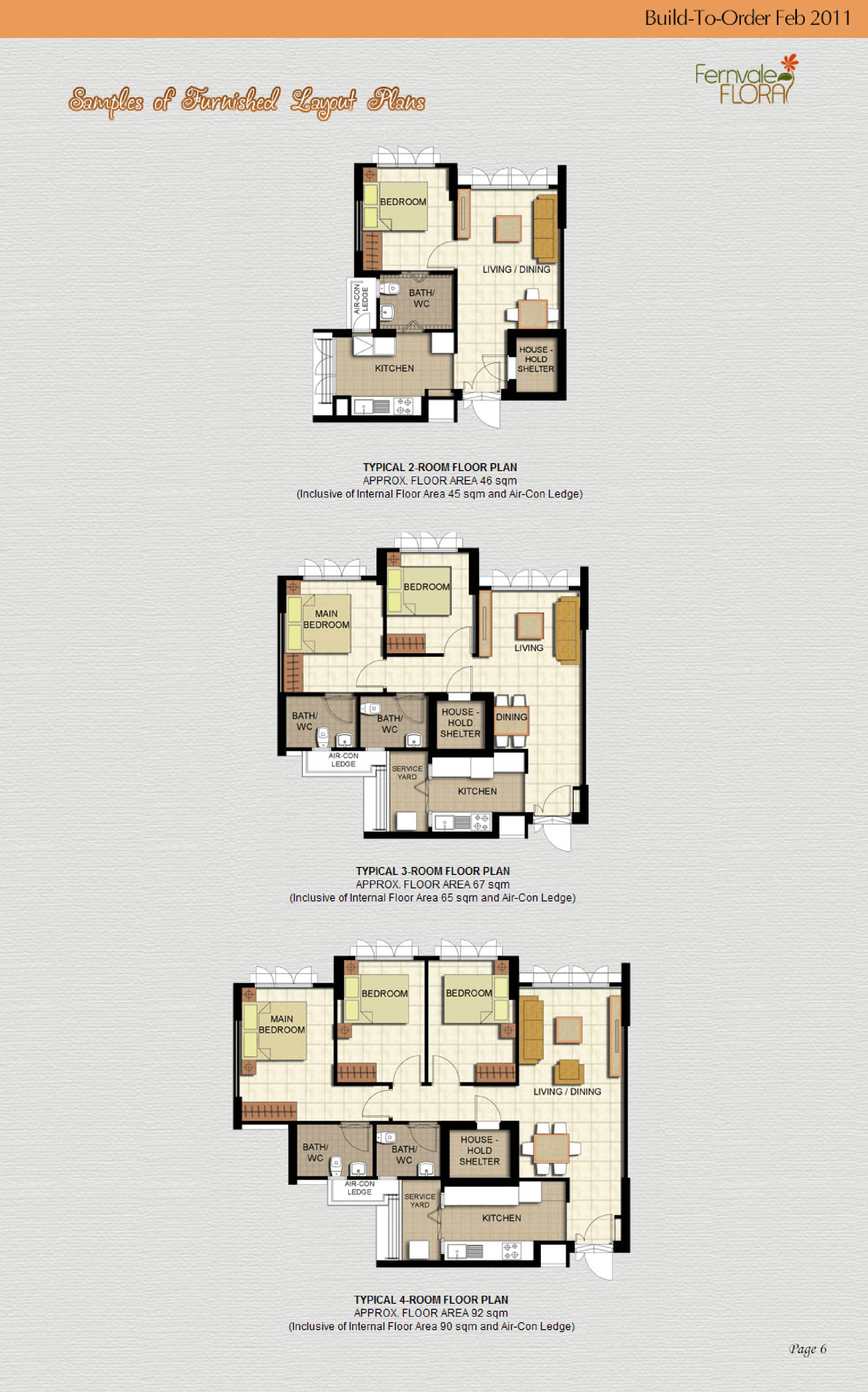
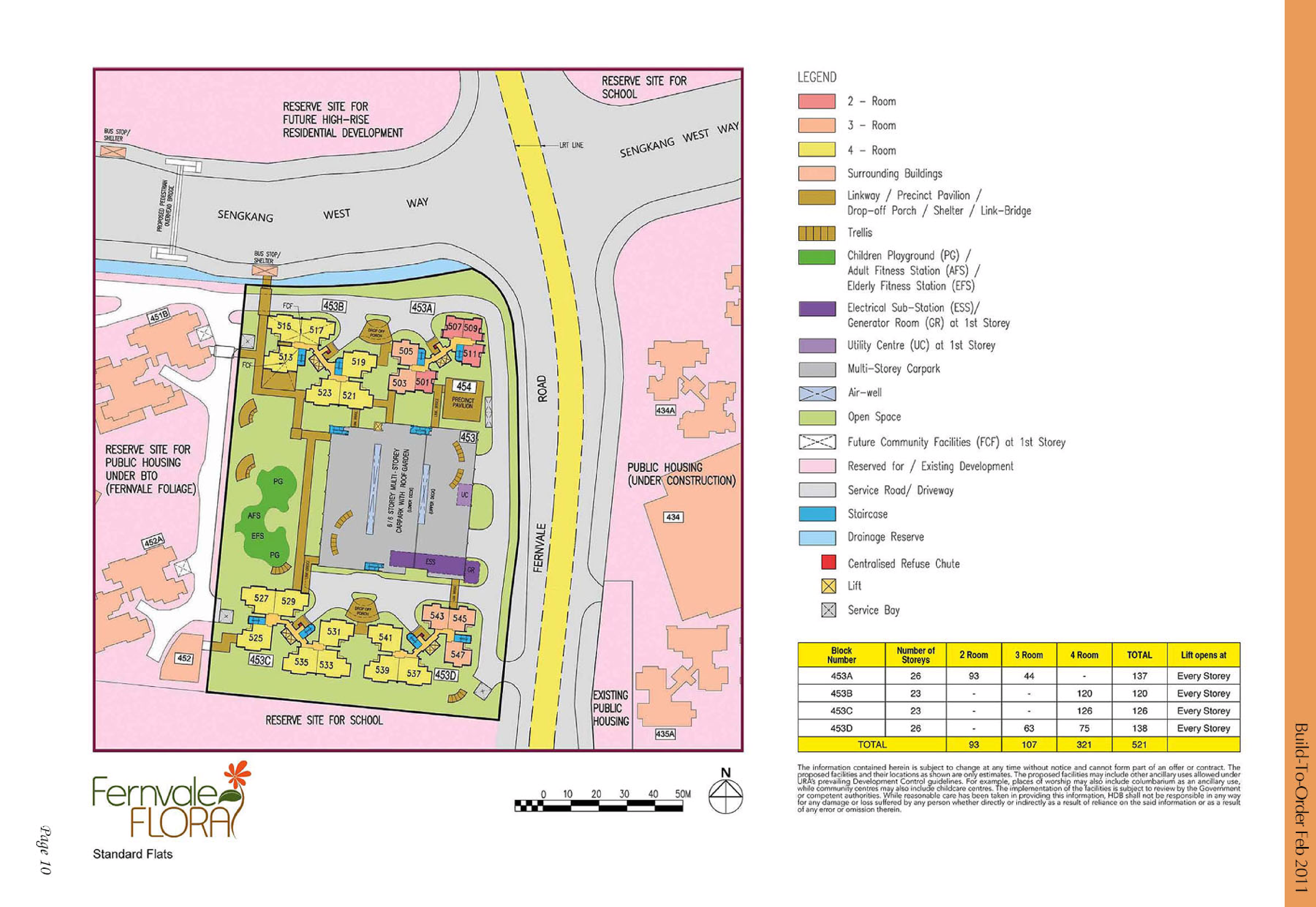
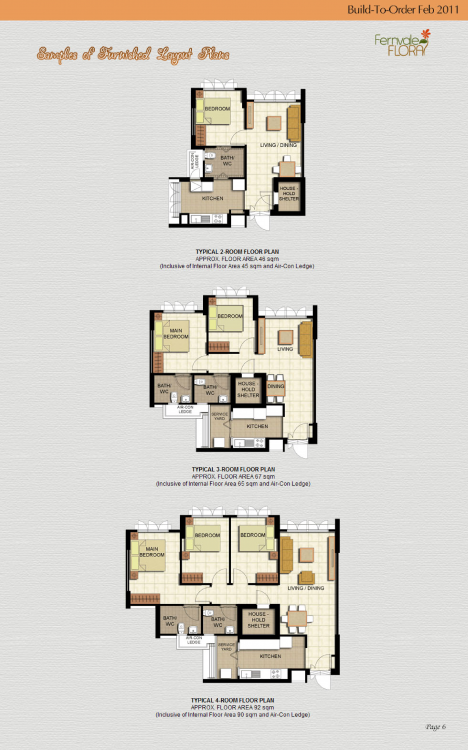
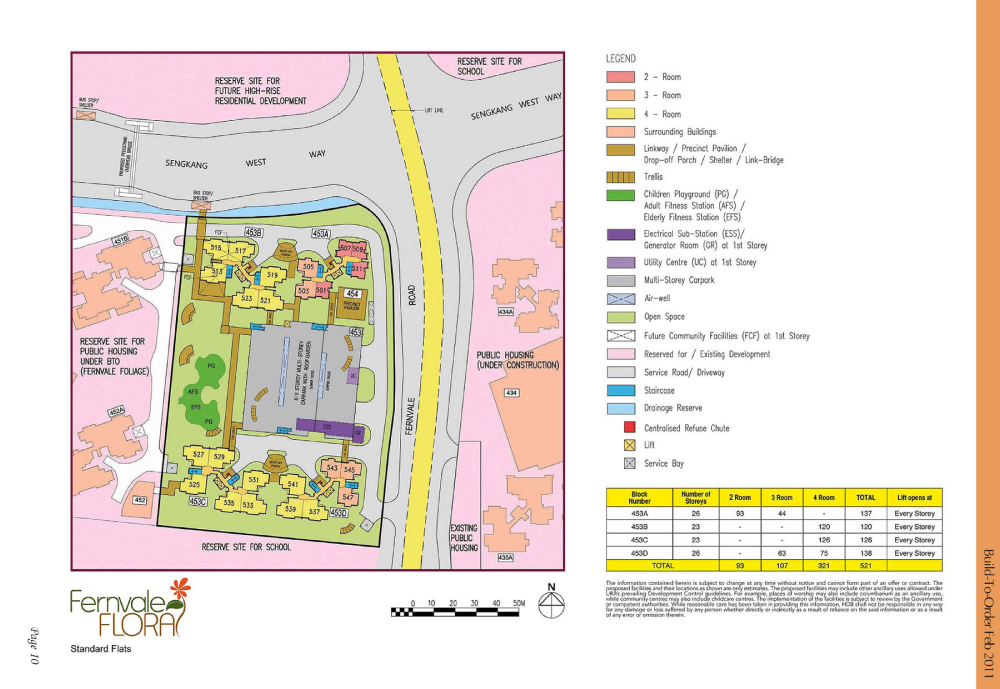
 HDB Fernvale Flora BTO launched in February 2011 site plan and floor plans fernvale-flora.pdf Lease Commencement Date: Year 2014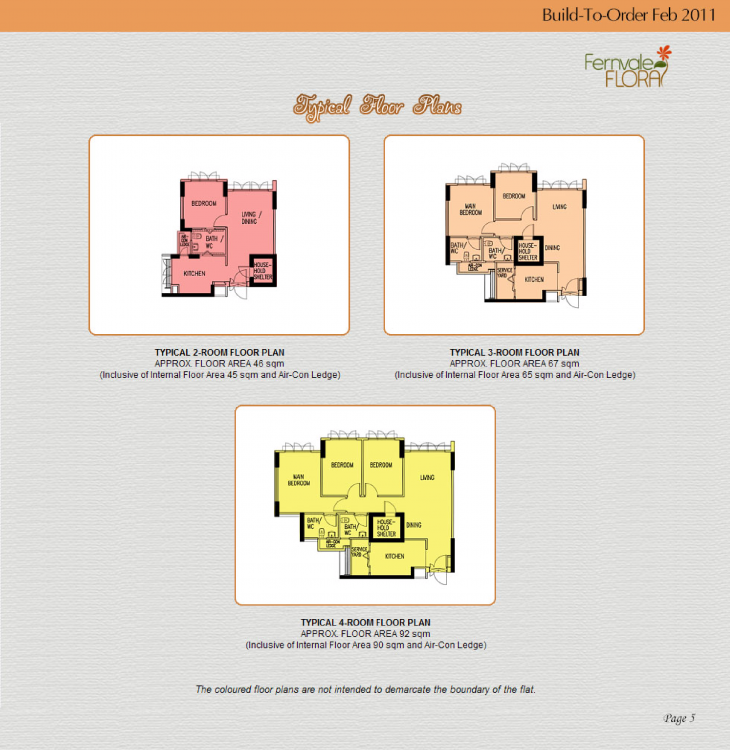

Sponsored Link Account
Navigation
Search
Configure browser push notifications
Chrome (Android)
- Tap the lock icon next to the address bar.
- Tap Permissions → Notifications.
- Adjust your preference.
Chrome (Desktop)
- Click the padlock icon in the address bar.
- Select Site settings.
- Find Notifications and adjust your preference.
Safari (iOS 16.4+)
- Ensure the site is installed via Add to Home Screen.
- Open Settings App → Notifications.
- Find your app name and adjust your preference.
Safari (macOS)
- Go to Safari → Preferences.
- Click the Websites tab.
- Select Notifications in the sidebar.
- Find this website and adjust your preference.
Edge (Android)
- Tap the lock icon next to the address bar.
- Tap Permissions.
- Find Notifications and adjust your preference.
Edge (Desktop)
- Click the padlock icon in the address bar.
- Click Permissions for this site.
- Find Notifications and adjust your preference.
Firefox (Android)
- Go to Settings → Site permissions.
- Tap Notifications.
- Find this site in the list and adjust your preference.
Firefox (Desktop)
- Open Firefox Settings.
- Search for Notifications.
- Find this site in the list and adjust your preference.


.png.c13b486977a496eba45ae6af309cc678.png)
.png.9386bebac9fdc239e1765596ef151e2e.png)
.png.60704b938f9cb8d7e70c5299a32c135d.png)
.png.2093ded603f06dd15fca4b300f90ad5f.png)
.png.ba2d15226608551525e2bb6b0501df32.png)
.png.7fe6e7dd7913b534ee56c0fc9efe0c5c.png)
.png.7e57053b4dd0cbaa2cec2325c2e338af.png)
.png.4a7a1294fb015842e12a73914b81bddc.png)